


Serve every order on time
.avif)



.png)


When service slips, tickets pile up and guests get frustrated. Fast, consistent service keeps your kitchen steady and your customers coming back.
Stay ahead of the rush every shift
Everything your team needs to move faster, stay organized and serve orders on time shift after shift.
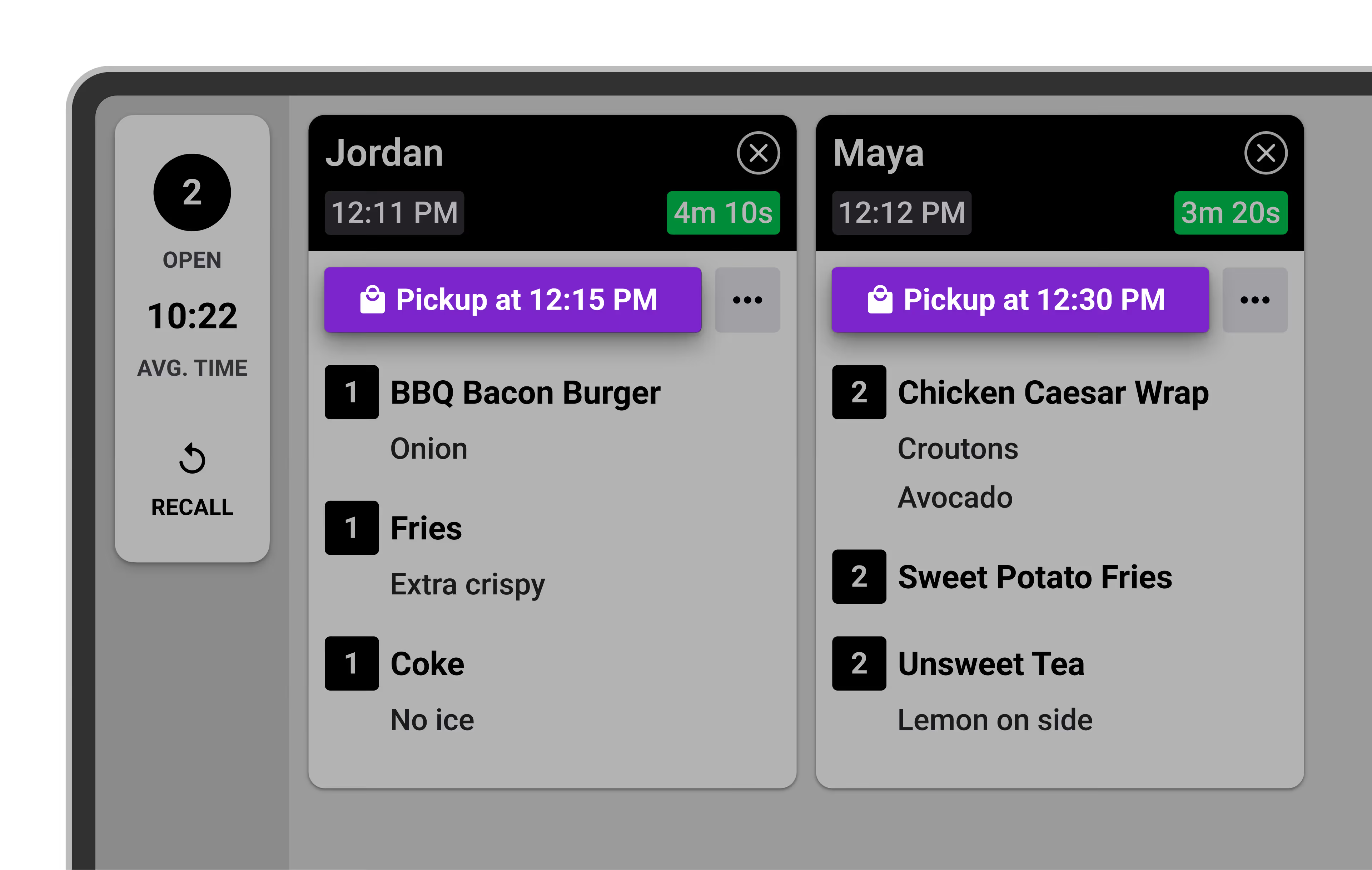
Serve orders right on time
Automatically sort orders based on prep and pickup times, so your team always works on what’s due next — keeping service fast and consistent.
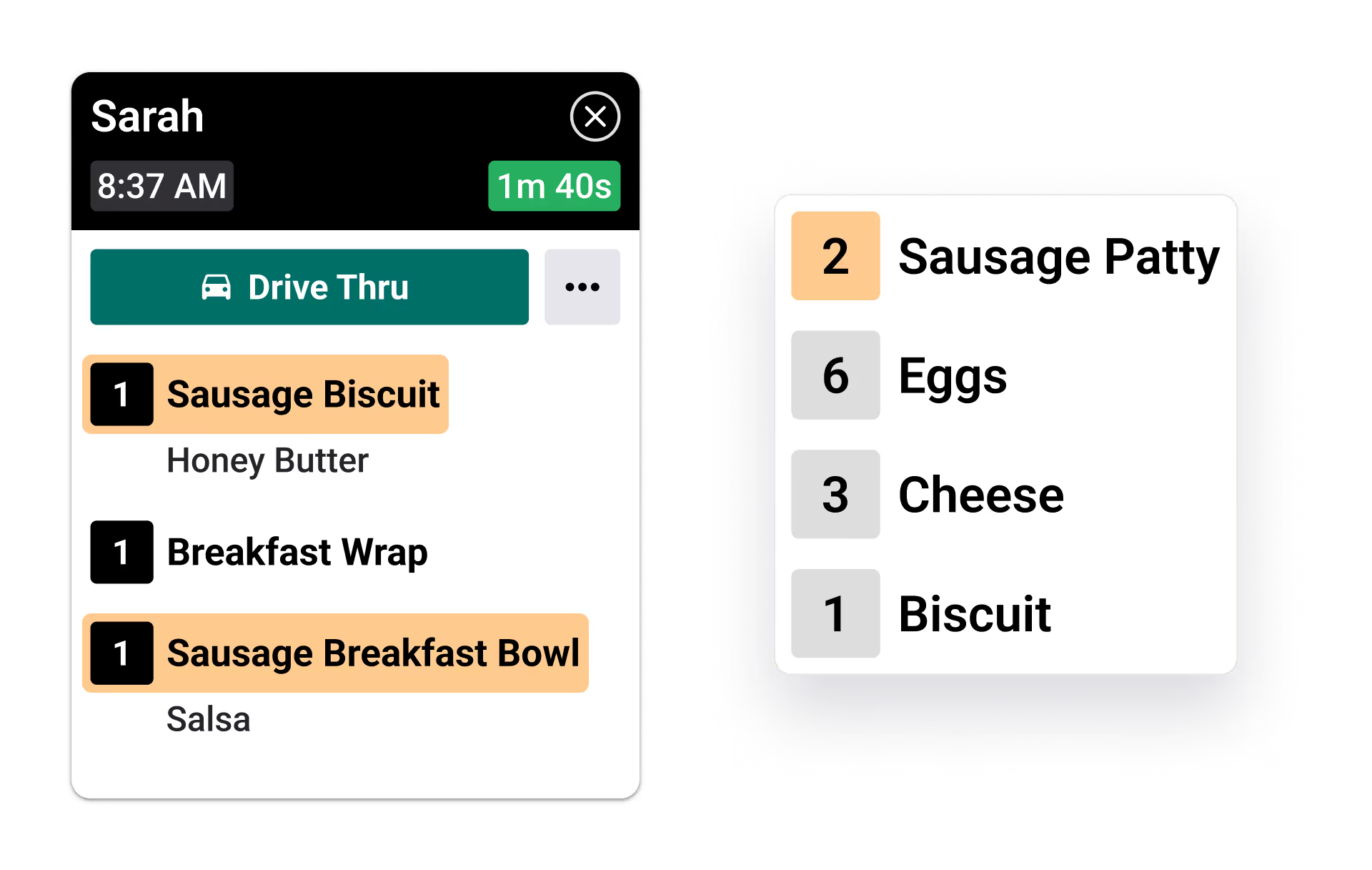
Prep ingredients faster
See exactly how many ingredients you need across all active orders — no mental math, no second guessing, just faster batch prep.
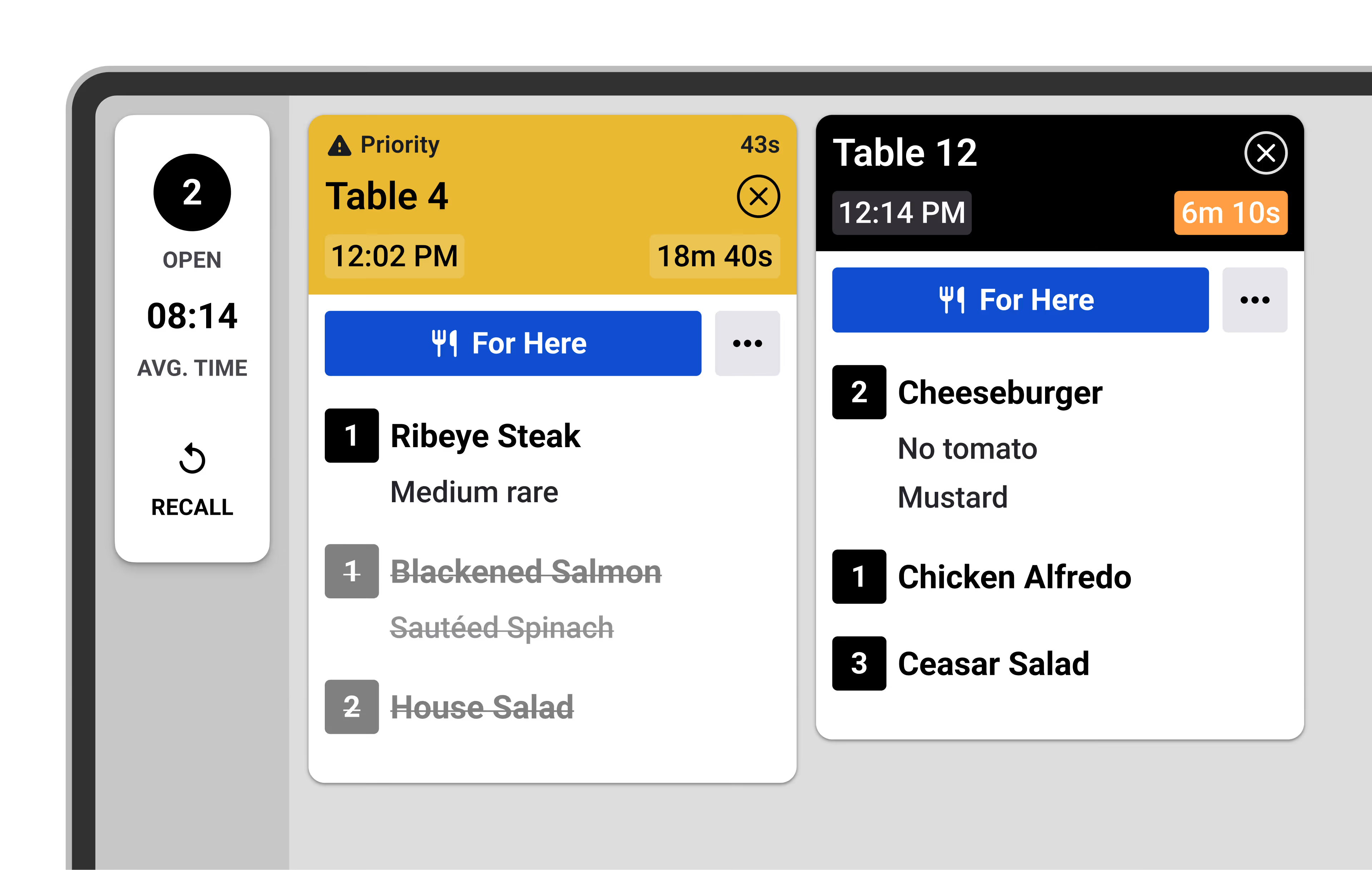
Get ahead when things fall behind
Quickly move urgent or delayed orders to the front of the line to recover speed before service slows down.
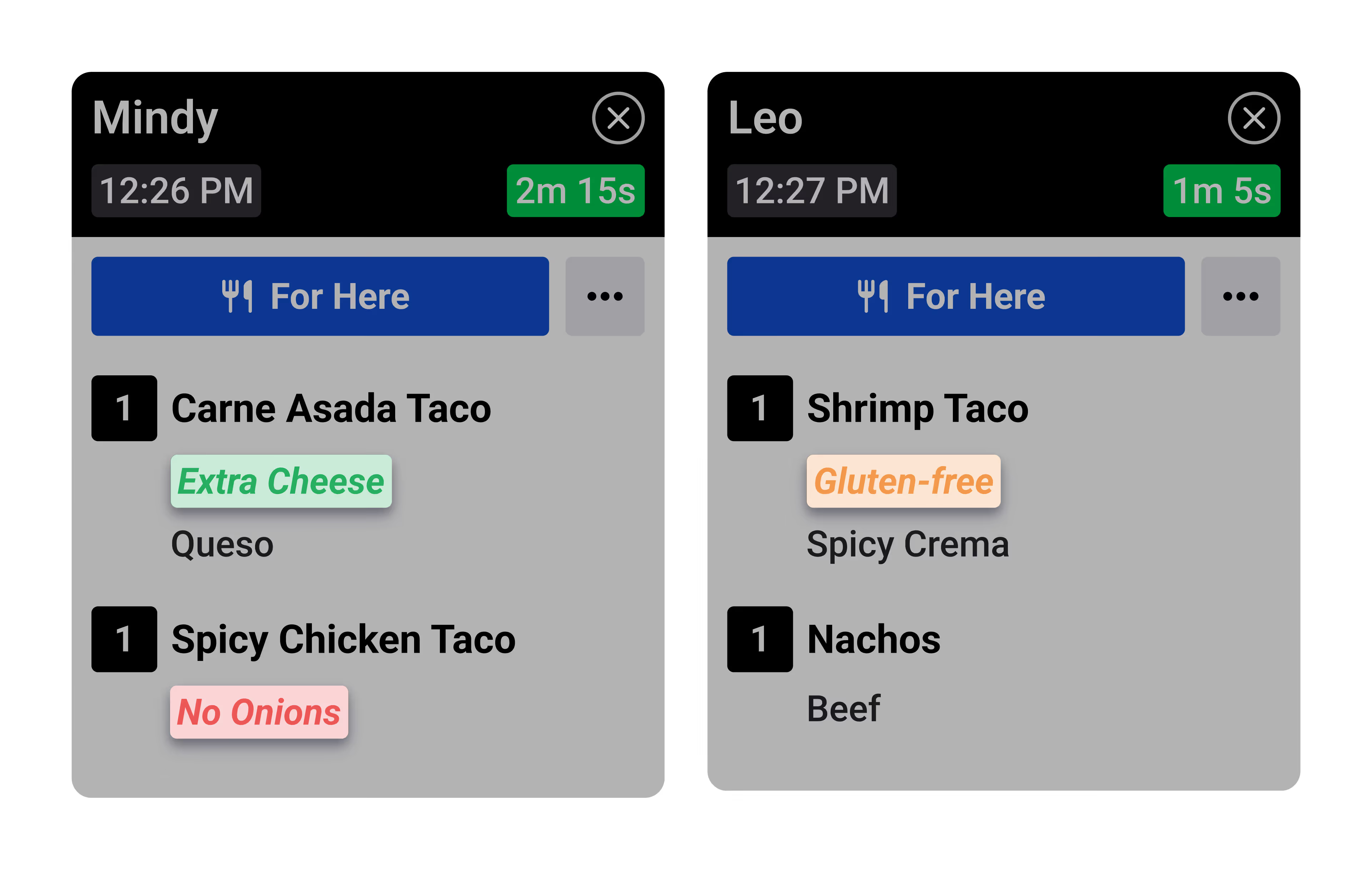
Get orders right the first time
Customize how modifiers and special requests are displayed — so your team can fulfill every order accurately, without costly remakes that slow down service.
Simplify your order handoffs
Keep off-premise orders clear and speed up delivery, pickup and curbside service with a dedicated take-out view.
See order pickup time, and progress at a glance.
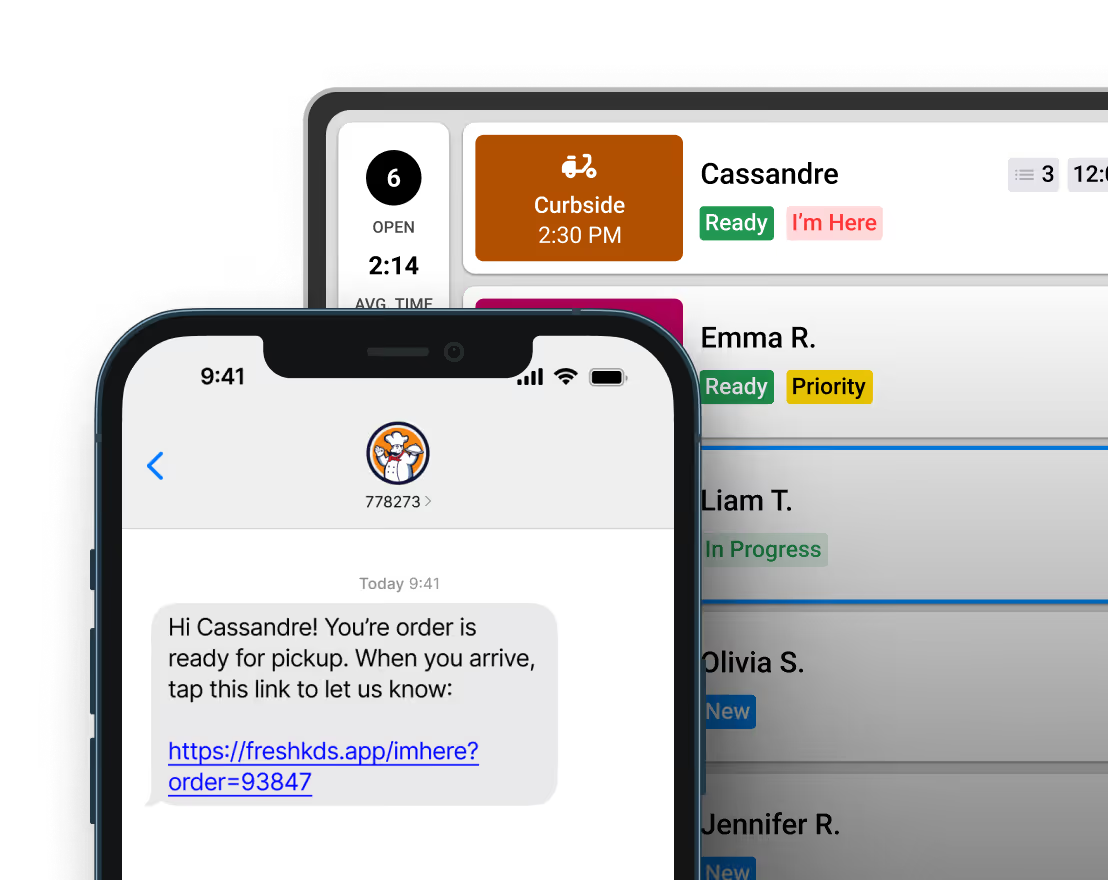
Easily notify customers when it's time to pick up.
Get notified instantly when a customer arrives for pickup.
See pickup times easily
Notify customers intantly
Get alerts on customer arrival
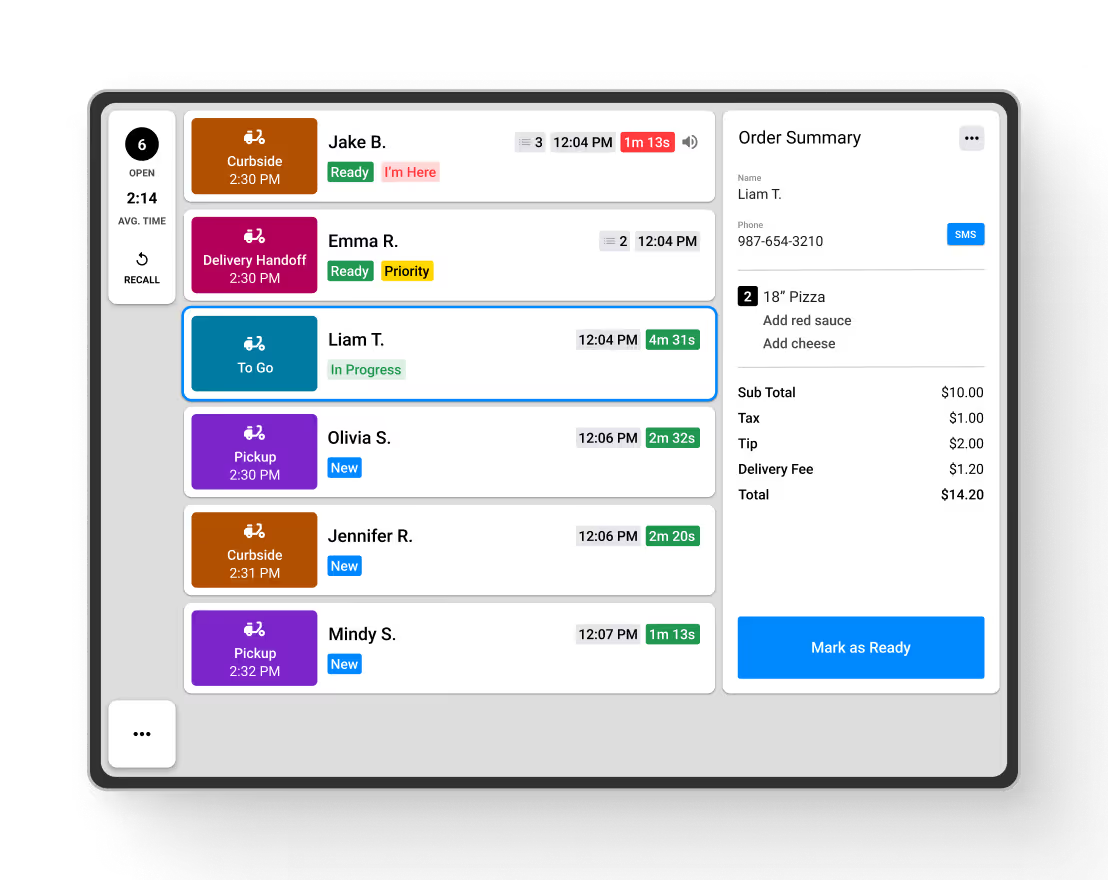

Send automatic SMS updates to keep customers informed and make off-premise pickups frictionless.
Customize messages with names and pickup details.
Add an “I’m Here” link so customers can check in.
Alert customers exactly when orders are ready.
Customize names and pickup info
Add an "I'm Here" check-in link
Alert customers when orders are ready

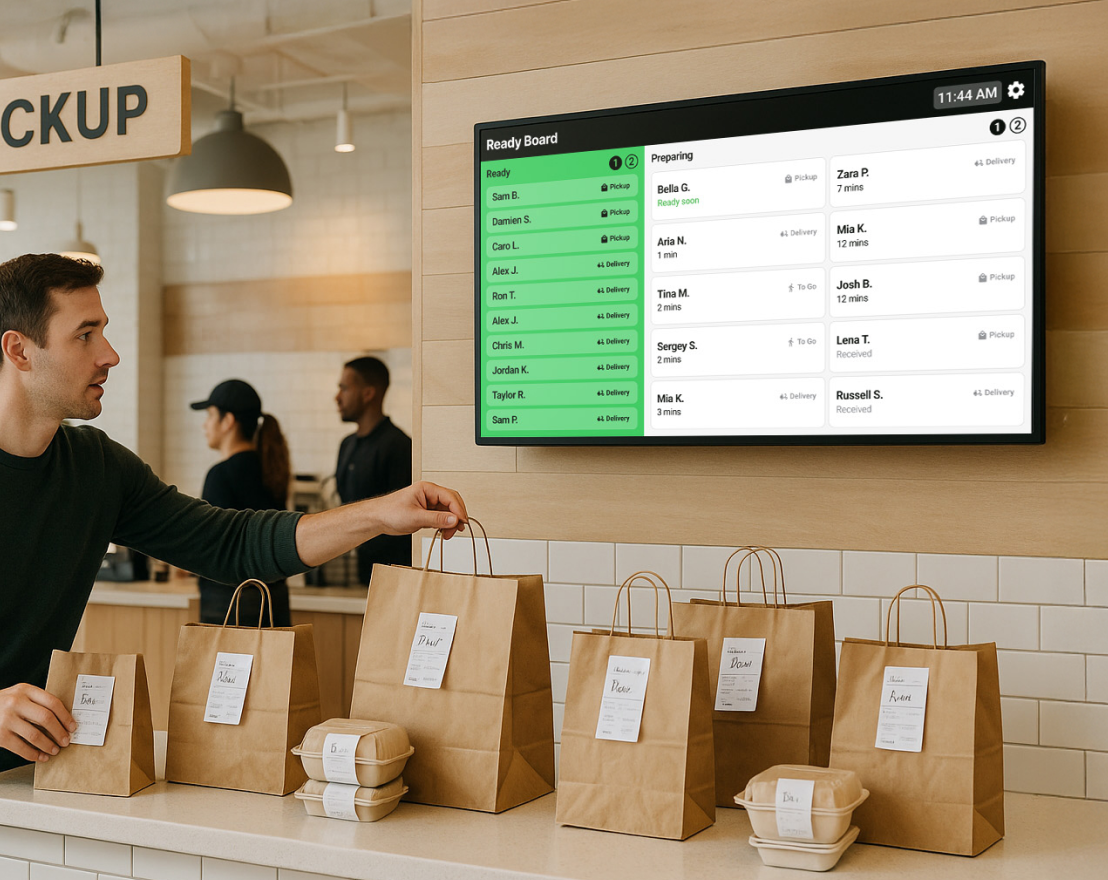
Show real-time order statuses on a customer screen to reduce lobby chaos and keep pickups simple.
Let customers see when orders move from prep to ready.
Minimize waiting and speed up the pickup flow.
Free up staff by cutting down status questions.
Show progress from prep to ready
Speed up the pickup flow
Cut down status question for staff
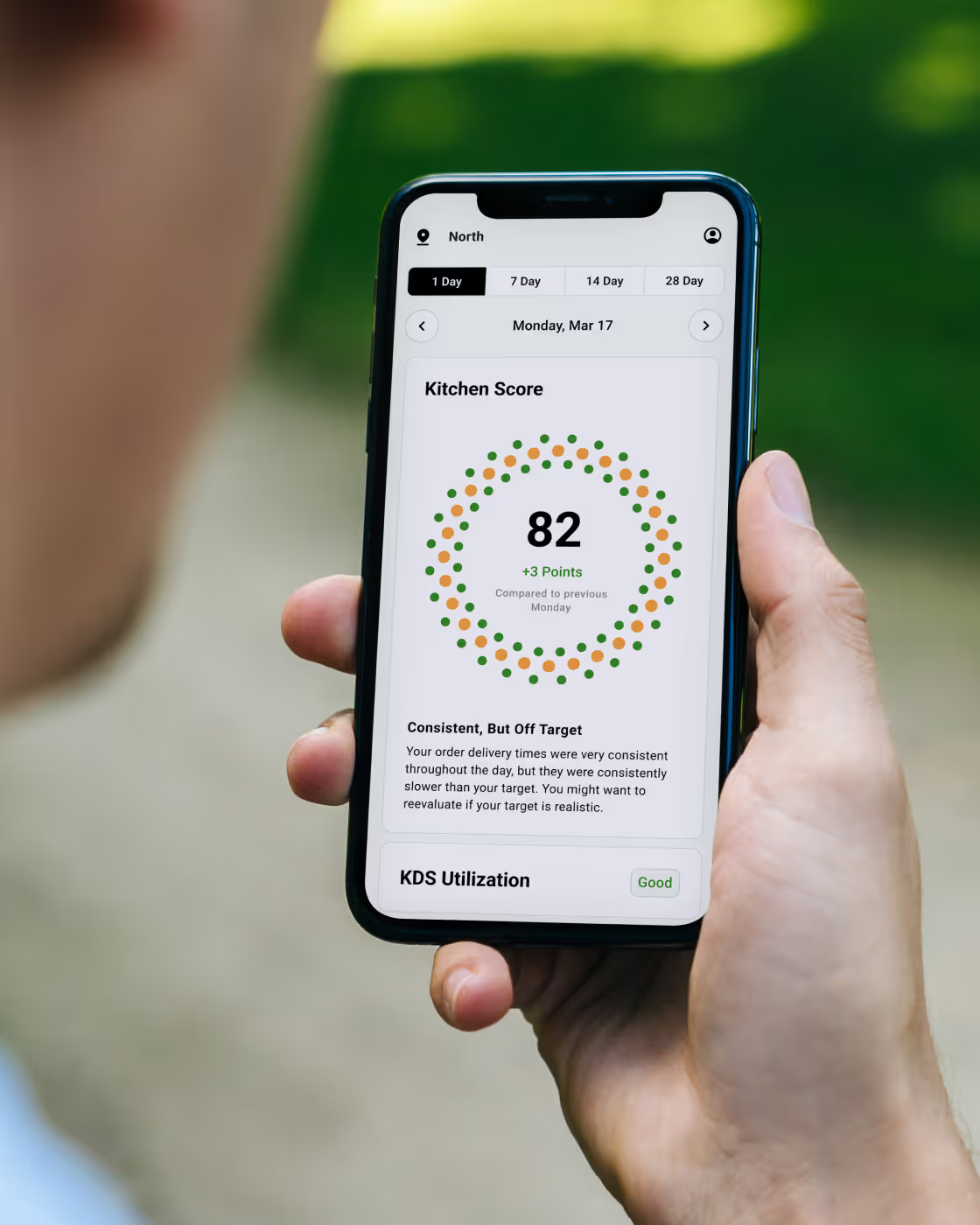
Monitor and improve kitchen performance — anywhere
On The Fly gives you clear, visual insights into speed of service and consistency right from your phone. Skip the complicated reports and see exactly how your kitchen is running and where to improve.







Get started with Fresh KDS in minutes.
From sign-up to receiving your first order, Fresh KDS is hassle-free. Enjoy peace of mind with 24/7 support and quick setup.
Create your account
Signing up is quick, easy, and free. No credit card is needed, and you can cancel anytime.
Connect your POS
Download the app
Get the free Fresh KDS app from the Apple App Store for iOS or Google Play for Android.
Start receiving orders
Get started with a smarter way to run your kitchen
per screen

Fresh KDS works with any tablet/touch screen monitor running iOS 13+ or Android 7+.

Rearrange orders on the screen, hold orders until they’re ready to be prepared, and recall previously cleared tickets.
Manually mark critical orders to stand out, or automatically sort orders to ensure they get prepared quickly.
Set specific time thresholds for order statuses, providing visual alerts that help your kitchen staff manage preparation times effectively.
Get detailed reports on kitchen metrics, enabling data-driven decisions to enhance efficiency and service quality.
Customize notification sounds for new orders, updates, and curbside arrivals—keeping staff informed without disrupting workflow.
per screen
Take full control of your kitchen’s printing needs directly from Fresh KDS. From complete order tickets to individual item labels.
Get real-time ingredient totals across all open orders—no manual counting needed.
Every kitchen is different. Fresh KDS has multiple options for screen communication so you can keep every station in perfect sync.
Style modifiers by keyword with color and text formatting so critical order details—like allergens or special requests—stand out on screen and reduce costly prep mistakes.
Provide real-time kitchen performance insights, displaying average ticket times, order counts, and status breakdowns directly on your KDS.
Send automated, customizable text messages to customers, keeping them informed about their order status.
Design and enforce standardized production flows across locations, tailored to your brand’s operational model.
Centrally manage and deploy device configurations, updates, and permissions across all locations.
Compare performance across stores to identify bottlenecks, outliers, and best-in-class execution.
Connect Fresh KDS with your existing systems to create a unified operational data layer.
Frequently Asked Questions