Fraud Blocker

Effortlessly track ingredients, without the guesswork

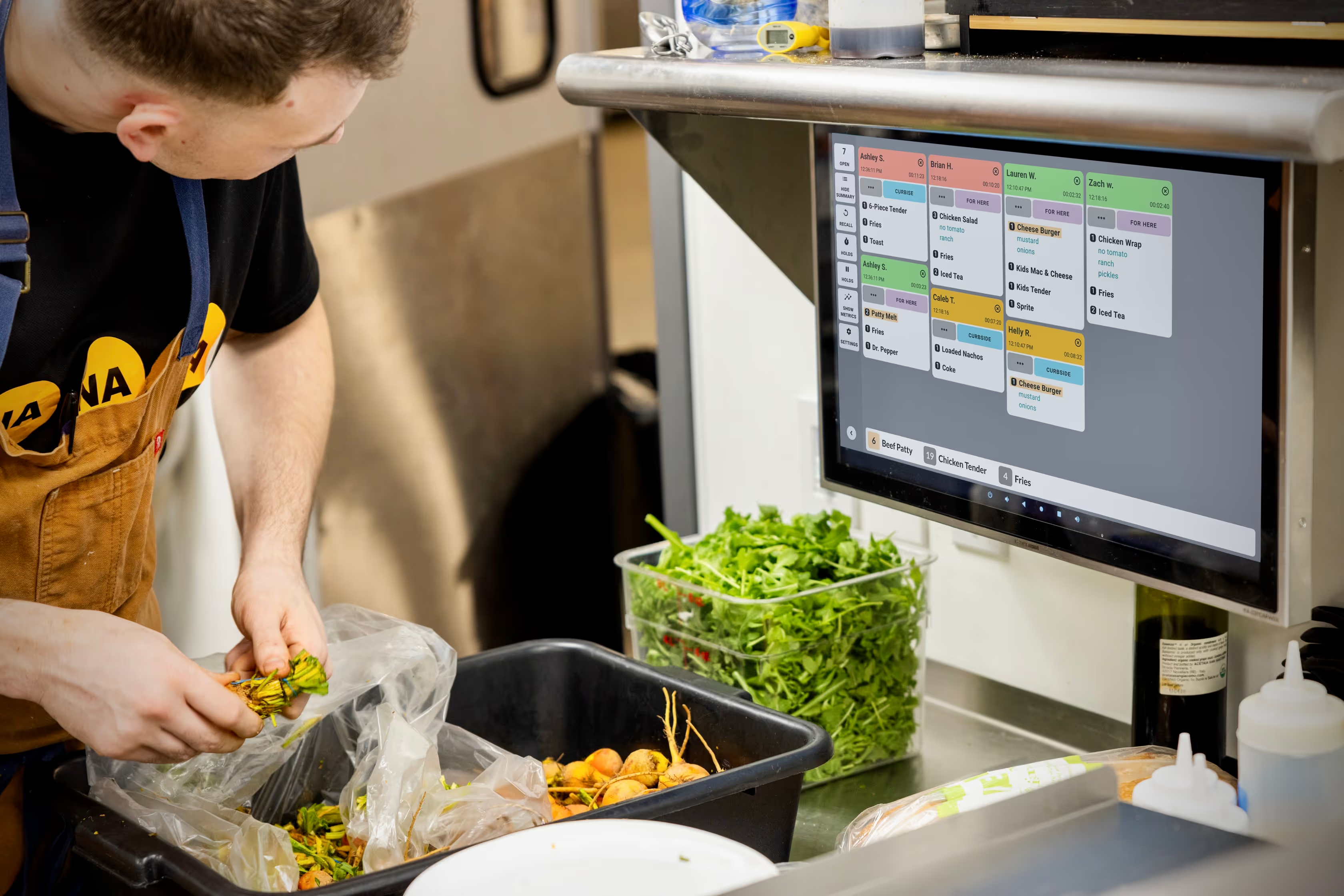
Whether your menu is simple or highly customized, you can assign ingredients to menu items effortlessly and trust that ingredient totals are always accurate. As new orders come in or are cleared, counts update instantly so your team always sees the right numbers, at the right time.

1

Add ingredients & assign to menu items

2

Set ingredient quantities for each menu item

3

View & highlight ingredient counts in real time

Get started with Ingredient All Day Counts today

Create a free Fresh KDS account today and explore Ingredient All Day Counts along with other powerful features to make your kitchen run smoother and more efficiently.

Upgrade plan

Get started with Ingredient All Day Counts today

Create a free Fresh KDS account today and explore Ingredient All Day Counts along with other powerful features to make your kitchen run smoother and more efficiently.

Plans & Pricing

Upgrade your Fresh KDS plan to gain access

Upgrade your plan today and gain access to powerful features like Ingredient All Day Counts, Modifier Styles, In-App Metrics and more.
Monthly
Yearly (save 20%)
CURRENT PLAN
Essentials
A simple starting point for kitchens replacing paper tickets and improving day-to-day speed.
$20
per month
per screen
billed monthly
$16
per month
per screen
billed yearly
Includes:
iOS and Android compatibility

Fresh KDS works with any tablet/touch screen monitor running iOS 13+ or Android 7+.

Black speech bubble icon with three white dots centered inside.
Move, hold, and recall orders

Rearrange orders on the screen, hold orders until they’re ready to be prepared, and recall previously cleared tickets.

Black speech bubble icon with three white dots centered inside.
Order prioritization

Manually mark critical orders to stand out, or automatically sort orders to ensure they get prepared quickly.

Black speech bubble icon with three white dots centered inside.
Custom timers and alerts

Set specific time thresholds for order statuses, providing visual alerts that help your kitchen staff manage preparation times effectively.

Black speech bubble icon with three white dots centered inside.
Speed of service reports

Get detailed reports on kitchen metrics, enabling data-driven decisions to enhance efficiency and service quality.

Black speech bubble icon with three white dots centered inside.
Sound notifications

Customize notification sounds for new orders, updates, and curbside arrivals—keeping staff informed without disrupting workflow.

Black speech bubble icon with three white dots centered inside.
Most Popular
RECOMMENDED
Premium
For growing kitchens that need better visibility, coordination, and control during service.
$27
per month
per screen
billed monthly
$22
per month
per screen
billed yearly
Everything in Essentials, plus:
Most Popular
Label / Ticket Printing

Take full control of your kitchen’s printing needs directly from Fresh KDS. From complete order tickets to individual item labels.

Black speech bubble icon with three white dots centered inside.
Ingredient All Day Counts

Get real-time ingredient totals across all open orders—no manual counting needed.

Black speech bubble icon with three white dots centered inside.
Screen Communication

Every kitchen is different. Fresh KDS has multiple options for screen communication so you can keep every station in perfect sync.

Black speech bubble icon with three white dots centered inside.
Modifier Styles

Style modifiers by keyword with color and text formatting so critical order details—like allergens or special requests—stand out on screen and reduce costly prep mistakes.

Black speech bubble icon with three white dots centered inside.
In-App Metrics

Provide real-time kitchen performance insights, displaying average ticket times, order counts, and status breakdowns directly on your KDS.

Black speech bubble icon with three white dots centered inside.
Customer Messaging

Send automated, customizable text messages to customers, keeping them informed about their order status.

Black speech bubble icon with three white dots centered inside.
Upgrade plan

Weitere Funktionen des Premium- und Unlimited-Tarifs

Greifen Sie mit Fresh KDS Premium und Unlimited auf noch mehr Tools zu, um Ihre Küche effizienter zu gestalten.

Ressourcen für Ihren Erfolg

Displaysysteme für die Küche
So unterstützen Sie Ihren Hinterhof mit einem effektiven KDS

Erfahren Sie, wie Sie Ihren Hinterhof mit einem effektiven KDS unterstützen können. Verbessern Sie mit diesen Tipps die Effizienz, reduzieren Sie Fehler und optimieren Sie den Küchenbetrieb.

Geschichte ansehen
How do I Upgrade my Fresh KDS Subscription?
How does Ingredient All Day Counts work?
Who can access Ingredient All Day Counts?
Can I customize which ingredients are tracked?
Can I customize how Ingredient All Day Counts appears on my screen?
Why can’t I see the Ingredient All Day Counts feature on Fresh KDS?