Fraud Blocker
Insights

Turn your kitchen data into clear next steps

Insights brings together the findings from your kitchen’s last full day of service and recommends where to focus. Get specific suggestions, with supporting evidence, without piecing the explanation together yourself.

Upgrade plan
New Insight

Recommendation

Know where to focus in your kitchen

Spend less time investigating

Fresh KDS connects findings across your kitchen data, so you spend less time piecing together what happened.

Know where to improve next

Get practical recommendations based on your kitchen’s performance, so you can turn what happened during service into changes to try with your team.

Make decisions with evidence

See what prompted each suggestion, so you can judge what makes sense for your operation.

How Insights works

Fresh KDS connects the dots for you

Fresh KDS uses AI to review your kitchen’s last full day of service, including order timing, hourly results, and station performance. It connects those findings to recommend where to focus and what to try next.
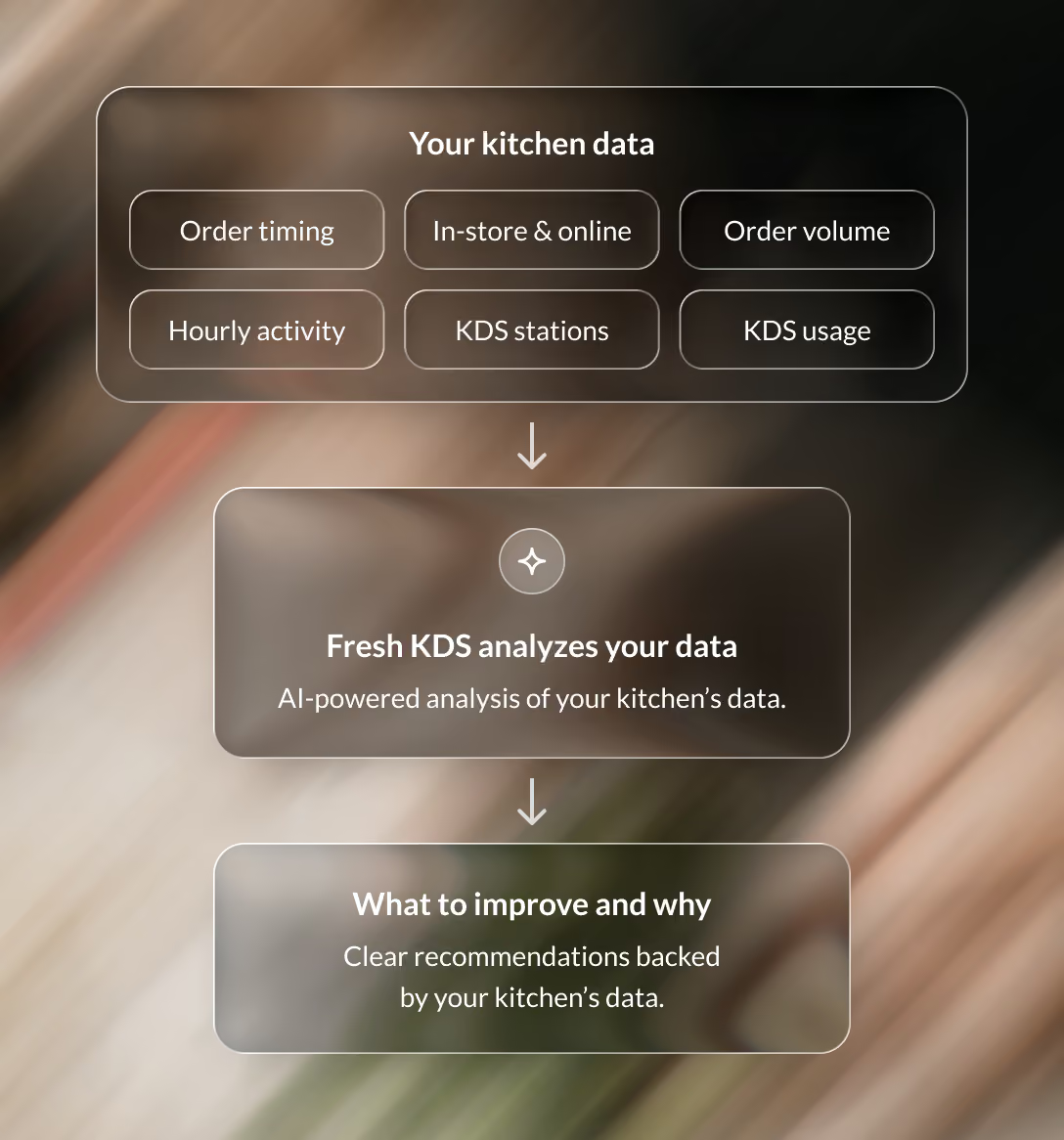
Your kitchen data, including order timing, targets, in-store and online orders, hours and KDS stations, flows into AI that connects the dots and returns a recommendation
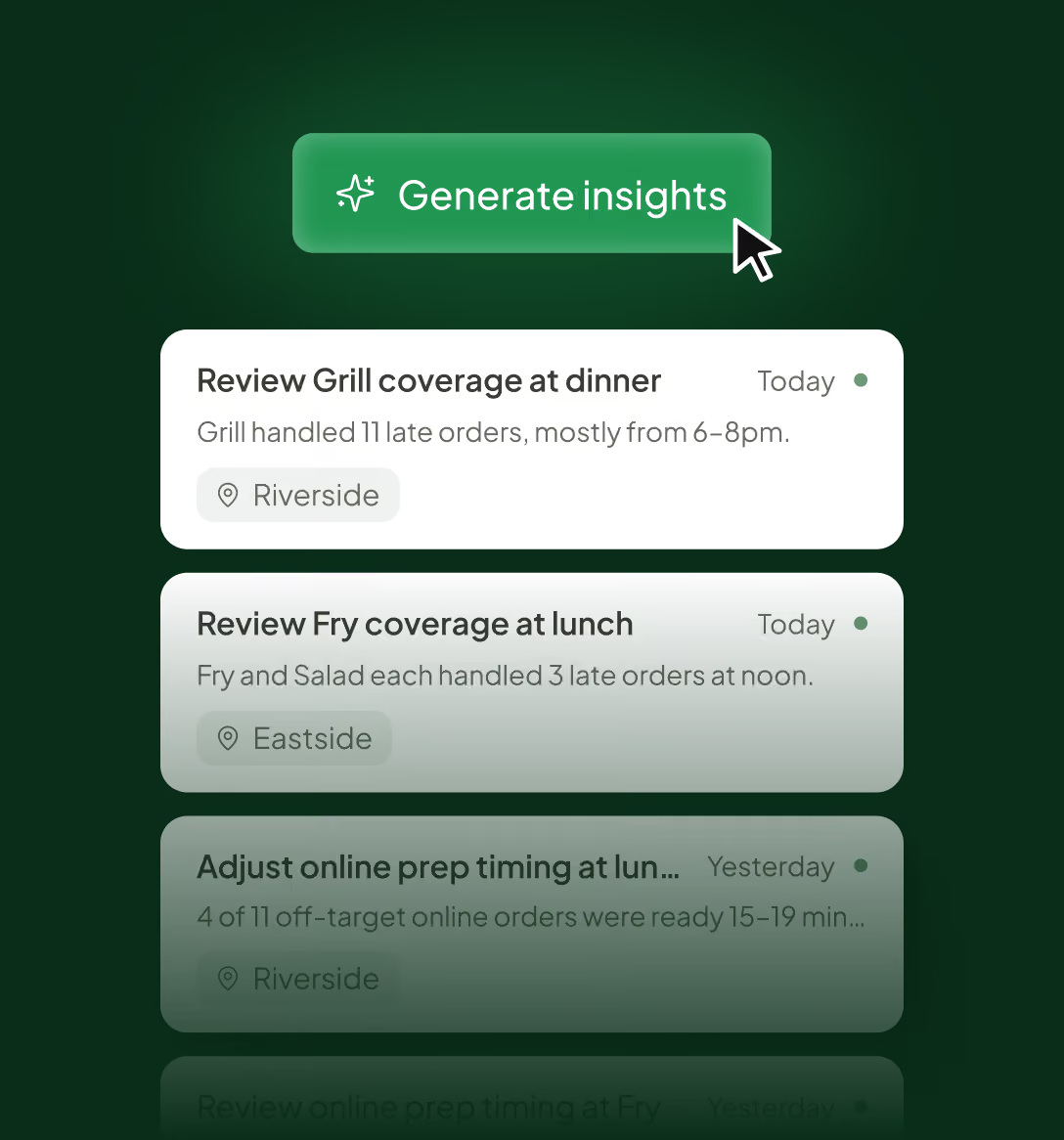
A list of Insights recommendations for different locations, such as adding a cook to Grill from 6 to 8pm and using Auto Hold for online orders
Daily recommendations

Review your insights at a glance

Generate insights from your kitchen’s last full day of service, then scan the suggestions to choose what deserves a closer look. Managing several locations? View their insights together or filter to one kitchen.

BACKED BY YOUR KITCHEN DATA

See the evidence behind the advice

Open a recommendation to see the findings that led to it, including the hours, order results, and KDS stations involved. Get the context to judge how the suggestion fits your kitchen.
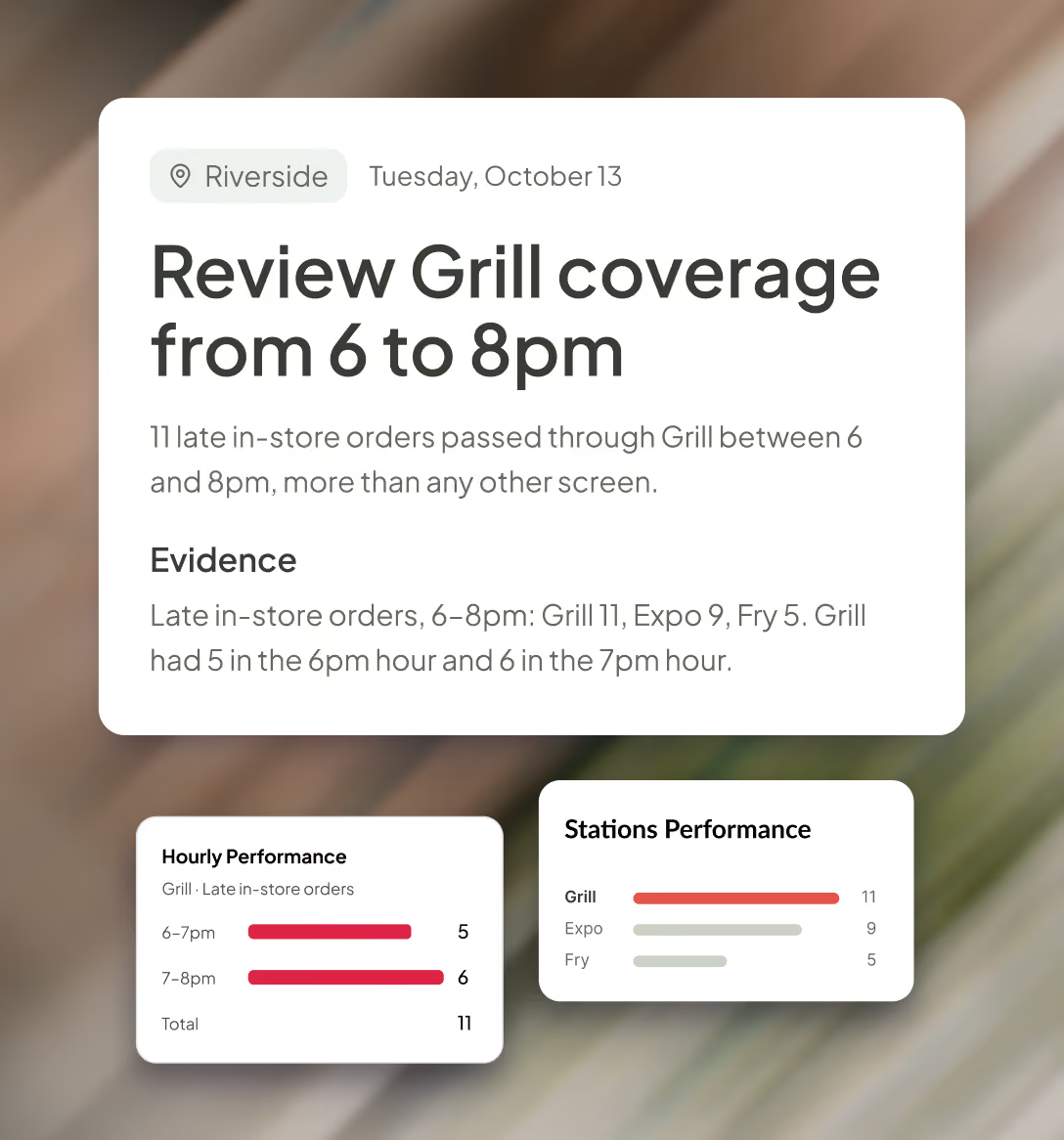
An Insights recommendation opened to show its evidence, with station performance showing Grill had the most late orders
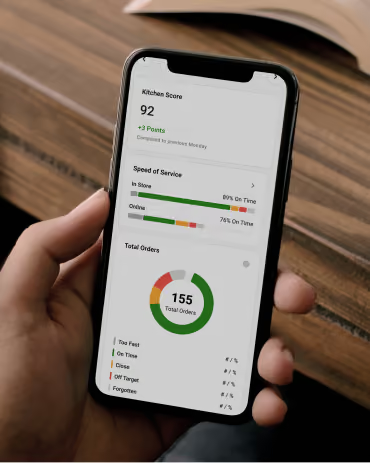
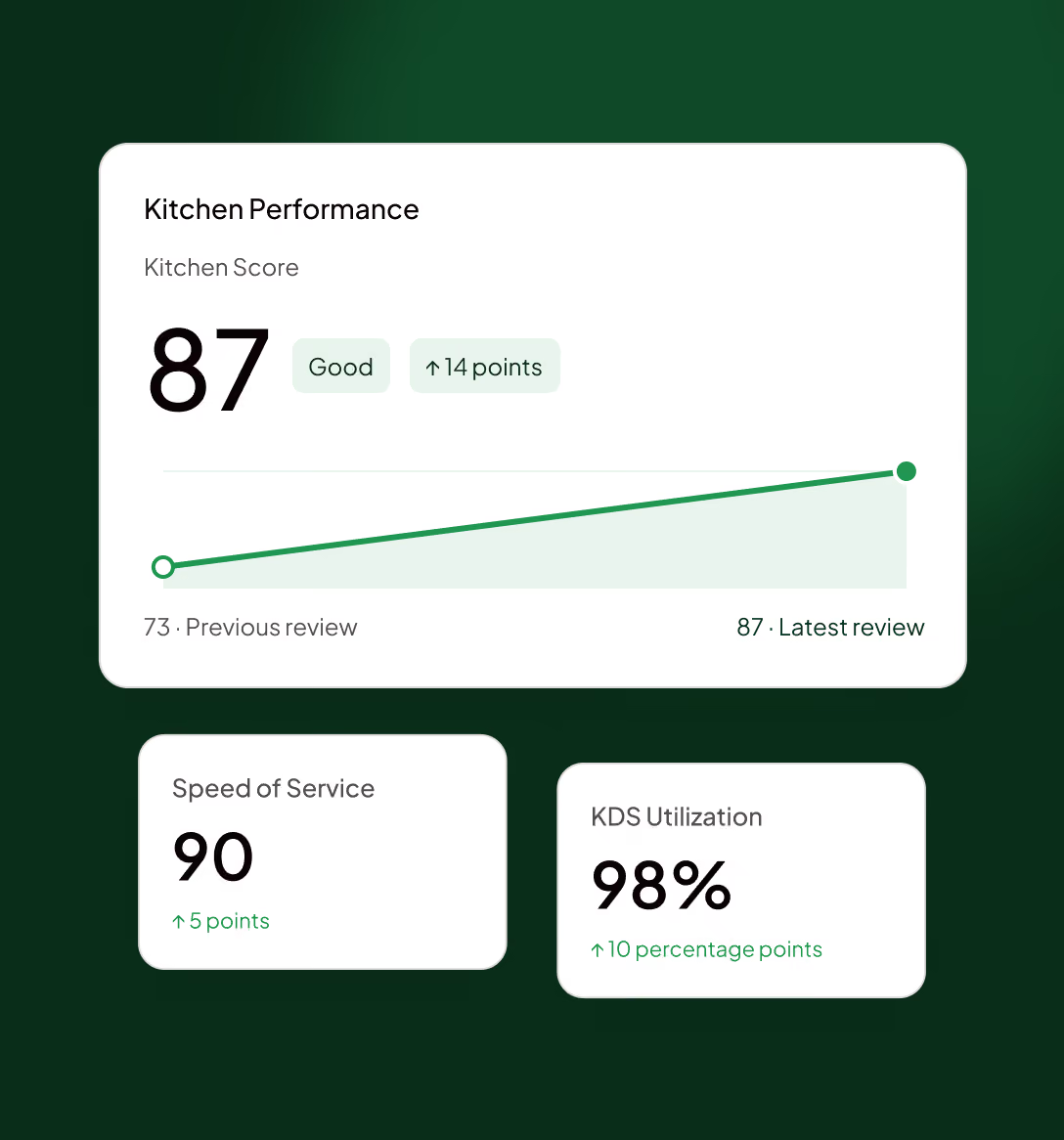
Kitchen Performance in Fresh KDS showing the Kitchen Score, Speed of Service and KDS Utilization improving
Track your progress

Make a change. Measure the difference.

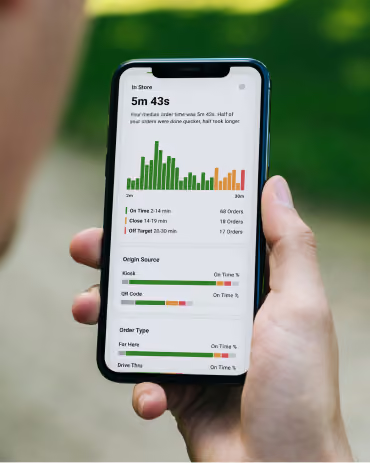
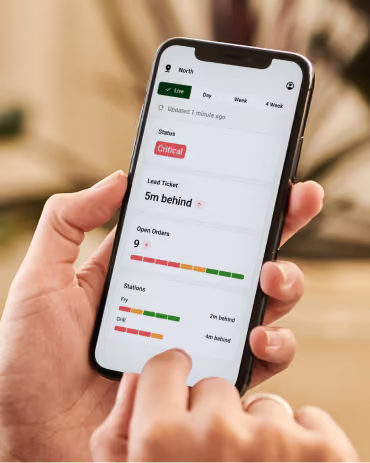
Put a suggestion into practice with your team, then follow your Kitchen Score and on-time performance in Kitchen Analytics. See how service changes over time and use the results to guide your next improvement.
Explore Analytics
Insights

Give your next shift a clearer plan

Get started with Fresh KDS for free and turn your kitchen’s service data into recommendations your team can act on.

Plans & Pricing

Upgrade your Fresh KDS plan to gain access

Upgrade your plan today and gain access to powerful features like Insights, Automations, Ingredient All Day Counts, Modifier Styles and more.
Monthly
Yearly (save 20%)
CURRENT PLAN
Essentials
A simple starting point for kitchens replacing paper tickets and improving day-to-day speed.
$20
per month
per screen
billed monthly
$16
per month
per screen
billed yearly
Includes:
iOS and Android compatibility

Fresh KDS works with any tablet/touch screen monitor running iOS 13+ or Android 7+.

Black speech bubble icon with three white dots centered inside.
Move, hold, and recall orders

Rearrange orders on the screen, hold orders until they’re ready to be prepared, and recall previously cleared tickets.

Black speech bubble icon with three white dots centered inside.
Order prioritization

Manually mark critical orders to stand out, or automatically sort orders to ensure they get prepared quickly.

Black speech bubble icon with three white dots centered inside.
Custom timers and alerts

Set specific time thresholds for order statuses, providing visual alerts that help your kitchen staff manage preparation times effectively.

Black speech bubble icon with three white dots centered inside.
Speed of service reports

Get detailed reports on kitchen metrics, enabling data-driven decisions to enhance efficiency and service quality.

Black speech bubble icon with three white dots centered inside.
Sound notifications

Customize notification sounds for new orders, updates, and curbside arrivals—keeping staff informed without disrupting workflow.

Black speech bubble icon with three white dots centered inside.
Most Popular
RECOMMENDED
Premium
For growing kitchens that need better visibility, coordination, and control during service.
$27
per month
per screen
billed monthly
$22
per month
per screen
billed yearly
Everything in Essentials, plus:
Most Popular
Label / Ticket Printing

Take full control of your kitchen’s printing needs directly from Fresh KDS. From complete order tickets to individual item labels.

Black speech bubble icon with three white dots centered inside.
Ingredient All Day Counts

Get real-time ingredient totals across all open orders—no manual counting needed.

Black speech bubble icon with three white dots centered inside.
Screen Communication

Every kitchen is different. Fresh KDS has multiple options for screen communication so you can keep every station in perfect sync.

Black speech bubble icon with three white dots centered inside.
Modifier Styles

Style modifiers by keyword with color and text formatting so critical order details—like allergens or special requests—stand out on screen and reduce costly prep mistakes.

Black speech bubble icon with three white dots centered inside.
In-App Metrics

Provide real-time kitchen performance insights, displaying average ticket times, order counts, and status breakdowns directly on your KDS.

Black speech bubble icon with three white dots centered inside.
Customer Messaging

Send automated, customizable text messages to customers, keeping them informed about their order status.

Black speech bubble icon with three white dots centered inside.
Upgrade plan

FAQ

Quick answers about what Insights looks at, how to use it, and what you need to get started.

Get support
How is Insights different from Analytics?
What data does Insights review?
When can I generate recommendations?
Will Insights change my settings?
Can I review multiple locations?
Do I need to set Performance Targets first?
Which plan includes Insights?