Fraud Blocker
Automations

Tailor your KDS for your kitchen

Every kitchen runs differently. Now you can customize how Fresh KDS responds during service. Start with ready-made Automations or create your own for the situations that matter to your kitchen.

Upgrade plan
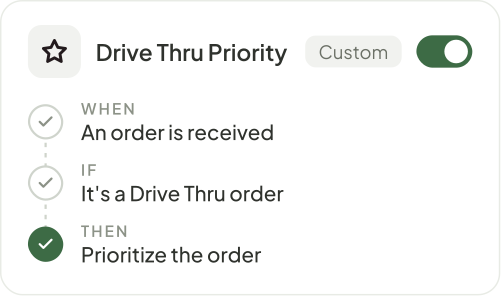
A custom Drive Thru Priority automation: when an order is received, if it's a Drive Thru order, prioritize the orderLong Cook Time automation, switched onCreate Automation buttonLarge Order template: when an order is received, if it has at least 10 items, show an alert on the screen

Keep your team focused on the food

Catch important details

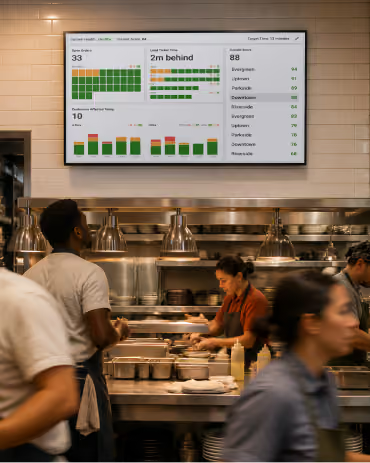
Give the team a heads-up on slow-cook items and large orders so they can plan the work before it backs up.

Skip repeated steps

Automate routine screen actions and customer updates so staff can spend more time preparing food and getting orders out.

Fit your kitchen's flow

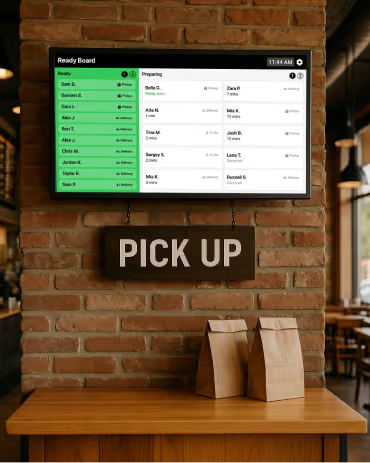
Choose responses for your menu, order types, and pickup routines so Fresh KDS supports the way your team works.

Ready-made automations

Give routine tasks an automatic response.

Call out slow-cook items, get a heads-up on large orders, or bring ready orders forward. Start with a template and adjust it for your kitchen.
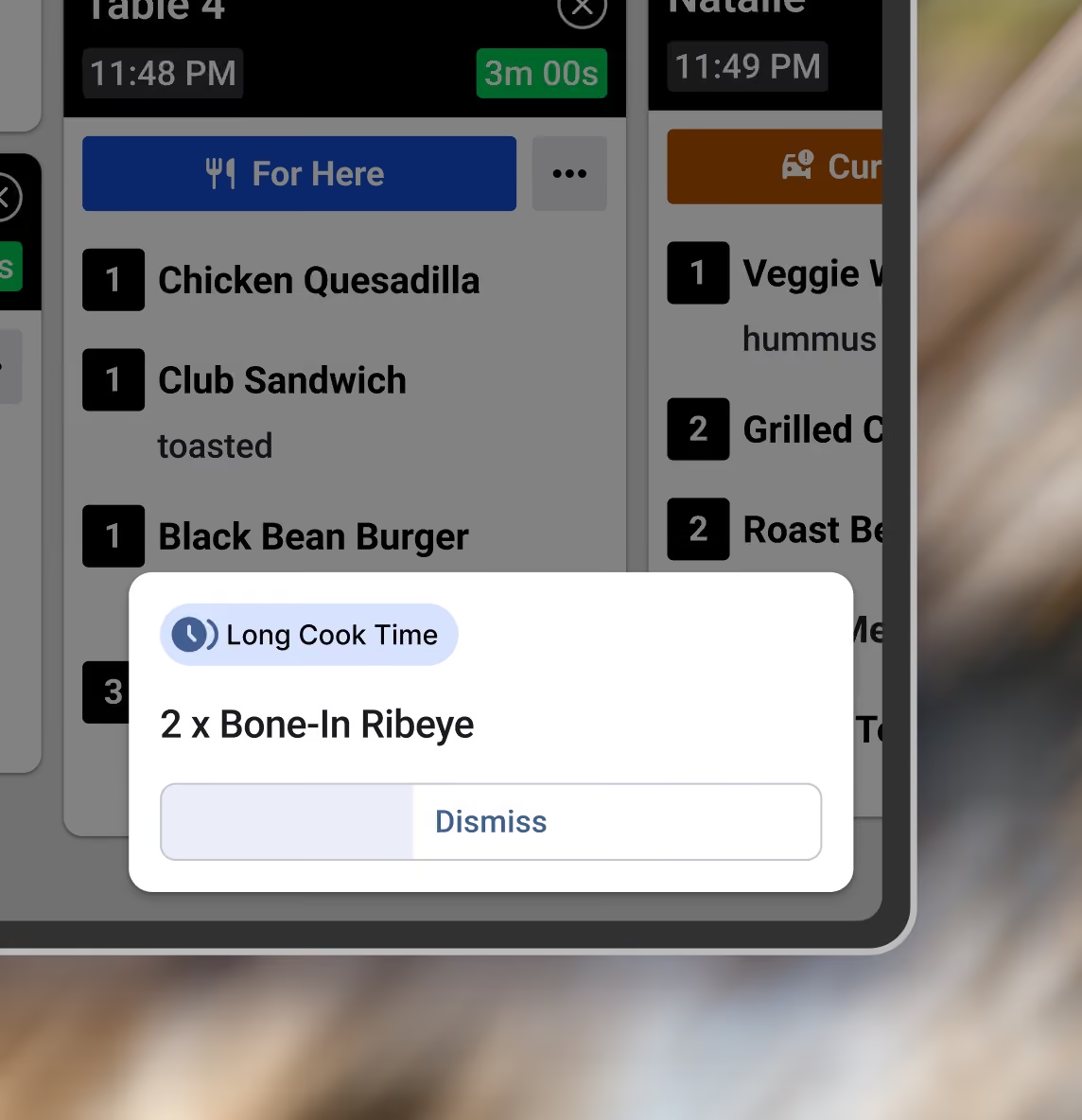
A Long Cook Time alert on a Fresh KDS screen for 2 x Bone-In Ribeye, with a Dismiss button that counts down
Long Cook Time
When an item is received and has a long cook time, show an alert on the screen.
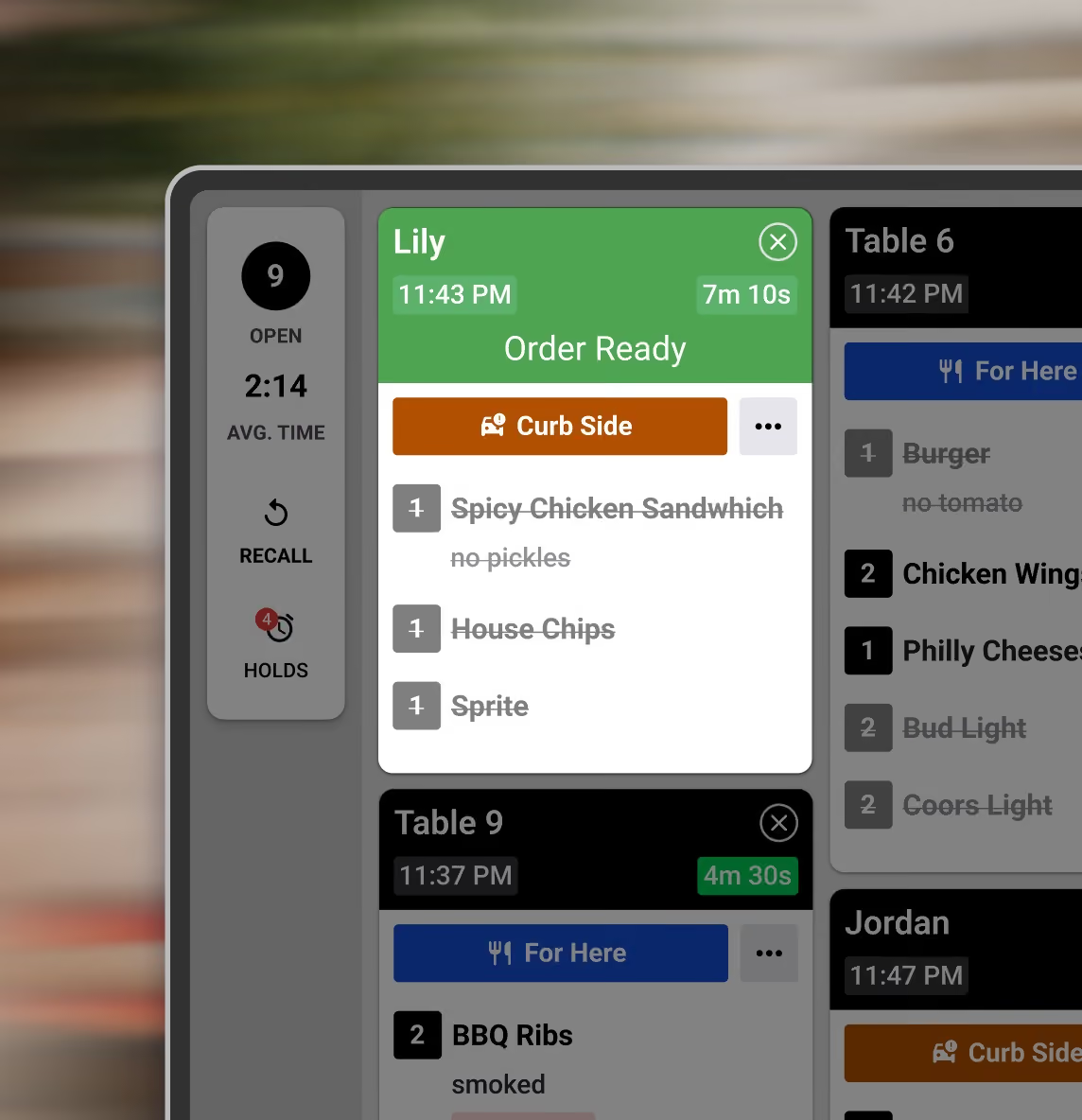
A Fresh KDS expo screen with a ready order, every item crossed out, moved to the front of the queue
Move Ready Orders to Front
When an order is ready, move the order to the front.
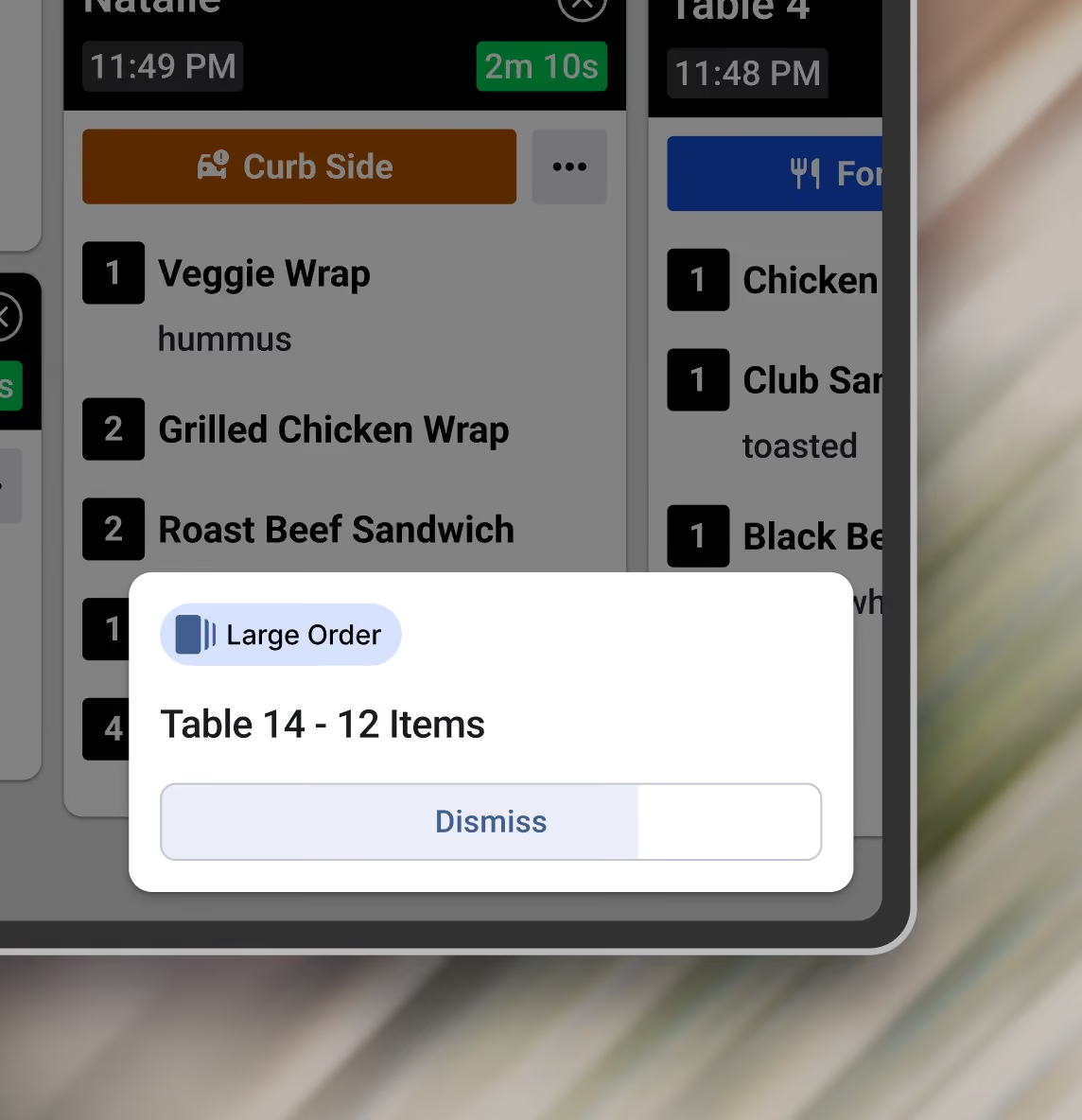
A Large Order alert on a Fresh KDS screen for Table 14 with 12 items, with a Dismiss button that counts down
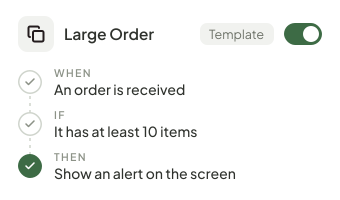
Large Order
When an order is received, if it has at least 10 items, show an alert on the screen.
Custom automations

Tailor automations to your exact needs

Match a kitchen event with the details that matter, then choose one or more actions. Build rules for your menu, orders, and workflow.

Upgrade plan
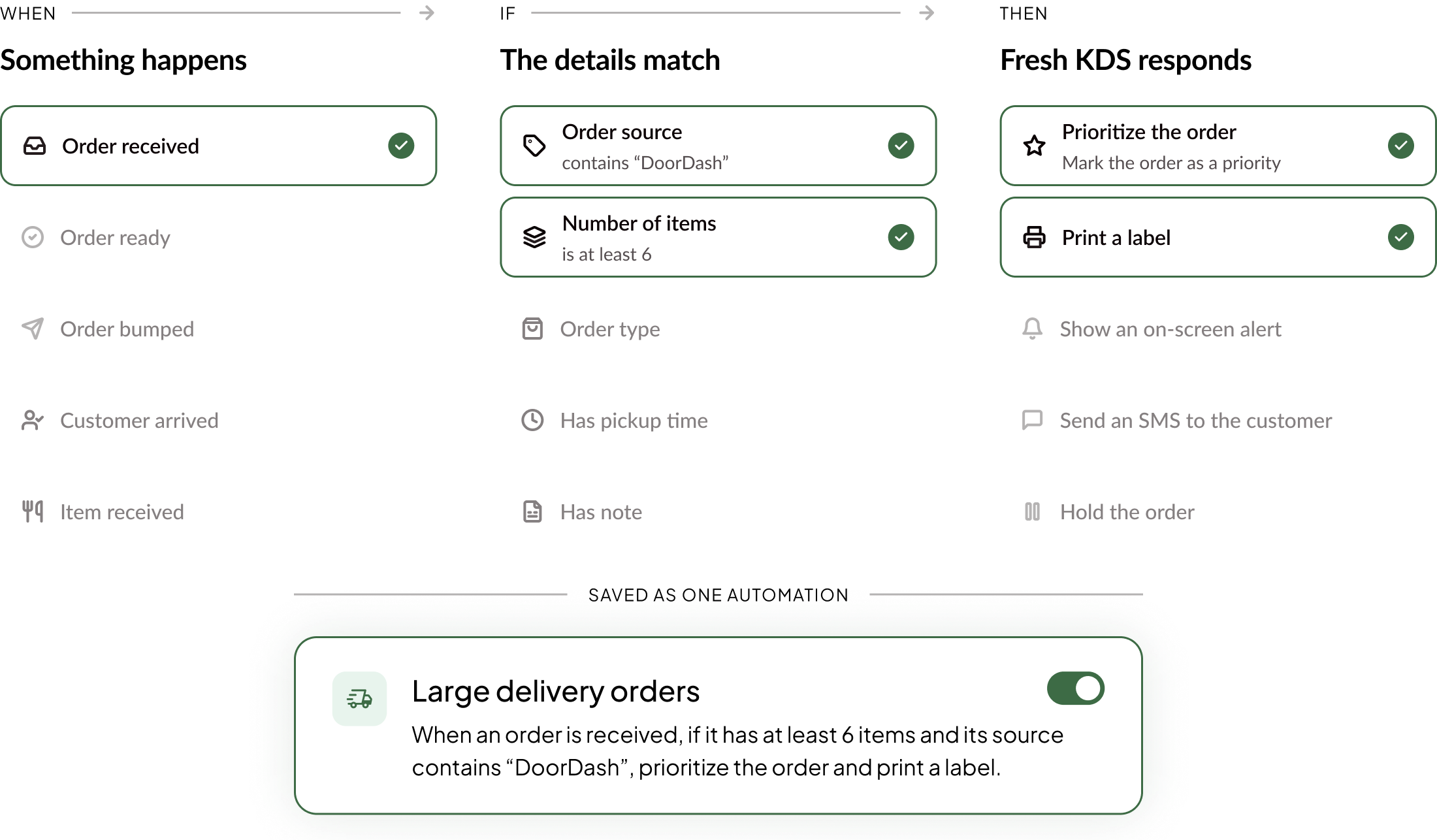
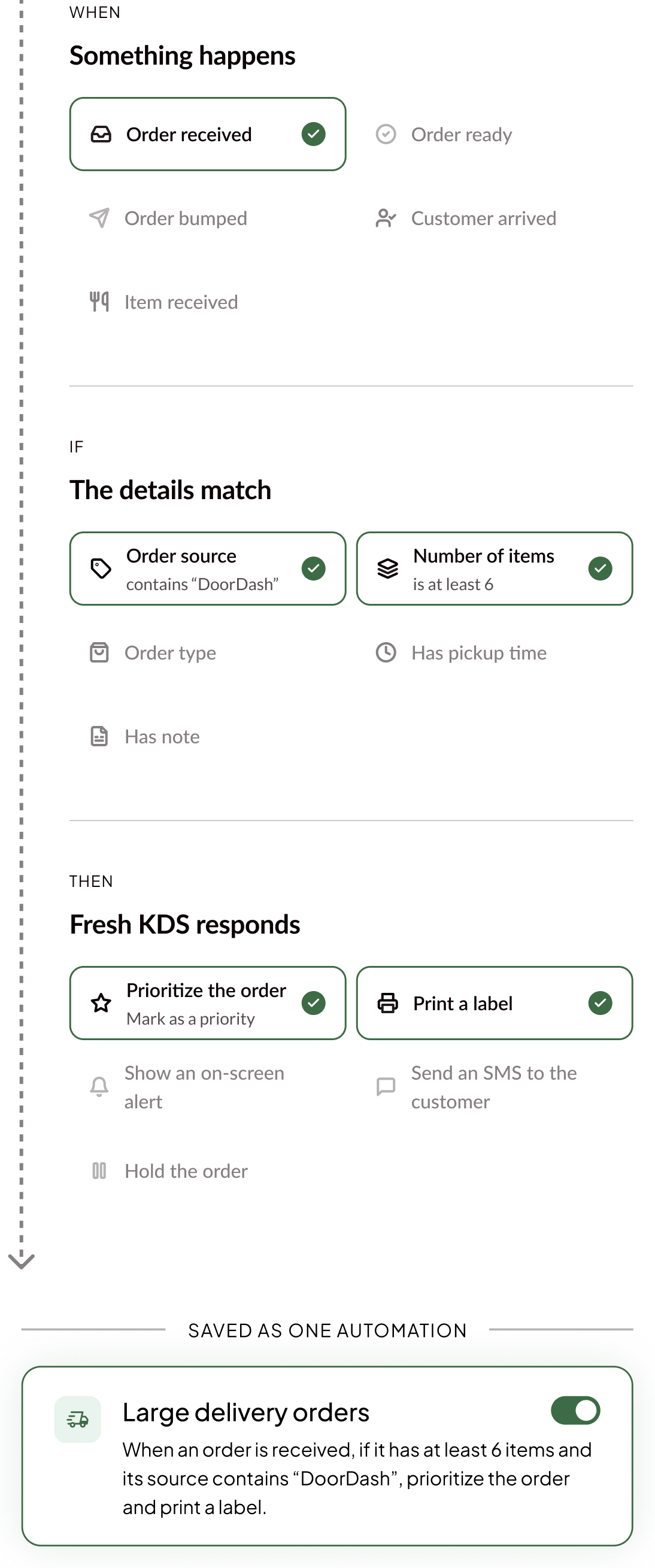
Building a custom automation: when an order is received, if its source contains DoorDash and it has at least 6 items, prioritize the order and print a label, saved as Large delivery ordersBuilding a custom automation: when an order is received, if its source contains DoorDash and it has at least 6 items, prioritize the order and print a label, saved as Large delivery orders
Manage your automations

Create once. Deploy everywhere.

Choose where it runs

Assign a saved automation to one screen or reuse it across the stations and locations that need it.

Update a shared rule

Edit it in your library and see how many screens the change will affect before you save.

Turn it on or off

Stop a shared automation across its assigned screens, then turn it back on whenever you need it.
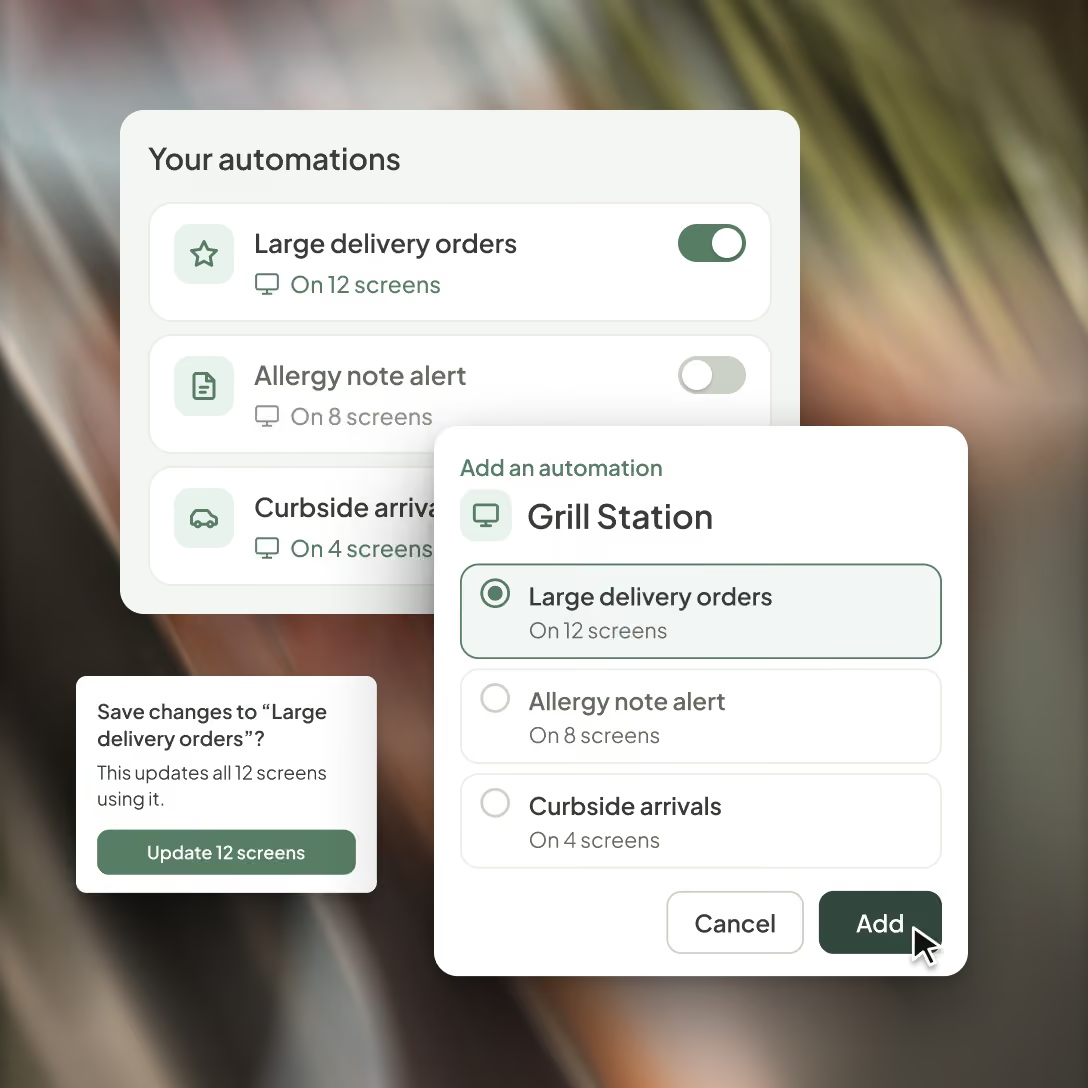
Managing automations in Fresh KDS: a library with on and off switches, a prompt showing a change will update 12 screens, and Large delivery orders being added to the Grill Station screen
Planes y precios

Upgrade your Fresh KDS plan to gain access

Upgrade your plan today and gain access to powerful features like Automations, Insights, Ingredient All Day Counts, Modifier Styles and more.
Mensual
Anual (ahorre un 20%)
PLAN ACTUAL
Esenciales
Un punto de partida sencillo para cocinas que buscan reemplazar los tickets de papel y mejorar la velocidad operativa diaria.
$20
al mes
por pantalla
facturado mensualmente
$16
al mes
por pantalla
facturado anualmente
Incluye:
Compatibilidad con iOS y Android

Fresh KDS funciona con cualquier tableta o monitor de pantalla táctil que utilice iOS 13+ o Android 7+.

Black speech bubble icon with three white dots centered inside.
Mover, retener y recuperar pedidos

Reorganice los pedidos en pantalla, reténgalos hasta que estén listos para prepararse y recupere tickets que ya se habían completado.

Black speech bubble icon with three white dots centered inside.
Priorización de pedidos

Marque manualmente los pedidos críticos para que resalten, o clasifíquelos automáticamente para asegurar que se preparen con rapidez.

Black speech bubble icon with three white dots centered inside.
Temporizadores y alertas personalizados

Establece umbrales de tiempo específicos para los estados de los pedidos, proporcionando alertas visuales que ayudan a tu personal de cocina a gestionar los tiempos de preparación de manera efectiva.

Black speech bubble icon with three white dots centered inside.
Informes de velocidad de servicio

Obtén informes detallados sobre las métricas de la cocina, lo que permite tomar decisiones basadas en datos para mejorar la eficiencia y la calidad del servicio.

Black speech bubble icon with three white dots centered inside.
Notificaciones sonoras

Personaliza los sonidos de notificación para nuevos pedidos, actualizaciones y llegadas a la acera, manteniendo al personal informado sin interrumpir el flujo de trabajo.

Black speech bubble icon with three white dots centered inside.
Más popular
RECOMENDADO
Premium
Para cocinas en crecimiento que necesitan una mejor visibilidad, coordinación y control durante el servicio.
$27
al mes
por pantalla
facturado mensualmente
$22
al mes
por pantalla
facturado anualmente
Todo lo incluido en Essentials, además de:
Más popular
Automatizaciones

Crea tus propias reglas sobre cómo responde Fresh KDS durante el servicio. Elige el activador, establece las condiciones y decide cómo reaccionan tus pantallas para que Fresh KDS se adapte a la forma en que trabaja tu cocina.

Black speech bubble icon with three white dots centered inside.
Impresión de etiquetas / tickets

Toma el control total de las necesidades de impresión de tu cocina directamente desde Fresh KDS. Desde tickets de pedido completos hasta etiquetas de artículos individuales.

Black speech bubble icon with three white dots centered inside.
Recuento total de ingredientes

Obtén totales de ingredientes en tiempo real de todos los pedidos abiertos; olvídate de contar manualmente.

Black speech bubble icon with three white dots centered inside.
Comunicación en pantalla

Cada cocina es diferente. Fresh KDS ofrece múltiples opciones de comunicación en pantalla para que puedas mantener cada estación perfectamente sincronizada.

Black speech bubble icon with three white dots centered inside.
Estilos de modificadores

Aplica estilos a los modificadores mediante palabras clave con color y formato de texto para que los detalles críticos del pedido, como alérgenos o peticiones especiales, destaquen en pantalla y reduzcan errores costosos en la preparación.

Black speech bubble icon with three white dots centered inside.
Métricas en la aplicación

Obtén información sobre el rendimiento de la cocina en tiempo real, mostrando los tiempos medios de los tickets, el número de pedidos y el desglose de estados directamente en tu KDS.

Black speech bubble icon with three white dots centered inside.
Mensajería para clientes

Envía mensajes de texto automáticos y personalizables a tus clientes para mantenerlos informados sobre el estado de su pedido.

Black speech bubble icon with three white dots centered inside.
Actualizar plan

FAQ

Find quick answers to common questions about Automations, how they work, and how to set them up for your kitchen.
Get support
What are Fresh KDS Automations?
Is Automations included in my plan?
How do I set up an automation?
What can an automation do?
How do I choose which screens or locations run an automation?
Does Automations work with my POS?
How do alerts show up in the kitchen?
Can automations text my customers?
Automations

Take repeat tasks off your team's hands.

Get started with Fresh KDS to automate the screen actions and customer updates your team handles every shift.