Fraud Blocker

Effortlessly track ingredients, without the guesswork

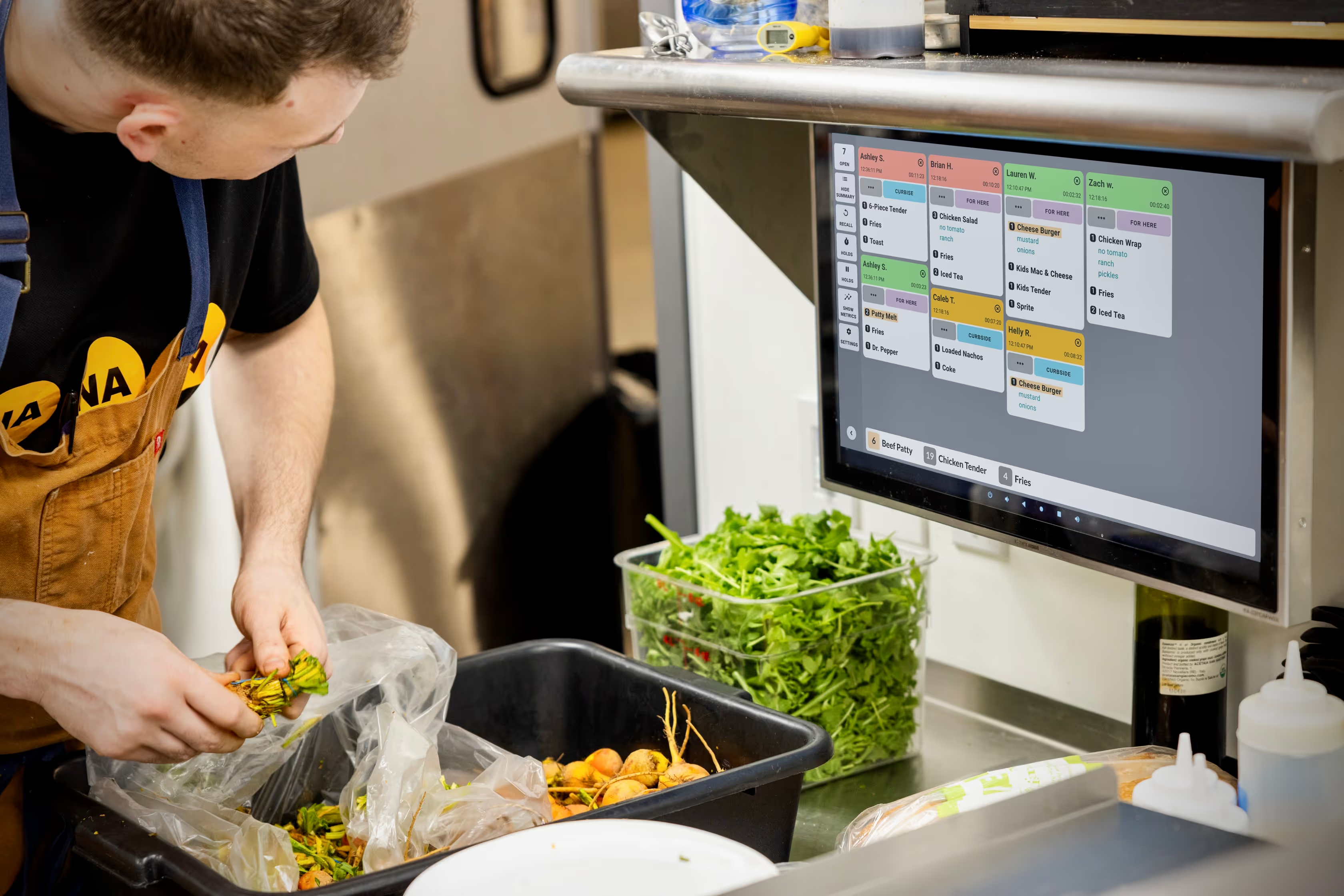
Whether your menu is simple or highly customized, you can assign ingredients to menu items effortlessly and trust that ingredient totals are always accurate. As new orders come in or are cleared, counts update instantly so your team always sees the right numbers, at the right time.

1

Add ingredients & assign to menu items

2

Set ingredient quantities for each menu item

3

View & highlight ingredient counts in real time

Get started with Ingredient All Day Counts today

Create a free Fresh KDS account today and explore Ingredient All Day Counts along with other powerful features to make your kitchen run smoother and more efficiently.

Get started with Ingredient All Day Counts today

Create a free Fresh KDS account today and explore Ingredient All Day Counts along with other powerful features to make your kitchen run smoother and more efficiently.

Upgrade your Fresh KDS plan

For as little as $5 more a month, upgrade your plan and gain access to powerful features like Ingredient All Day Counts, Customer-Facing Order Tracker, and more, designed to streamline your kitchen operations.

Annually

Monthly

💫

Save 20% with yearly pricing

current plan
Essentialsstarting at
$15
per month
per screen
billed annually
$19
per month
per screen
billed monthly
✅︎
1-4 screen options available
✅︎
iOS and Android
✅︎
Move, hold, and recall orders
✅︎
Custom caution and late times

Set how long before tickets change from green to yellow and red for each order type so your kitchen has real-time visibility into performance.

Black speech bubble icon with three white dots centered inside.
✅︎
Speed of service reports
Premiumstarting at
$20
per month
per screen
billed annually
$25
per month
per screen
billed monthly
✅︎
1-4 screen options available
✅︎
iOS and Android
✅︎
Move, hold, and recall orders
✅︎
Custom caution and late times

Set how long before tickets change from green to yellow and red for each order type so your kitchen has real-time visibility into performance.

Black speech bubble icon with three white dots centered inside.
✅︎
Speed of service reports
✅︎
Ingredient All Day Counts

Get real-time ingredient totals across all open orders

Black speech bubble icon with three white dots centered inside.
✅︎
Screen communication

Sync order bumps and item strikethroughs between screens or configure a workflow to send an order from one screen to another when bumped.

Black speech bubble icon with three white dots centered inside.
✅︎
Modifier Styles

Customize how specific modifiers show up on tickets—using colors, bold text, and italics to call out the most important parts of an order.

Black speech bubble icon with three white dots centered inside.
✅︎
Label/ticket printing

From complete order tickets to individual item labels, take full control of your kitchen’s printing needs directly from Fresh KDS

Black speech bubble icon with three white dots centered inside.
✅︎
Customer facing order tracker

Simplify your pickup experience by showing real-time order statuses on a customer-facing display.

Black speech bubble icon with three white dots centered inside.
✅︎
In-app metrics

Instantly see how your team is performing with average ticket times, total orders cleared, and a color-coded breakdown of on-time, caution, and late orders right on the KDS screen.

Black speech bubble icon with three white dots centered inside.
✅︎
Customer text notifications

Send customizable messages to customers when orders are received or are ready for pick up.

Black speech bubble icon with three white dots centered inside.
Upgrade plan
Unlimitedstarting at
$89
per month
per location
billed annually
$109
per month
per location
billed monthly
✅︎
Unlimited screens
✅︎
iOS and Android
✅︎
Move, hold, and recall orders
✅︎
Custom caution and late times

Set how long before tickets change from green to yellow and red for each order type so your kitchen has real-time visibility into performance.

Black speech bubble icon with three white dots centered inside.
✅︎
Speed of service reports
✅︎
Ingredient All Day Counts

Get real-time ingredient totals across all open orders

Black speech bubble icon with three white dots centered inside.
✅︎
Screen communication

Sync order bumps and item strikethroughs between screens or configure a workflow to send an order from one screen to another when bumped.

Black speech bubble icon with three white dots centered inside.
✅︎
Modifier Styles

Customize how specific modifiers show up on tickets—using colors, bold text, and italics to call out the most important parts of an order.

Black speech bubble icon with three white dots centered inside.
✅︎
Label/ticket printing

From complete order tickets to individual item labels, take full control of your kitchen’s printing needs directly from Fresh KDS

Black speech bubble icon with three white dots centered inside.
✅︎
Customer facing order tracker

Simplify your pickup experience by showing real-time order statuses on a customer-facing display.

Black speech bubble icon with three white dots centered inside.
✅︎
In-app metrics

Instantly see how your team is performing with average ticket times, total orders cleared, and a color-coded breakdown of on-time, caution, and late orders right on the KDS screen.

Black speech bubble icon with three white dots centered inside.
✅︎
Customer text notifications

Send customizable messages to customers when orders are received or are ready for pick up.

Black speech bubble icon with three white dots centered inside.
✅︎
24/7 priority support
Upgrade plan

Más funciones de los planes Premium e Unlimited

Acceda a más herramientas para transformar la eficiencia de su cocina con Fresh KDS Premium e Unlimited.

Recursos para su éxito

Sistemas de visualización de cocina
Cómo apoyar la parte trasera de su casa con un KDS eficaz

Aprenda a apoyar sus tareas domésticas con un KDS eficaz. Mejore la eficiencia, reduzca los errores y agilice las operaciones de la cocina con estos consejos.

Ver historia
How do I Upgrade my Fresh KDS Subscription?
How does Ingredient All Day Counts work?
Who can access Ingredient All Day Counts?
Can I customize which ingredients are tracked?
Can I customize how Ingredient All Day Counts appears on my screen?
Why can’t I see the Ingredient All Day Counts feature on Fresh KDS?