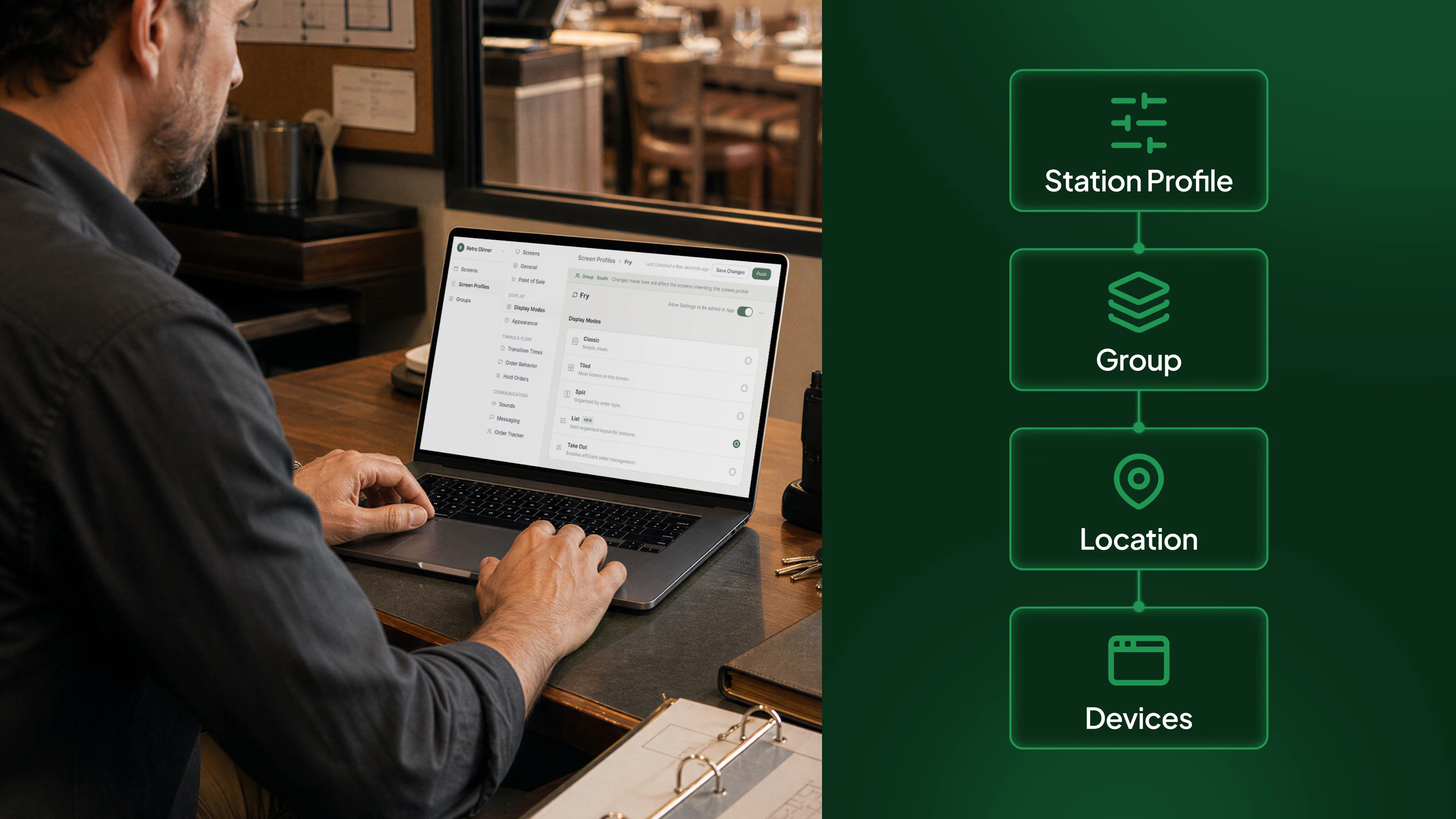
Configuring a kitchen screen takes a few minutes when you have one location. Multiply that by fifty locations, and it stops being a settings task and starts being a logistics problem.
That is the reality for a lot of multi-location restaurant IT and operations teams today. A menu change, a new order type, a display update: each one means touching every device, one at a time, often with someone physically walking between kitchens or talking a manager through the same steps on the phone.
Fresh KDS built Enterprise Setting Management to close that gap.
The real cost of configuring devices one at a time
When settings live only on the device, consistency depends on whoever last touched it. One location's screen ends up on the old configuration. Another gets updated twice, incorrectly, because two people made the same change without knowing it.
For a single restaurant, that's an inconvenience. Across dozens or hundreds of locations, it becomes hours of IT time spent redoing the same work, and a real risk that guests at different locations are getting inconsistent service because the screens behind the counter aren't actually configured the same way.
Multi-location operators need a way to manage settings at the scale they actually operate at: by brand, by group, or by individual location, not device by device.
How Enterprise Setting Management works
Enterprise Setting Management is a web app for managing kitchen settings across every location from one place.
- Station profiles, owned at the right level ー A station profile can be owned by a brand, a group of locations, or a single location, depending on how your organization is structured. That matters for operators running multiple brands or working with resellers who need separation between their own settings and someone else's.
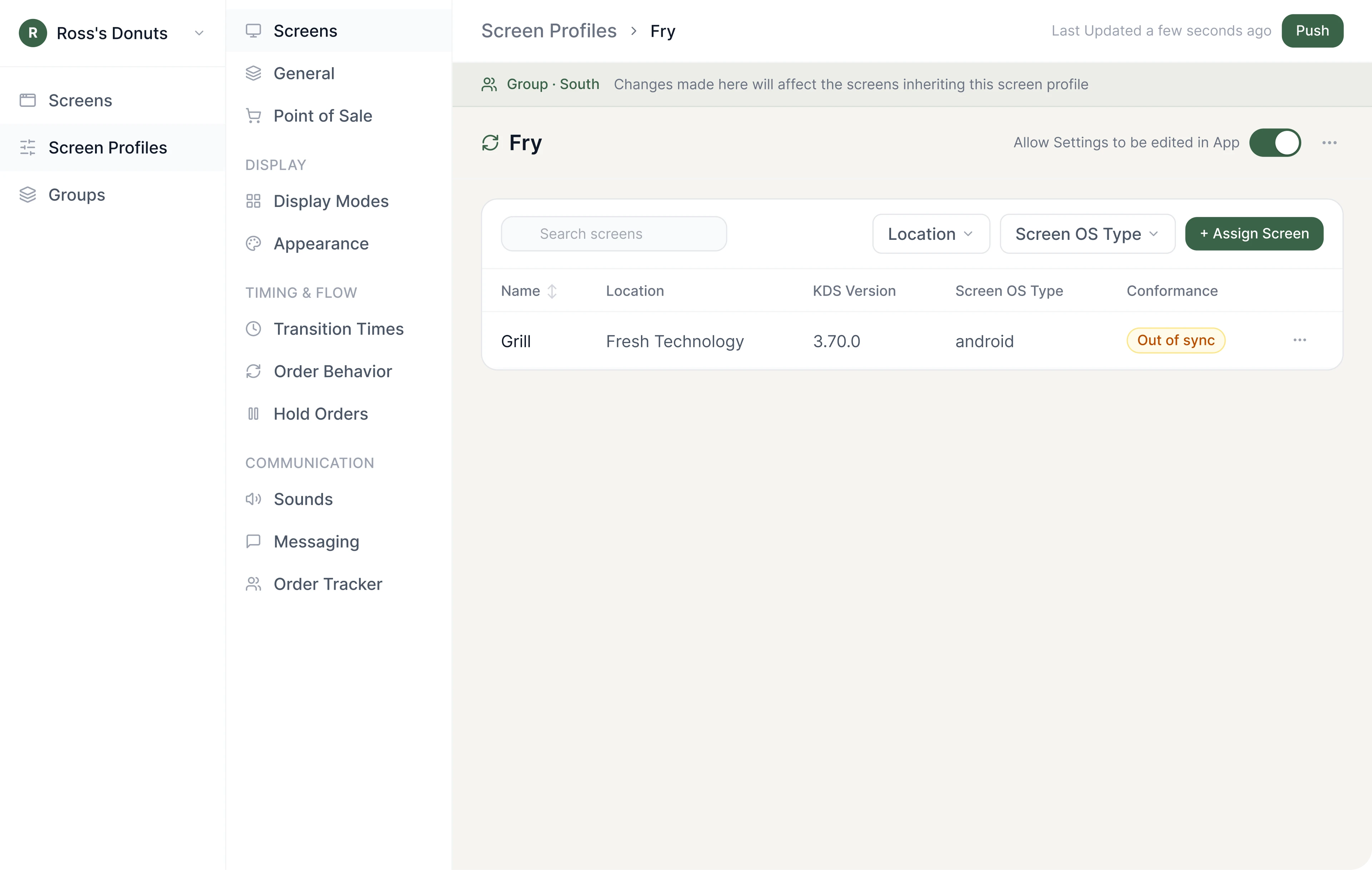
- Devices inherit their configuration ー Every device assigned to a profile inherits its configuration automatically. There's no re-entering the same settings on each screen. Assign a device to the right profile, and it's configured.
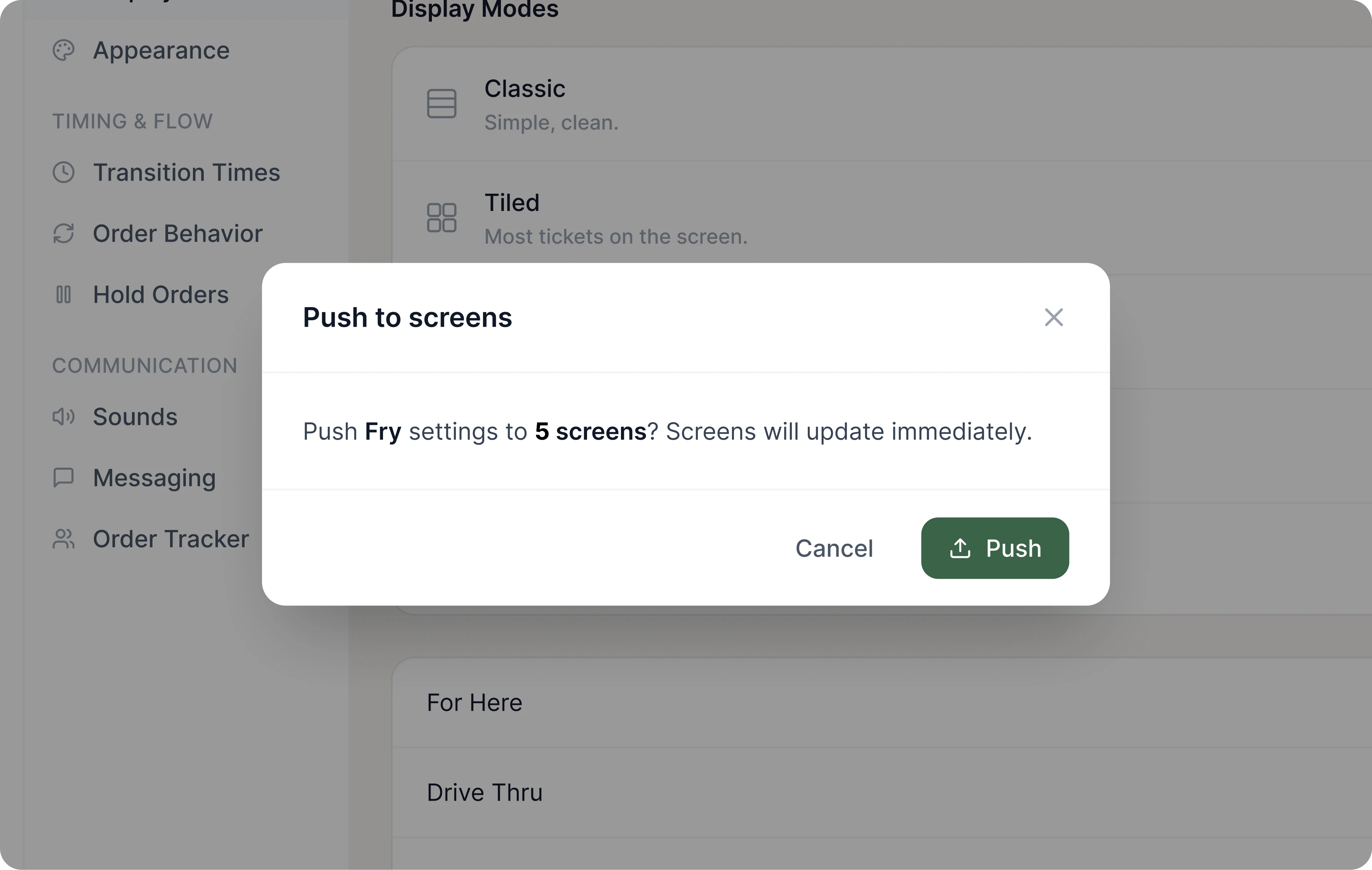
- Edit on the web, and it's live ー Make a change on the web, save it, and it pushes to the live device. No store visit. No walking a manager through settings over the phone. The screen updates where it's actually running, in production.
What it looks like
Say a multi-location group needs to update how order types are labeled on screen, across forty locations that all use the same brand configuration. Today, that could mean forty separate visits or calls. With Enterprise Setting Management, it means editing the brand-level station profile once. Every location assigned to that profile picks up the change automatically, live on the actual screens as soon as it's saved.
If a handful of locations need something different, for example a franchise location running its own promotion, that location can have its own profile that overrides the brand default for the settings that need to differ, while still inheriting everything else.
Who this is built for
Enterprise Setting Management is specifically designed for IT teams managing kitchen technology across many locations, and for GMs who need their screen to simply match what the rest of the organization has configured, without becoming settings experts themselves.
It's also tailored to the reality of running more than one brand, or reselling Fresh KDS to other operators, where keeping settings separate between brands or accounts matters as much as keeping them consistent within one.
What this is not
Enterprise Setting Management is a settings app, not a rebuild of how Fresh KDS works today. It solves a specific, real problem: managing configuration across many devices and locations without touching each one by hand. It is not a re-platform of the product, and it doesn't change how your kitchen teams use their screens during service.
Configuring one kitchen screen was never the hard part. Doing it fifty times, in fifty places, and trusting that all fifty came out the same — that's the part that quietly eats hours. Every device touched by hand is IT time spent redoing the same work, a store visit or a phone call that could have been avoided, and one more chance for a screen to end up out of sync with the rest of the organization. Across dozens or hundreds of locations, that overhead compounds fast.
Enterprise Setting Management is how Fresh KDS closes that gap for good. Set a station profile once, at the level your organization actually runs at — brand, group, or location — and every device assigned to it inherits the configuration automatically. Edit on the web, save, and it's live on the screens where service is happening. No store visits. No walking a manager through settings over the phone. The logistics problem turns back into what it always should have been: a settings task — and one of the clearest places a multi-location operator can take real cost and overhead out of the business.
This is where multi-location kitchen management is going — configuration managed centrally, at scale, without touching a single device by hand. And it's not a someday roadmap item. It's real, it's running on live devices today, and it's built for exactly the teams feeling this pain most: IT groups managing kitchen tech across many locations, and operators running more than one brand.
If you're managing Fresh KDS across more than a handful of locations, this is worth seeing in real time. We’ll be showcasing Enterprise Setting Management in person at FS/TEC in Grapevine, TX Sept. 23 - 25. Or if you can’t make it to FS/TEC, connect with a member of our team to see it in action today.



.png)


.webp)


