Fraud Blocker
All Blogs
Kitchen Display Systems

Inside Enterprise Setting Management: From web edit to live device in seconds

See how Fresh KDS Enterprise Setting Management pushes web-based setting changes to every assigned device in seconds—across one location or 100.

ABOUT THIS RESTAURANT

Service Type

Locations:

Location

POS Used

See how Fresh KDS can impact your kitchen efficiency today.
Get started
Simplify your kitchen operations with Fresh KDS.
Get started — it's free

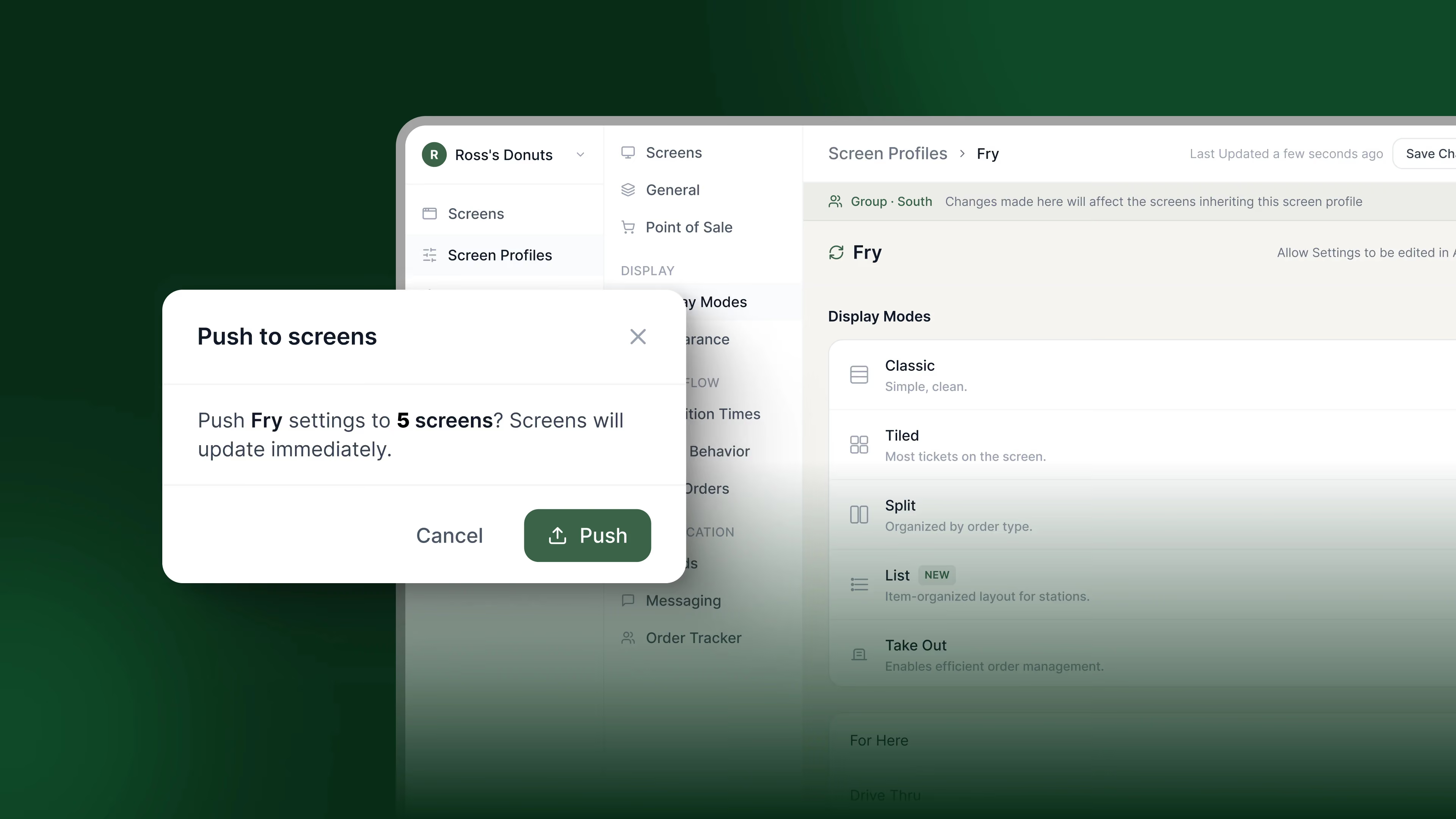
A setting doesn't do much good if getting it onto the screen takes a phone call, a site visit, or a week of waiting for someone to get to it. Enterprise Setting Management is built around a specific loop: edit on the web, save, and the change is live on the device. Here's what that loop actually looks like.

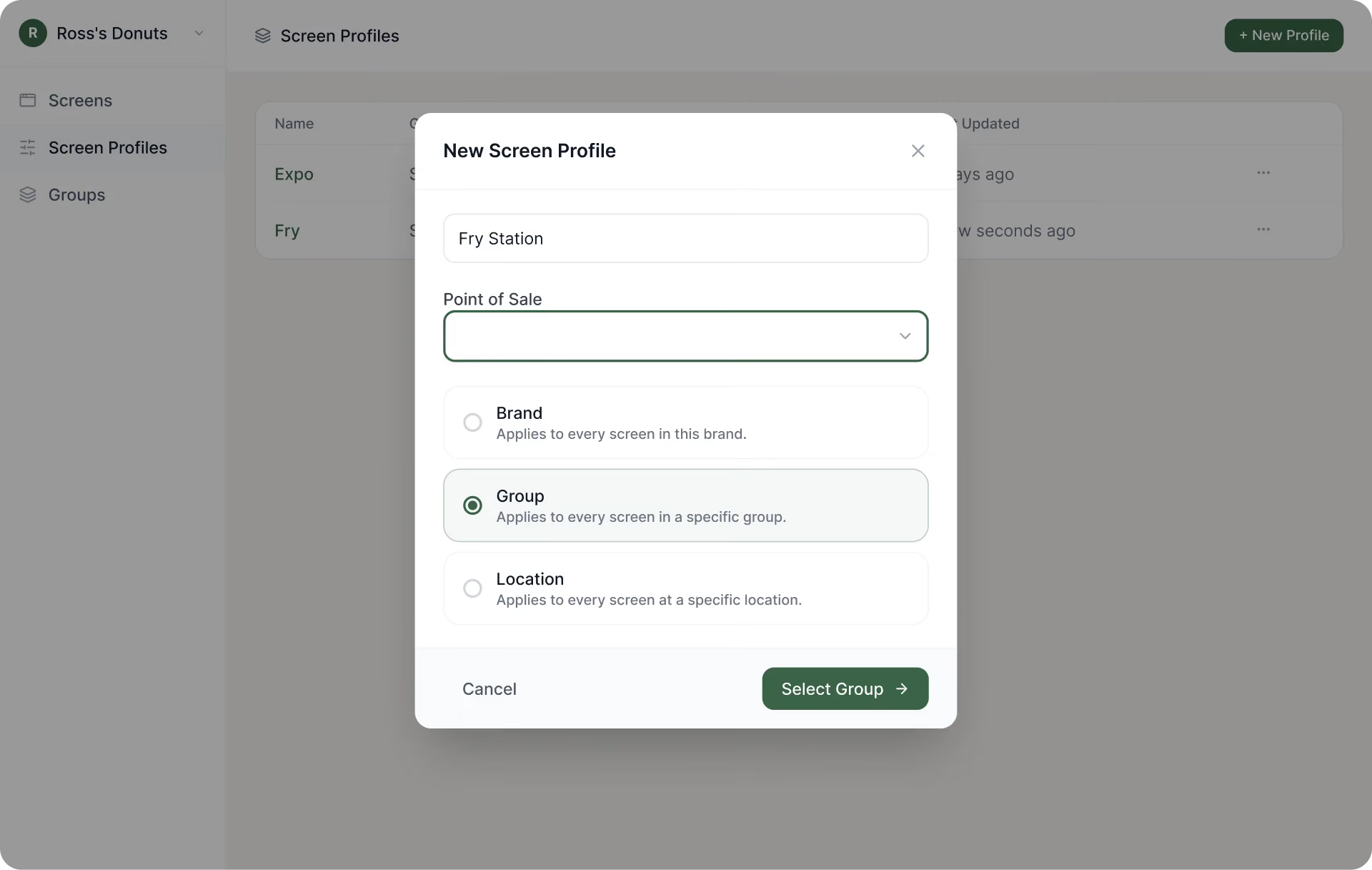
Start with a station profile

Every device in Fresh KDS is assigned to a station profile. That profile can belong to a brand, to a group of locations, or to a single restaurant, depending on how your organization needs to manage separation. A twelve-location brand might run one profile for everyone. A multi-brand operator or a reseller might run one profile per brand, so each brand's settings stay separate from the others.
Devices inherit, they don't hold their own copy

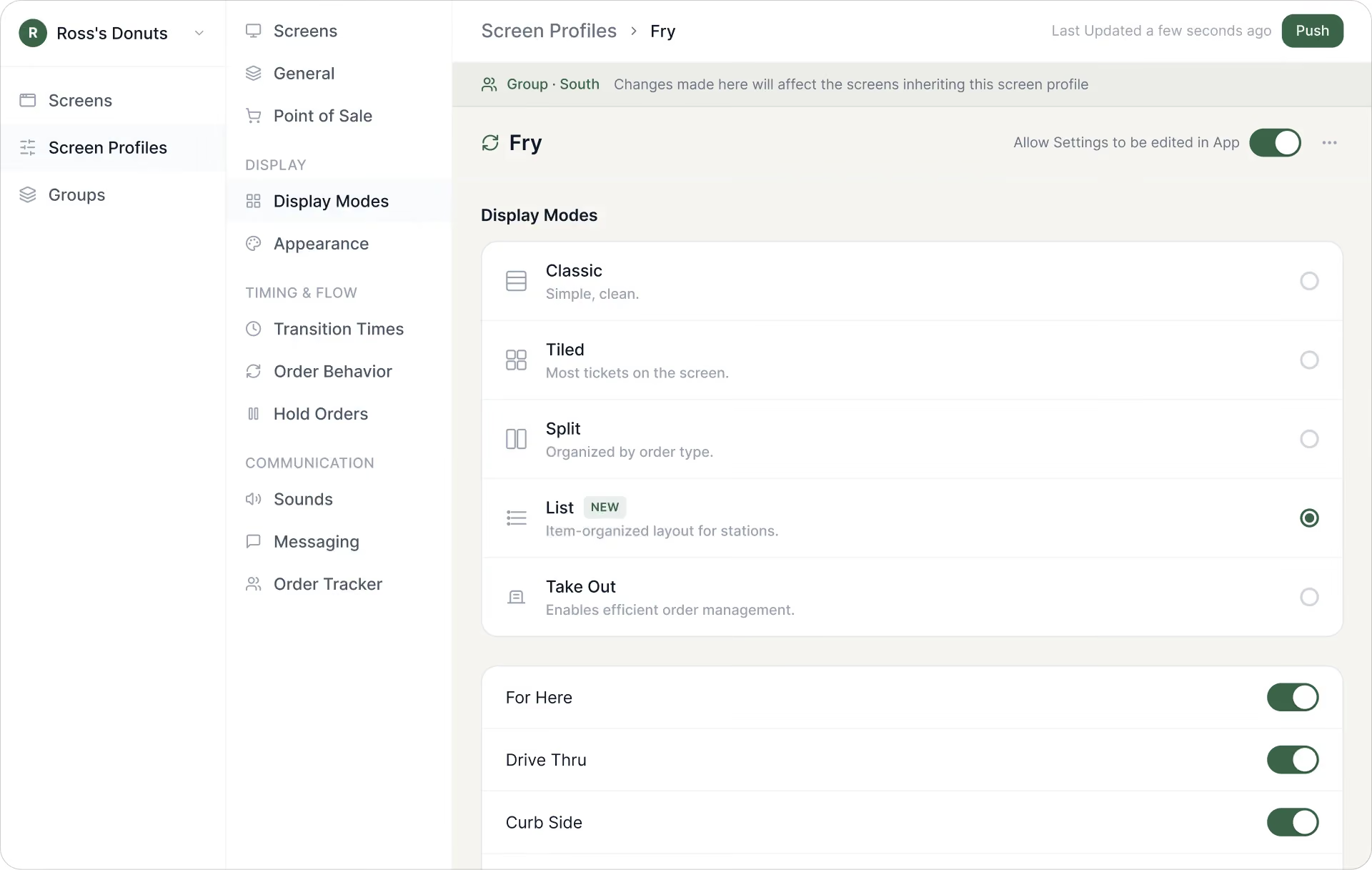
A device doesn't store its own independent settings once it's assigned to a profile. It inherits previously selected settings from the profile. That's the mechanic that makes this scale: change the profile once, and the change is pushed to every device assigned to it instead of someone updating each screen individually.

The edit-save-push flow

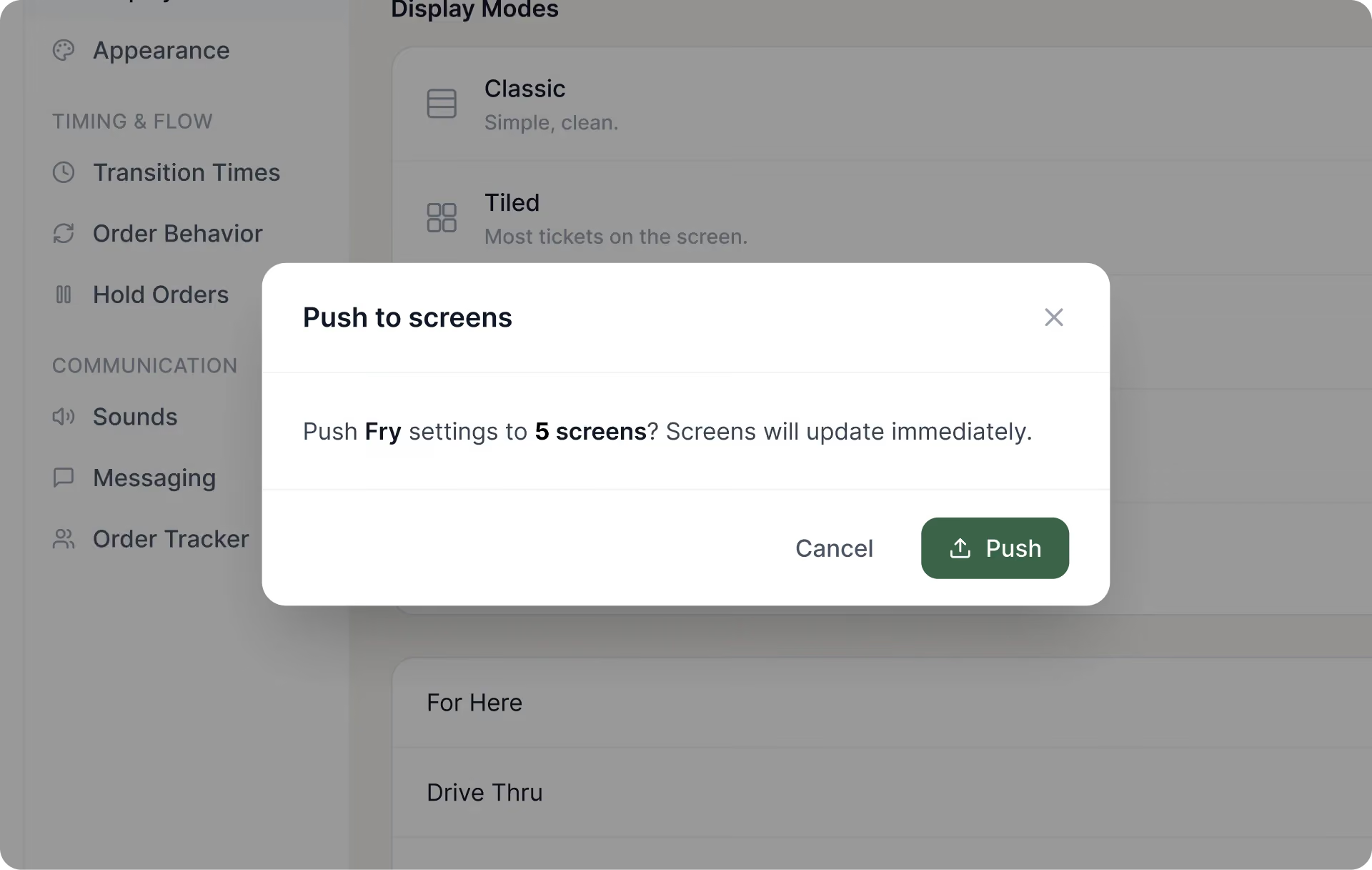
From the web app, an admin opens the station profile that needs to change, updates the setting, and saves it. That save then pushes the update to every live device assigned to the profile. There's no separate deploy step, no waiting for a device to check in on its own schedule during a slow moment. The change reaches the screen while it's running, in production, during real service.
What this actually solves day-to-day

For an IT team, this means a display change, a new order type, or an update to how items appear no longer requires manually servicing each location's hardware. For a GM, it means the screen in their kitchen simply reflects what the organization decided, without them needing to be a settings expert or manually install a change they were told about over email.

Built to handle real complexity, not to replace the whole system

This is a settings app, built specifically for the complexity of running Fresh KDS across many devices and locations. It is not a rebuild of the broader Fresh KDS web experience. And it doesn’t change how kitchen teams use their screens during service. 

That focus is the point. A tool built for one holistic job does it better than a tool stretched across many. One job, done thoroughly and accomplished quickly, that manages settings across every device and location.
From one screen to 100

We're showing Enterprise Setting Management on real devices at FS/TEC September 23 - 25. If you can’t make it to FS/TEC, reach out to our team to see it in action.

July 29, 2026

Inside Enterprise Setting Management: From web edit to live device in seconds

A setting doesn't do much good if getting it onto the screen takes a phone call, a site visit, or a week of waiting for someone to get to it. Enterprise Setting Management is built around a specific loop: edit on the web, save, and the change is live on the device. Here's what that loop actually looks like.

Start with a station profile

Every device in Fresh KDS is assigned to a station profile. That profile can belong to a brand, to a group of locations, or to a single restaurant, depending on how your organization needs to manage separation. A twelve-location brand might run one profile for everyone. A multi-brand operator or a reseller might run one profile per brand, so each brand's settings stay separate from the others.

Devices inherit, they don't hold their own copy

A device doesn't store its own independent settings once it's assigned to a profile. It inherits previously selected settings from the profile. That's the mechanic that makes this scale: change the profile once, and the change is pushed to every device assigned to it instead of someone updating each screen individually.

The edit-save-push flow

From the web app, an admin opens the station profile that needs to change, updates the setting, and saves it. That save then pushes the update to every live device assigned to the profile. There's no separate deploy step, no waiting for a device to check in on its own schedule during a slow moment. The change reaches the screen while it's running, in production, during real service.

What this actually solves day-to-day

For an IT team, this means a display change, a new order type, or an update to how items appear no longer requires manually servicing each location's hardware. For a GM, it means the screen in their kitchen simply reflects what the organization decided, without them needing to be a settings expert or manually install a change they were told about over email.

Built to handle real complexity, not to replace the whole system

This is a settings app, built specifically for the complexity of running Fresh KDS across many devices and locations. It is not a rebuild of the broader Fresh KDS web experience. And it doesn’t change how kitchen teams use their screens during service. 

That focus is the point. A tool built for one holistic job does it better than a tool stretched across many. One job, done thoroughly and accomplished quickly, that manages settings across every device and location.

From one screen to 100

We're showing Enterprise Setting Management on real devices at FS/TEC September 23 - 25. If you can’t make it to FS/TEC, reach out to our team to see it in action.

Switch to Fresh KDS with confidence

Follow this step-by-step guide for a quick and stress-free switch from Square KDS to Fresh KDS.

Why Speed of Service Matters

See why speed and consistency are key to restaurant success, improving guest satisfaction, revenue, and efficiency.

Get started for free.

Begin your Fresh KDS 7-day trial today by setting up your account. The process is completely free, and only takes a few minutes. No credit card is needed, and you can cancel anytime.

Get started - it's free
Boosting kitchen EFFICIENCY at