Fraud Blocker
All Blogs
Kitchen Display Systems

How To Install Your KDS

Learn how to install a kitchen display system (KDS) in minutes to boost efficiency, reduce errors, and streamline your restaurant's kitchen workflow.

ABOUT THIS RESTAURANT

Service Type

Locations:

Location

POS Used

See how Fresh KDS can impact your kitchen efficiency today.
Get started
Simplify your kitchen operations with Fresh KDS.
Get started — it's free

Running a restaurant kitchen is intense. Every second counts, and the last thing you want is more tech that just adds to the chaos. 

But imagine if a single tool could make things simpler, faster, and smoother. A kitchen display system (KDS) can do just that, helping you eliminate paper tickets, reduce order mistakes, and keep your kitchen more organized to speed up service without extra hassle. 

Because of these benefits, you don’t want the setup process to become a hurdle that holds you back. You may not want to mess with new technology, but what if it actually made your life easier and saved you time in the long run? It’s worth the investment to see how smoothly things can run with the right technology in place.

A KDS is a must-have for any modern restaurant kitchen. And the good news is — installing it is not a complicated process. Here’s a step-by-step guide to getting your KDS screens up and running smoothly, so you can start reaping the benefits right away.

What Does a KDS Do?

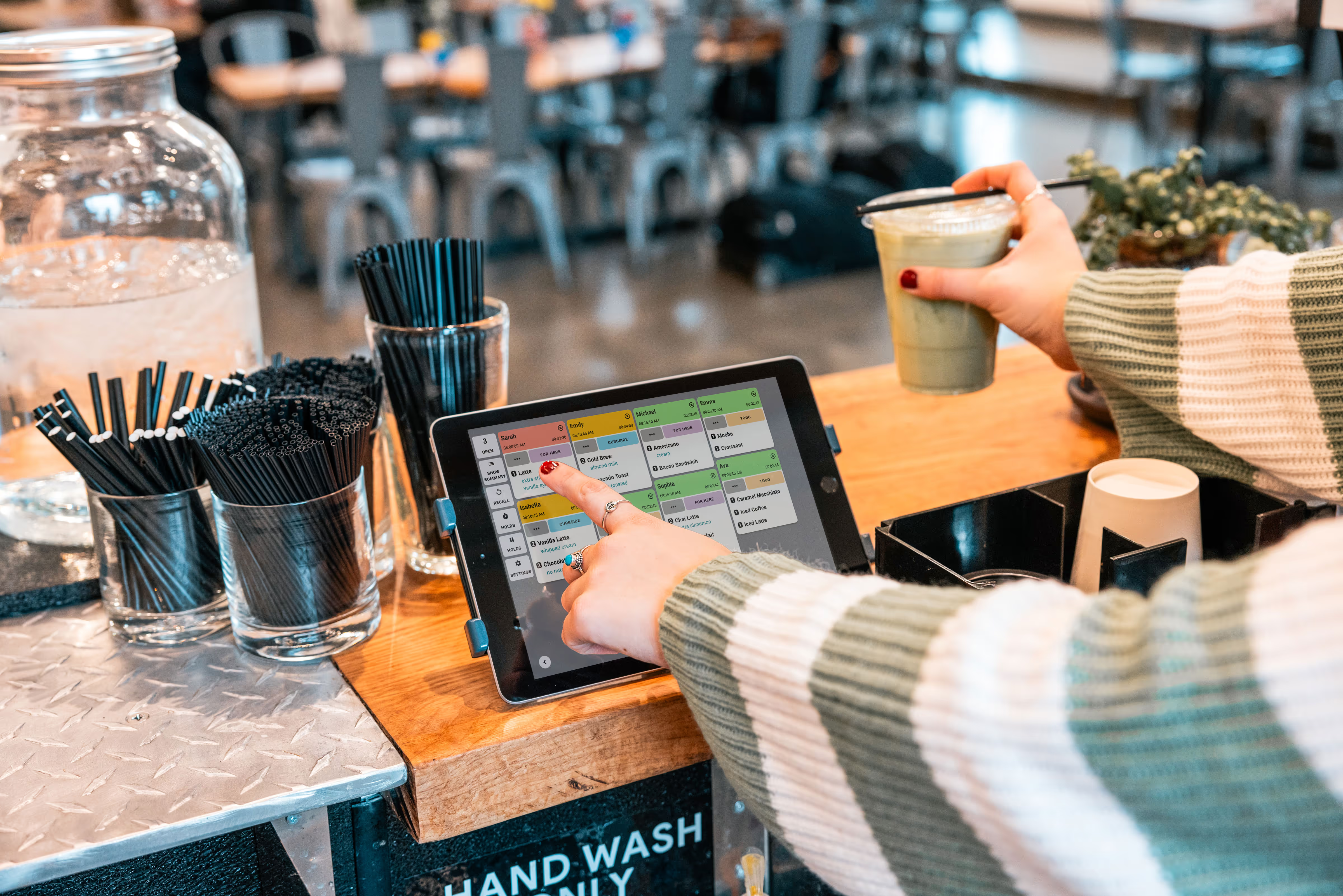
A kitchen display system, or KDS, organizes and displays orders digitally in real time. With a KDS, orders from your POS are instantly sent to the kitchen display system, where they’re displayed on monitors by workstations instead of paper tickets. This saves time, reduces errors, eliminates clutter, and improves communication between the front and back of the house.

The installation and setup process may not be hard, but it is a crucial part of getting started with your new system. A poor process could end up wasting time or set your kitchen up for failure. For your KDS to be effective, you need to have a robust system, position it thoughtfully in your space, and train your staff on how to use it. 

Is It Easy To Install a Kitchen Display System?

Yes! Installing a KDS system is a simple and straightforward process. Fresh KDS is designed with quick installation in mind because we know you are busy and time is money. The most time-consuming part might actually be mounting the screens, especially if you want them at just the right angle or height for easy viewing. 

Once you’ve got the screens in place, connecting the KDS system to your POS usually takes only a few minutes. While staff training is an important part of the initial process, Fresh KDS is also very intuitive and user-friendly, making it easy for your team to use it in their workflows.

How To Install Your KDS

Installing your KDS quickly provides a huge advantage when you want to make your kitchen more efficient. A quick setup means less downtime for your kitchen and faster access to the tools you need. Here’s what you need to do.
1. Set Up Your Fresh KDS Account

First, set up an account with Fresh KDS. Creating an account is as easy as entering some basic information, like your restaurant name, contact details, and preferred plan. With Fresh KDS, you’ll have the option to start with a free trial, giving you a chance to test out the system and ensure it’s a good fit for your kitchen before making any commitment — no credit card required!

However, it’s a good idea to set a start date and have your KDS screens or tablets on hand before starting your Fresh KDS trial. You can sign up for an account now, but you want to start the trial when you have time set aside to get everything set up and working. 

Once you’ve started a plan, you can customize settings to fit your restaurant’s needs. From layout preferences to order timer settings, Fresh KDS allows you to adjust the display to suit your team’s workflow. This initial setup is an important step — it’s what lets you tailor the system to maximize efficiency and ensure it’s perfectly aligned with how your kitchen operates. 

But, this isn’t a set-it-and-forget-it step! Optimizing your kitchen with Fresh KDS should be an ongoing thing as you assess what’s working and where things could be even better. As you get more familiar with how Fresh KDS can support your team, you can further customize your system to match your process.
Serve every order on time

2. Install Your KDS Monitors or Screens

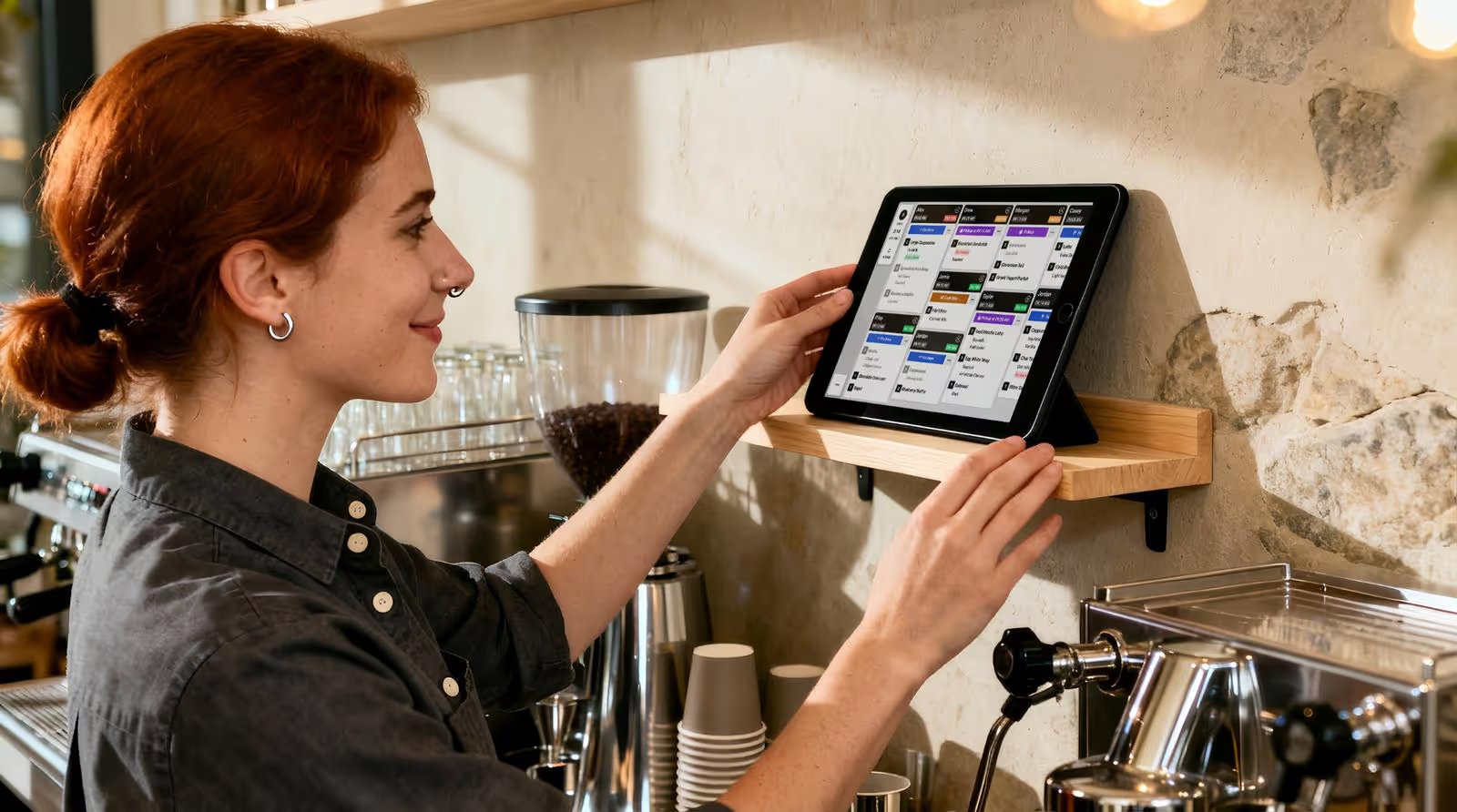
The next step is physically placing the screens in your kitchen. Mounted monitors or tablets will display orders digitally from the KDS, so choosing the right location is important. You’ll want screens visible and close to the areas where your kitchen staff will be working.

Placing your monitors strategically is key. Think about your kitchen stations and where each monitor should go. For example, if you have separate stations for frying, grilling, and plating, set up screens close to each area so your staff can see orders without extra steps. This simple adjustment can make a big difference in how quickly orders get out to your customers.

Think about placing them at eye level and angled for easy readability, especially during peak times when speed and accuracy are critical. You might also want to include bump bars if screens are placed in high spots or if you want to cut down on how often they’re touched by greasy hands.

Mounting the monitors may take a bit of time, but once they’re in place, they’ll make a noticeable difference in your kitchen’s efficiency. You’ll have all your orders on clearly visible screens instead of physically moving down the line (like with paper tickets). Even if you have an old KDS system in your kitchen, now is the time to re-think how you can create a better setup to help your team work faster.

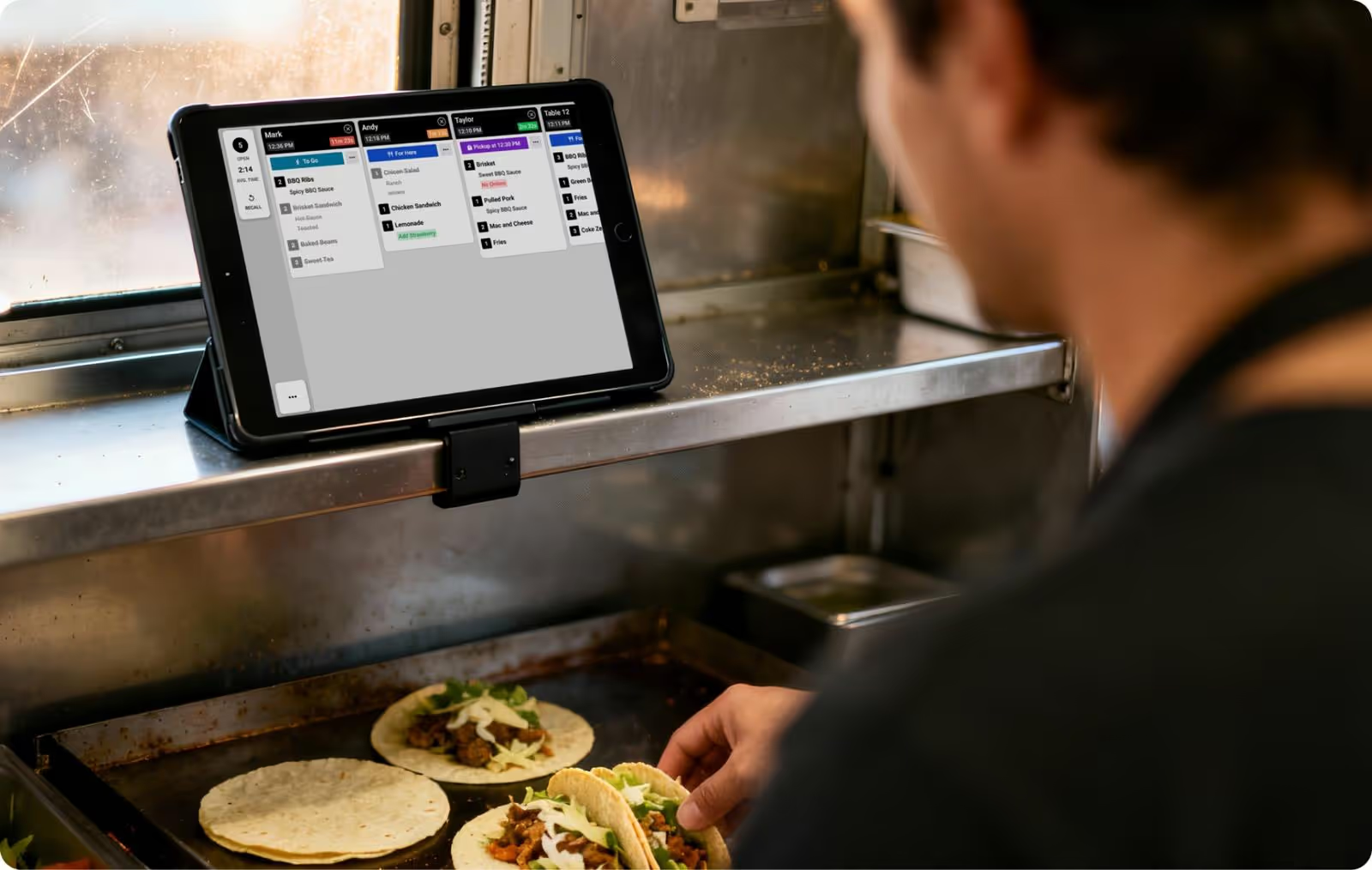
Use wall mounts or stands that are sturdy enough to handle the equipment. If you have different stations, consider mounting a screen near each one. For example, you might place one by the prep area and another near the grill. You could even set up a separate one where take-out orders are boxed and have it only display to-go orders. Having screens at key locations means your team can check orders quickly and stay organized throughout service.

3. Connect Your KDS to Your POS

Once your screens are installed, it’s time to connect your KDS to your POS system. Most modern POS systems integrate seamlessly with a KDS, and Fresh KDS is compatible with a range of popular POS providers. Check that your POS is compatible, and follow the instructions provided by both your POS and KDS systems to connect them.

Fresh KDS offers Quick Start guides to walk you through connecting Fresh to your POS.

After linking the systems, run a few test orders to ensure that everything is working as expected. This will help you catch any potential issues before going live. When orders start displaying on your KDS, you’ll know that your setup is ready to handle real-time orders, making your kitchen workflow more streamlined and efficient.

4. Train Your Staff

Once the system is up and running, it’s essential to train your staff on how to use it effectively. Take time to walk your team through the system, showing them how orders will appear on the screens, how to mark items as complete, and how to manage order priorities. This training should be hands-on, giving your staff a chance to interact with the system before it’s used during business hours.

Clear communication during training will help your team feel confident with the new system. Emphasize the importance of marking orders as completed and following any new processes related to the KDS. Once your team is comfortable, they’ll be able to focus on speed, accuracy, and quality, giving your restaurant the boost in efficiency you’re aiming for.

Tips for Making Your KDS Setup Faster

Setting up your KDS should be straightforward, but here are a few tips to make the process even faster.

Plan Monitor Placement Ahead of Time: Decide where each screen should go before installation. Consider the workflow and arrange screens where they’re easily visible and accessible. Ask your team for input — especially those who rely the most on seeing orders as they are prepared.

Use Quality Mounts: Invest in sturdy mounts that are made to work for the screens or tablets you choose. For larger screens, you may need to place the mounts on wall studs for additional stability. Choosing the right mounts and installing them correctly saves you time in the long run by preventing constant adjustments or repairs.

Check Compatibility Early: Make sure your POS and KDS are compatible before purchasing. Fresh KDS works well with many POS systems, but it’s good to confirm beforehand.

Preload Menu Items: If your KDS allows for menu customization, preload popular items and any customizations or modifiers to ensure smooth order flow.

Customize Your KDS: Fresh KDS works well right out of the box. However, it also has many features and setup options to give businesses flexibility in how they operate. Take time to consider customizations that might help your team and then reassess this down the road to see if additional changes are needed.

Assign a Training Lead: Designate someone on your team to guide others through the system. Having a “go-to” person on the team for questions helps others feel supported as they learn.

Run Test Orders First: Before going live, run some test orders to ensure everything works seamlessly. This also gives your team time to get comfortable with the system. Start full use of your KDS during the slowest day or time of the week so your team has time to ramp.

Ready To Streamline Your Kitchen With Fresh KDS?

Setting up a KDS isn’t complicated, and the benefits for your kitchen are huge. You’ll reduce errors, cut down on wait times, and improve overall efficiency — all things that keep customers happy and coming back for more. Plus, your team will appreciate the clarity and clutter-free nature of a digital kitchen order system.

Ready to see how Fresh KDS can improve your kitchen operations? Start a free Fresh KDS trial today and experience firsthand how easy it is to make your kitchen run smoother than ever. Just click the link below to get started.

Ready to try Fresh KDS in your restaurant?

January 16, 2026

How To Install Your KDS

Running a restaurant kitchen is intense. Every second counts, and the last thing you want is more tech that just adds to the chaos. 

But imagine if a single tool could make things simpler, faster, and smoother. A kitchen display system (KDS) can do just that, helping you eliminate paper tickets, reduce order mistakes, and keep your kitchen more organized to speed up service without extra hassle. 

Because of these benefits, you don’t want the setup process to become a hurdle that holds you back. You may not want to mess with new technology, but what if it actually made your life easier and saved you time in the long run? It’s worth the investment to see how smoothly things can run with the right technology in place.

A KDS is a must-have for any modern restaurant kitchen. And the good news is — installing it is not a complicated process. Here’s a step-by-step guide to getting your KDS screens up and running smoothly, so you can start reaping the benefits right away.

What Does a KDS Do?

A kitchen display system, or KDS, organizes and displays orders digitally in real time. With a KDS, orders from your POS are instantly sent to the kitchen display system, where they’re displayed on monitors by workstations instead of paper tickets. This saves time, reduces errors, eliminates clutter, and improves communication between the front and back of the house.

The installation and setup process may not be hard, but it is a crucial part of getting started with your new system. A poor process could end up wasting time or set your kitchen up for failure. For your KDS to be effective, you need to have a robust system, position it thoughtfully in your space, and train your staff on how to use it. 

Is It Easy To Install a Kitchen Display System?

Yes! Installing a KDS system is a simple and straightforward process. Fresh KDS is designed with quick installation in mind because we know you are busy and time is money. The most time-consuming part might actually be mounting the screens, especially if you want them at just the right angle or height for easy viewing. 

Once you’ve got the screens in place, connecting the KDS system to your POS usually takes only a few minutes. While staff training is an important part of the initial process, Fresh KDS is also very intuitive and user-friendly, making it easy for your team to use it in their workflows.

How To Install Your KDS

Installing your KDS quickly provides a huge advantage when you want to make your kitchen more efficient. A quick setup means less downtime for your kitchen and faster access to the tools you need. Here’s what you need to do.

1. Set Up Your Fresh KDS Account

First, set up an account with Fresh KDS. Creating an account is as easy as entering some basic information, like your restaurant name, contact details, and preferred plan. With Fresh KDS, you’ll have the option to start with a free trial, giving you a chance to test out the system and ensure it’s a good fit for your kitchen before making any commitment — no credit card required!

However, it’s a good idea to set a start date and have your KDS screens or tablets on hand before starting your Fresh KDS trial. You can sign up for an account now, but you want to start the trial when you have time set aside to get everything set up and working. 

Once you’ve started a plan, you can customize settings to fit your restaurant’s needs. From layout preferences to order timer settings, Fresh KDS allows you to adjust the display to suit your team’s workflow. This initial setup is an important step — it’s what lets you tailor the system to maximize efficiency and ensure it’s perfectly aligned with how your kitchen operates. 

But, this isn’t a set-it-and-forget-it step! Optimizing your kitchen with Fresh KDS should be an ongoing thing as you assess what’s working and where things could be even better. As you get more familiar with how Fresh KDS can support your team, you can further customize your system to match your process.

Serve every order on time

2. Install Your KDS Monitors or Screens

The next step is physically placing the screens in your kitchen. Mounted monitors or tablets will display orders digitally from the KDS, so choosing the right location is important. You’ll want screens visible and close to the areas where your kitchen staff will be working.

Placing your monitors strategically is key. Think about your kitchen stations and where each monitor should go. For example, if you have separate stations for frying, grilling, and plating, set up screens close to each area so your staff can see orders without extra steps. This simple adjustment can make a big difference in how quickly orders get out to your customers.

Think about placing them at eye level and angled for easy readability, especially during peak times when speed and accuracy are critical. You might also want to include bump bars if screens are placed in high spots or if you want to cut down on how often they’re touched by greasy hands.

Mounting the monitors may take a bit of time, but once they’re in place, they’ll make a noticeable difference in your kitchen’s efficiency. You’ll have all your orders on clearly visible screens instead of physically moving down the line (like with paper tickets). Even if you have an old KDS system in your kitchen, now is the time to re-think how you can create a better setup to help your team work faster.

Use wall mounts or stands that are sturdy enough to handle the equipment. If you have different stations, consider mounting a screen near each one. For example, you might place one by the prep area and another near the grill. You could even set up a separate one where take-out orders are boxed and have it only display to-go orders. Having screens at key locations means your team can check orders quickly and stay organized throughout service.

3. Connect Your KDS to Your POS

Once your screens are installed, it’s time to connect your KDS to your POS system. Most modern POS systems integrate seamlessly with a KDS, and Fresh KDS is compatible with a range of popular POS providers. Check that your POS is compatible, and follow the instructions provided by both your POS and KDS systems to connect them.

Fresh KDS offers Quick Start guides to walk you through connecting Fresh to your POS.

After linking the systems, run a few test orders to ensure that everything is working as expected. This will help you catch any potential issues before going live. When orders start displaying on your KDS, you’ll know that your setup is ready to handle real-time orders, making your kitchen workflow more streamlined and efficient.

4. Train Your Staff

Once the system is up and running, it’s essential to train your staff on how to use it effectively. Take time to walk your team through the system, showing them how orders will appear on the screens, how to mark items as complete, and how to manage order priorities. This training should be hands-on, giving your staff a chance to interact with the system before it’s used during business hours.

Clear communication during training will help your team feel confident with the new system. Emphasize the importance of marking orders as completed and following any new processes related to the KDS. Once your team is comfortable, they’ll be able to focus on speed, accuracy, and quality, giving your restaurant the boost in efficiency you’re aiming for.

Tips for Making Your KDS Setup Faster

Setting up your KDS should be straightforward, but here are a few tips to make the process even faster.

Plan Monitor Placement Ahead of Time: Decide where each screen should go before installation. Consider the workflow and arrange screens where they’re easily visible and accessible. Ask your team for input — especially those who rely the most on seeing orders as they are prepared.

Use Quality Mounts: Invest in sturdy mounts that are made to work for the screens or tablets you choose. For larger screens, you may need to place the mounts on wall studs for additional stability. Choosing the right mounts and installing them correctly saves you time in the long run by preventing constant adjustments or repairs.

Check Compatibility Early: Make sure your POS and KDS are compatible before purchasing. Fresh KDS works well with many POS systems, but it’s good to confirm beforehand.

Preload Menu Items: If your KDS allows for menu customization, preload popular items and any customizations or modifiers to ensure smooth order flow.

Customize Your KDS: Fresh KDS works well right out of the box. However, it also has many features and setup options to give businesses flexibility in how they operate. Take time to consider customizations that might help your team and then reassess this down the road to see if additional changes are needed.

Assign a Training Lead: Designate someone on your team to guide others through the system. Having a “go-to” person on the team for questions helps others feel supported as they learn.

Run Test Orders First: Before going live, run some test orders to ensure everything works seamlessly. This also gives your team time to get comfortable with the system. Start full use of your KDS during the slowest day or time of the week so your team has time to ramp.

Ready To Streamline Your Kitchen With Fresh KDS?

Setting up a KDS isn’t complicated, and the benefits for your kitchen are huge. You’ll reduce errors, cut down on wait times, and improve overall efficiency — all things that keep customers happy and coming back for more. Plus, your team will appreciate the clarity and clutter-free nature of a digital kitchen order system.

Ready to see how Fresh KDS can improve your kitchen operations? Start a free Fresh KDS trial today and experience firsthand how easy it is to make your kitchen run smoother than ever. Just click the link below to get started.

Ready to try Fresh KDS in your restaurant?

Switch to Fresh KDS with confidence

Follow this step-by-step guide for a quick and stress-free switch from Square KDS to Fresh KDS.

Why Speed of Service Matters

See why speed and consistency are key to restaurant success, improving guest satisfaction, revenue, and efficiency.

Get started for free.

Begin your Fresh KDS 7-day trial today by setting up your account. The process is completely free, and only takes a few minutes. No credit card is needed, and you can cancel anytime.

Get started - it's free
Boosting kitchen EFFICIENCY at