Fresh KDS Web App
Fresh KDS Web App
Introducing the new Fresh KDS Web App
See how every kitchen is doing, understand why, and update your screens across locations, all from the new Fresh KDS web app.
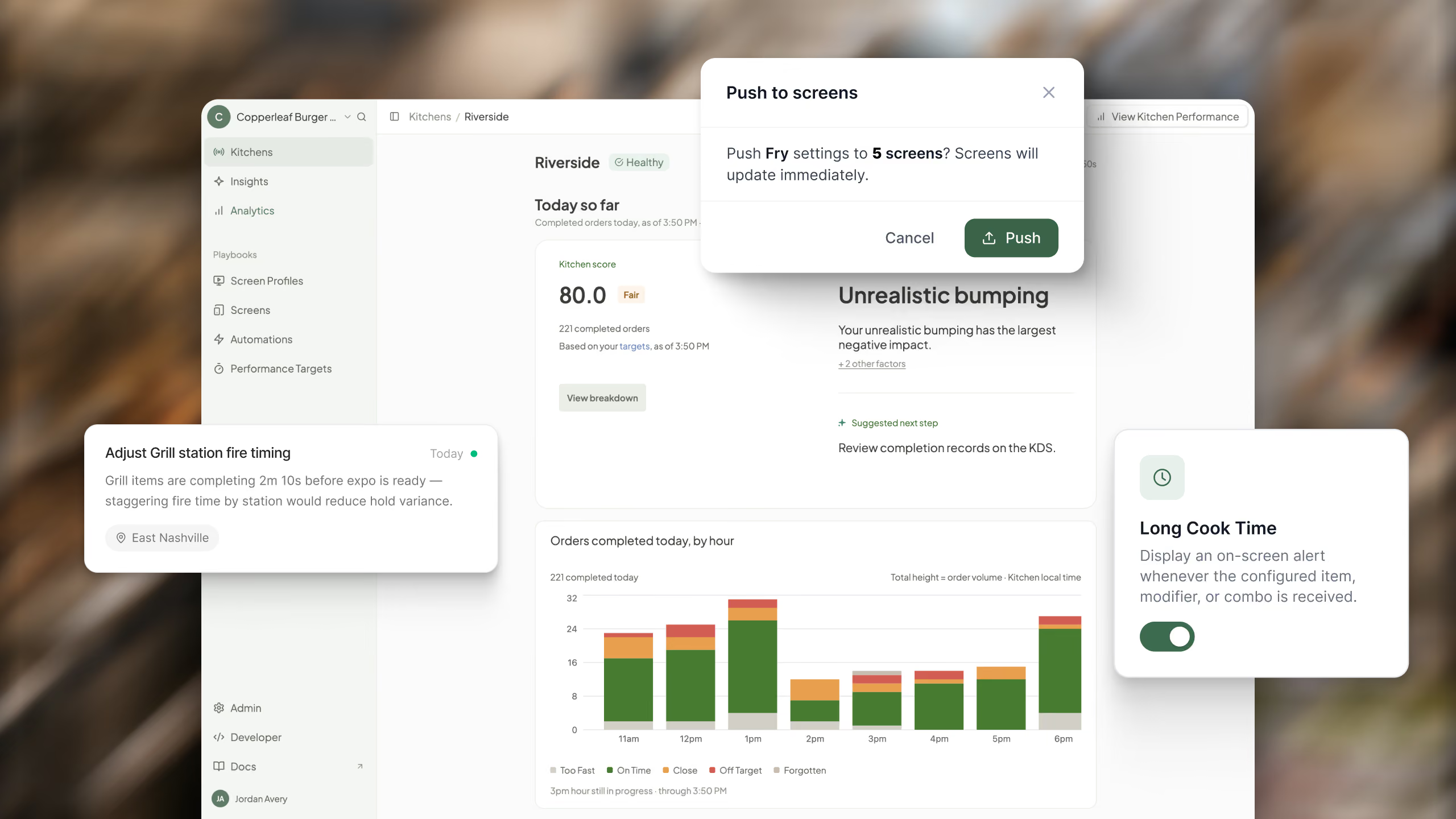
See how every kitchen is doing, understand why, and update your screens across locations, all from the new Fresh KDS web app.
Explore Fresh KDS with our interactive demo. See how simple order management can be.
The Fresh KDS web app has a new look, and a lot more you can do with it.
If you already use Fresh KDS, everything you rely on in the web app is still here, from managing users and locations to adjusting your screens. It now sits alongside new tools that help you decide what on time means for your kitchen, see how every location measures up, understand why, and make changes across your screens from one place.
Here is a quick tour, in the order you will use it.
Every kitchen is different, so you set the goals. Performance Targets lets you choose the goal time for in-store orders at each location, and how close to the quoted pickup time online orders need to be ready.
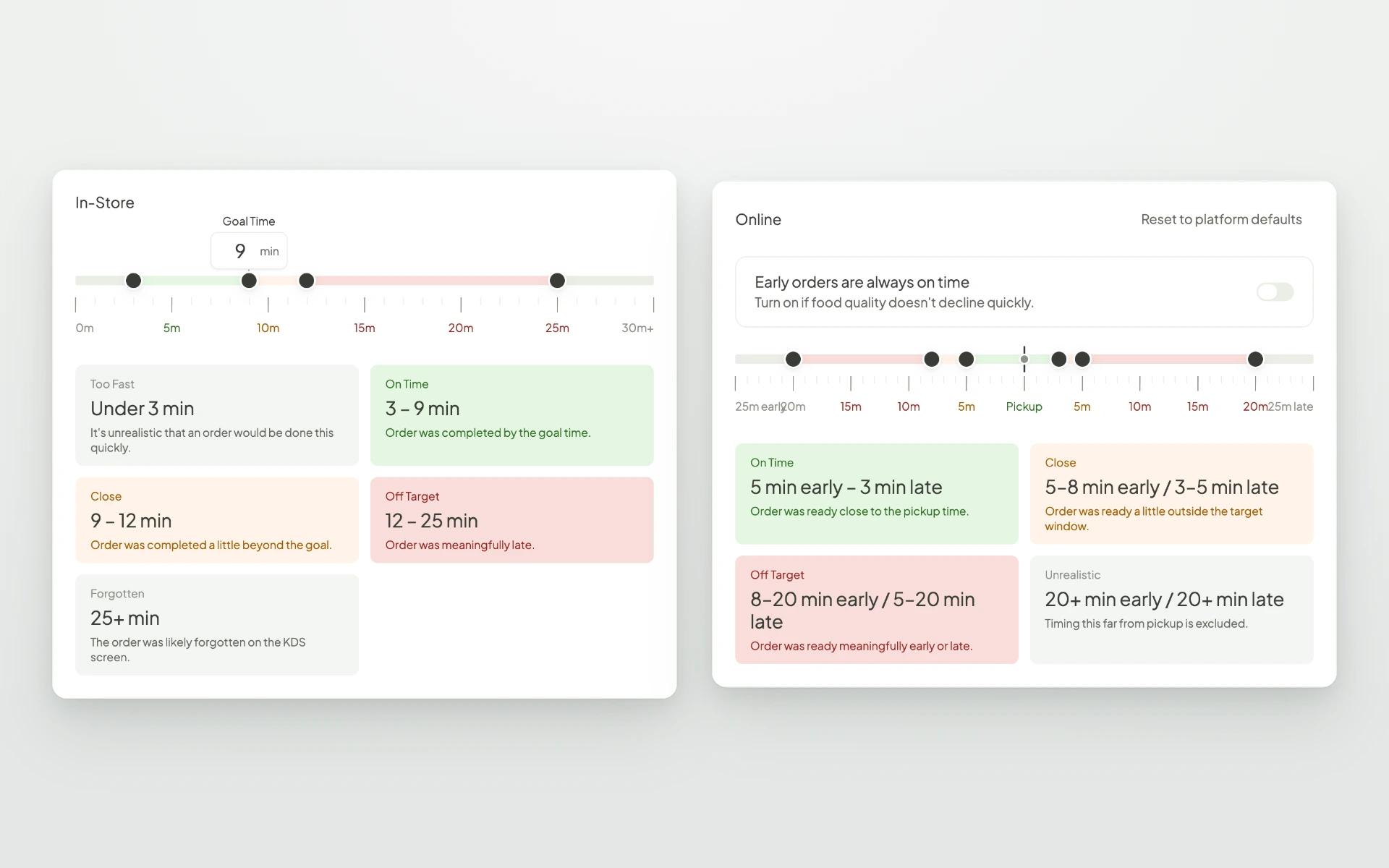
Drag the goal time and the on time, close, and off target ranges update with it. Your targets drive every score and report in the web app, so this is the best place to start. You can update one location at a time or many at once with bulk edit.
A good average can hide a lot of late orders. Once your targets are set, every order is measured against them, so you can see how many were on time, close, or off target, and how many customers were affected when timing slipped.
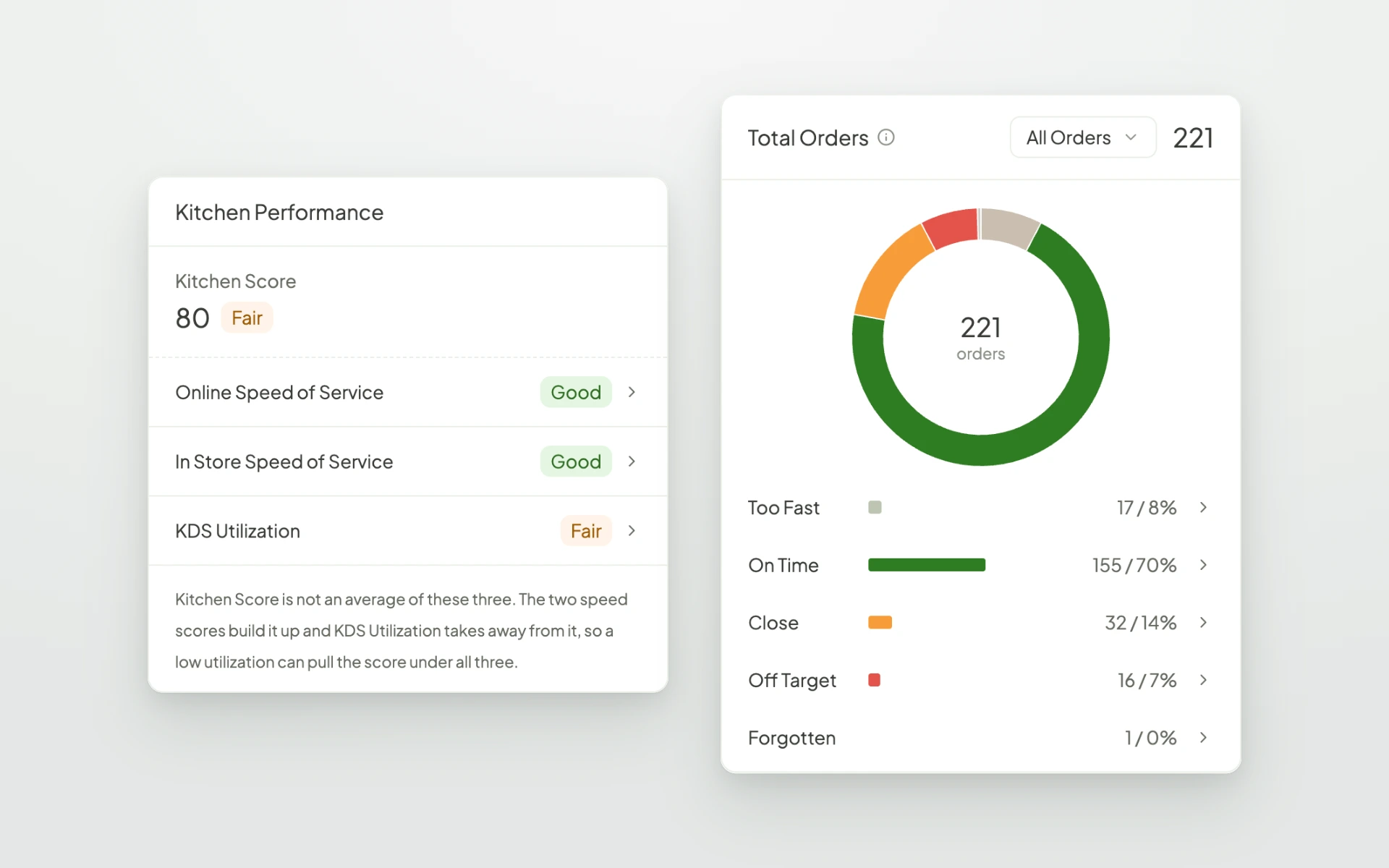
Online and in-store orders are measured separately, because a guest waiting at the counter and a guest picking up a mobile order expect different things. For online orders, you can also count early orders as on time when your food holds up well.
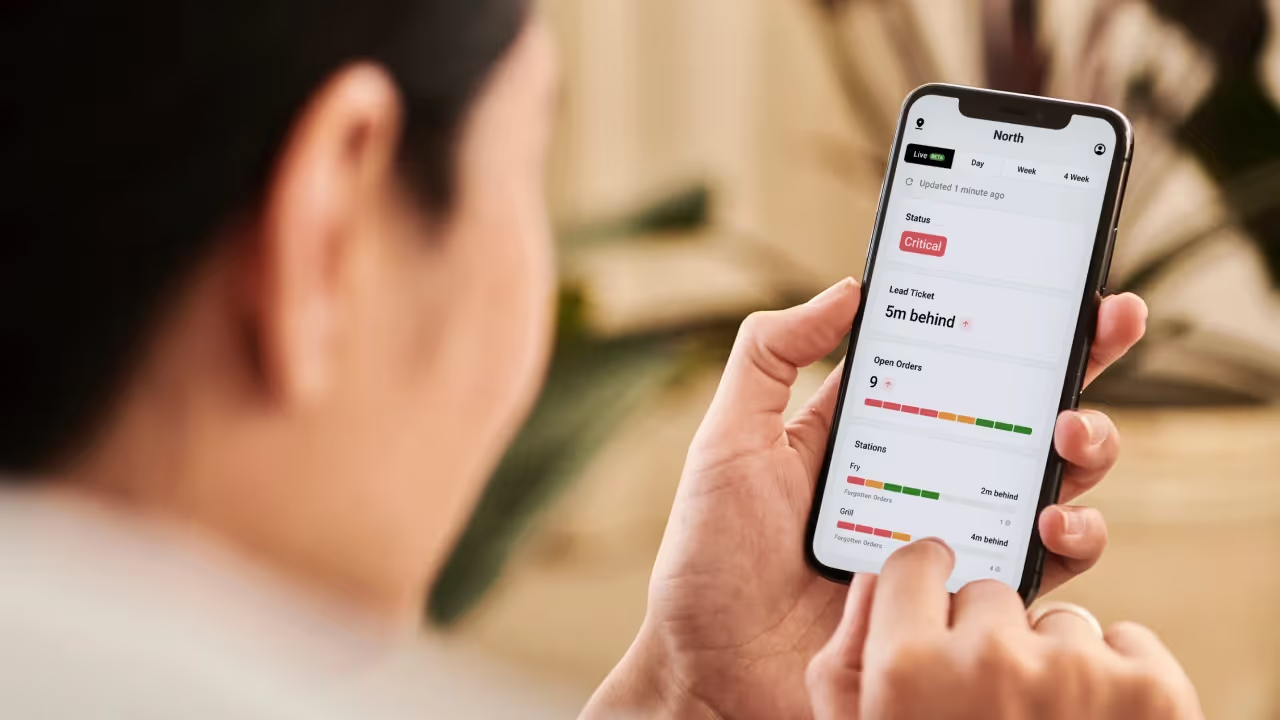
Your targets also shape each location's Kitchen Score. When you sign in, the first thing you see is Kitchens. A single line tells you whether every kitchen is keeping up, and any location that needs attention is called out at the top.
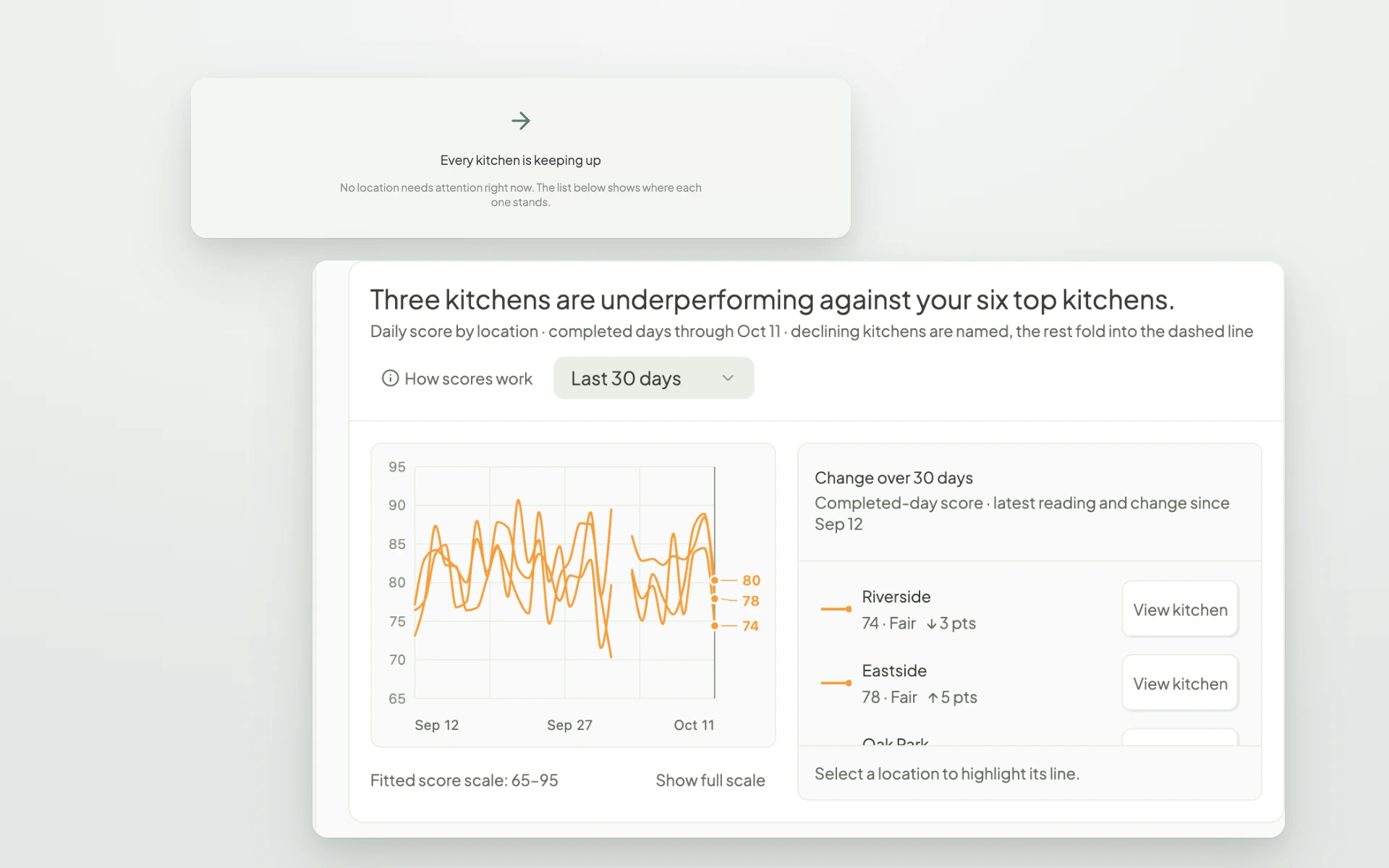
Each location shows its status, open orders, lead ticket time, and today's score. The view refreshes every minute, so during a busy shift you can spot a kitchen that is starting to slip and check in before it falls further behind.
Below that, a trend chart shows how your kitchens have performed over the last few weeks, so you can see which locations are improving and which ones need more support.
Click into any kitchen to see how today is going. Your Kitchen Score shows how well orders are meeting your timing goals, and the page explains what is pulling it down most, along with a suggested next step.
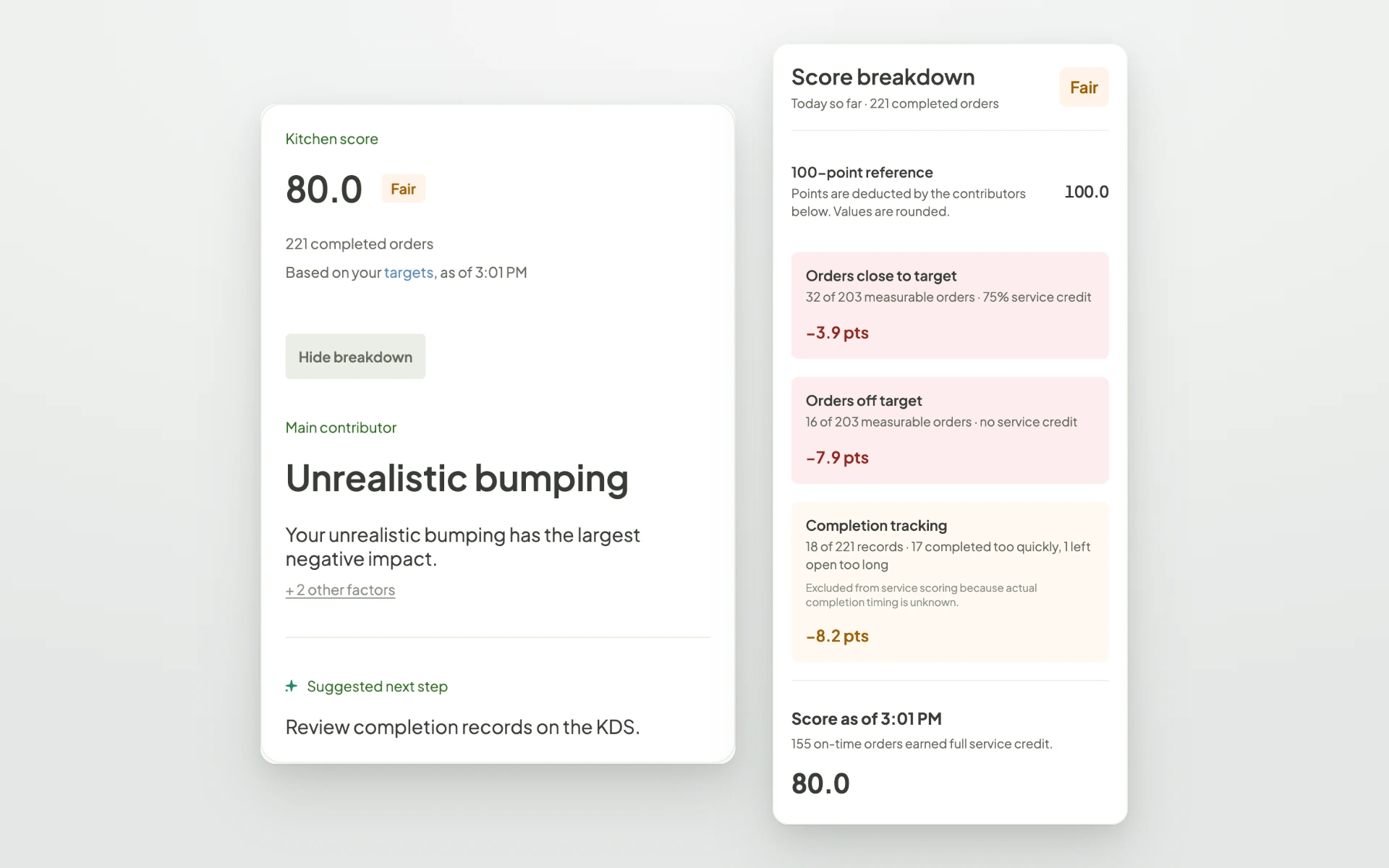
You can also see completed orders by hour and compare today with yesterday, so you know whether a rough lunch was a one-off or part of a pattern.
When you want to know why a score moved, Analytics brings all of your reports together and starts with the questions operators actually ask. Which orders missed their promise? Which item takes longest to prep? When do orders wait longest at the expo? Pick a question and go straight to the answer.
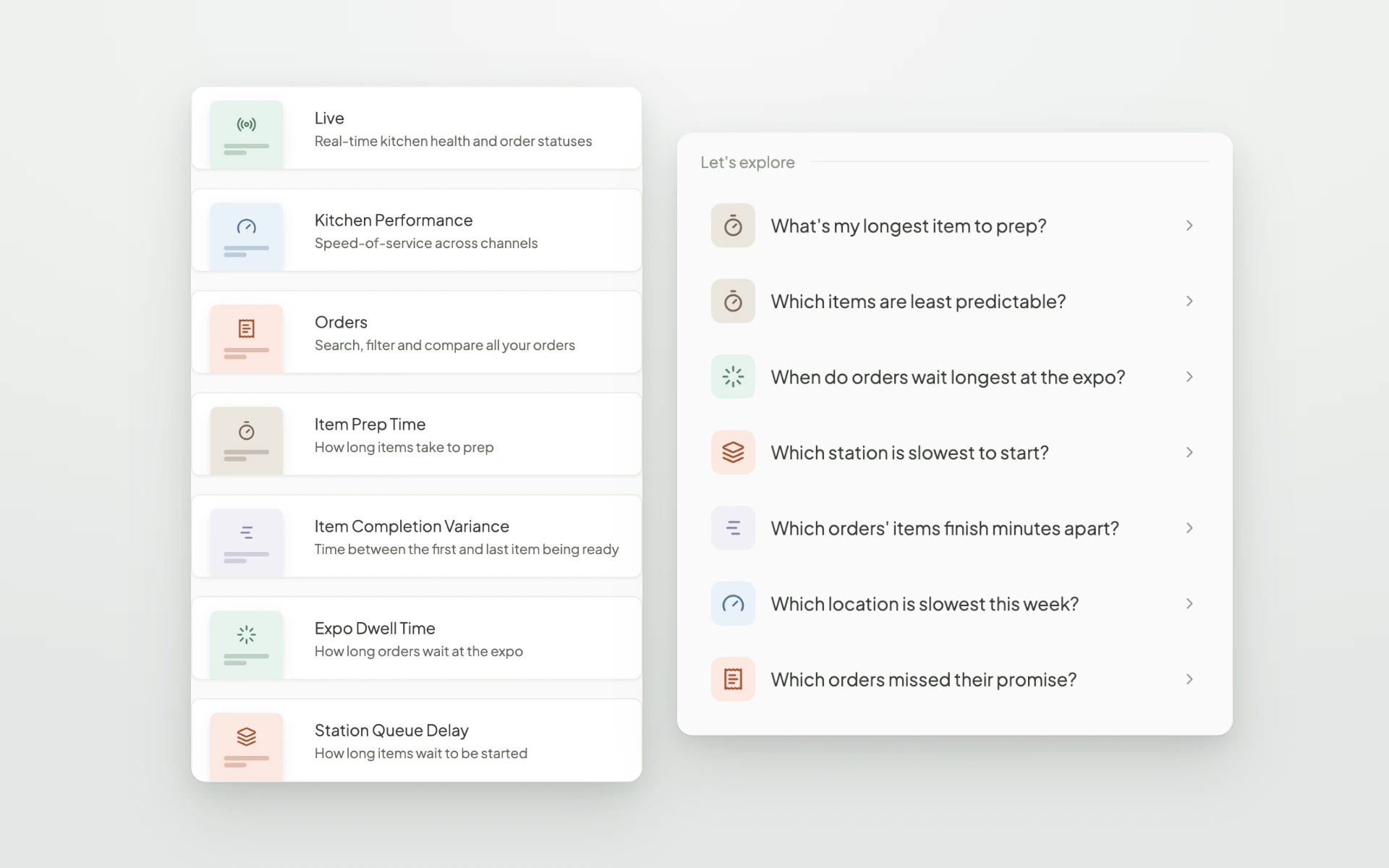
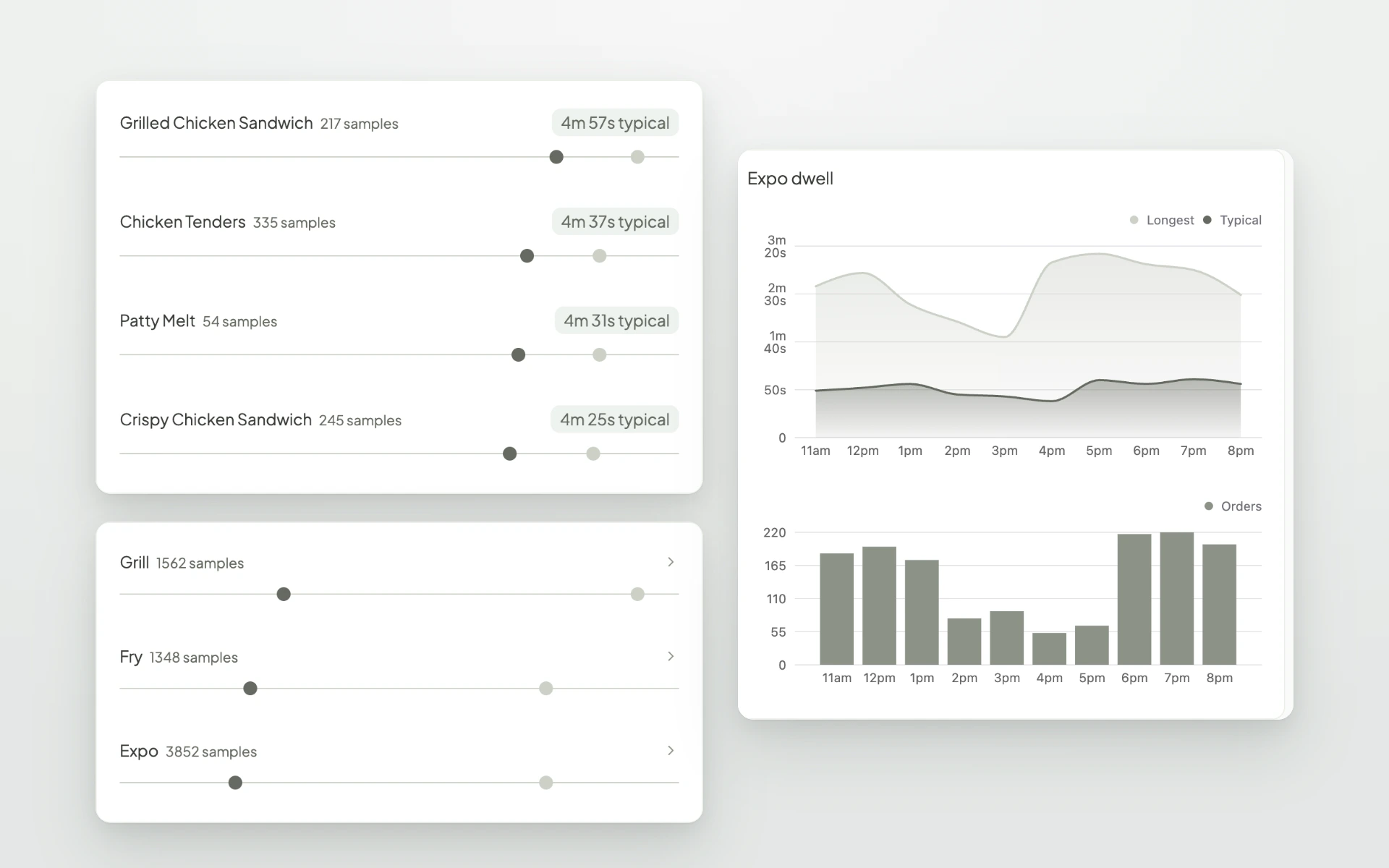
Kitchen Performance lets you view any day or a longer range, compare locations, and break results down by hour, order type, and order source. Item and station reports help you find where time is going. See which menu items take longest and which are least predictable, how long items wait before a station starts them, and how long finished orders sit at the expo before they go out.
When a number looks off, you can see the orders behind it. Search and filter every order, then open one to see when it reached each screen, how long each station took, and when every item was fired, started, and finished.
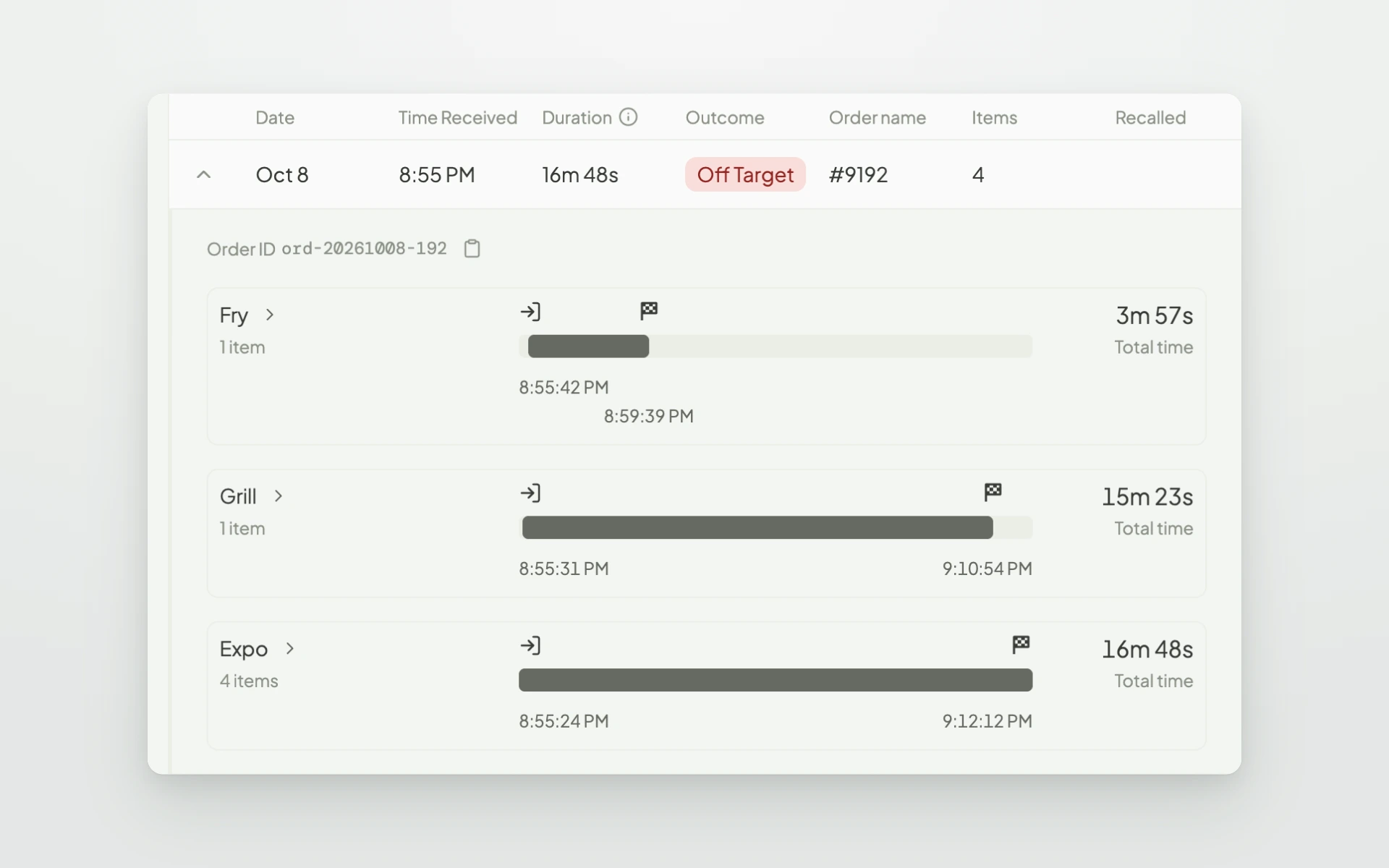
It is the quickest way to understand why a specific order ran late and which part of the kitchen was holding it up.
Once you know what happened, Insights helps you decide what to do about it. It reviews a location's last full day of service and turns it into a short list of recommendations, written in plain language and backed by the numbers. That might mean adding expo support during the dinner rush, or retraining a station that is clearing orders before the food is ready.
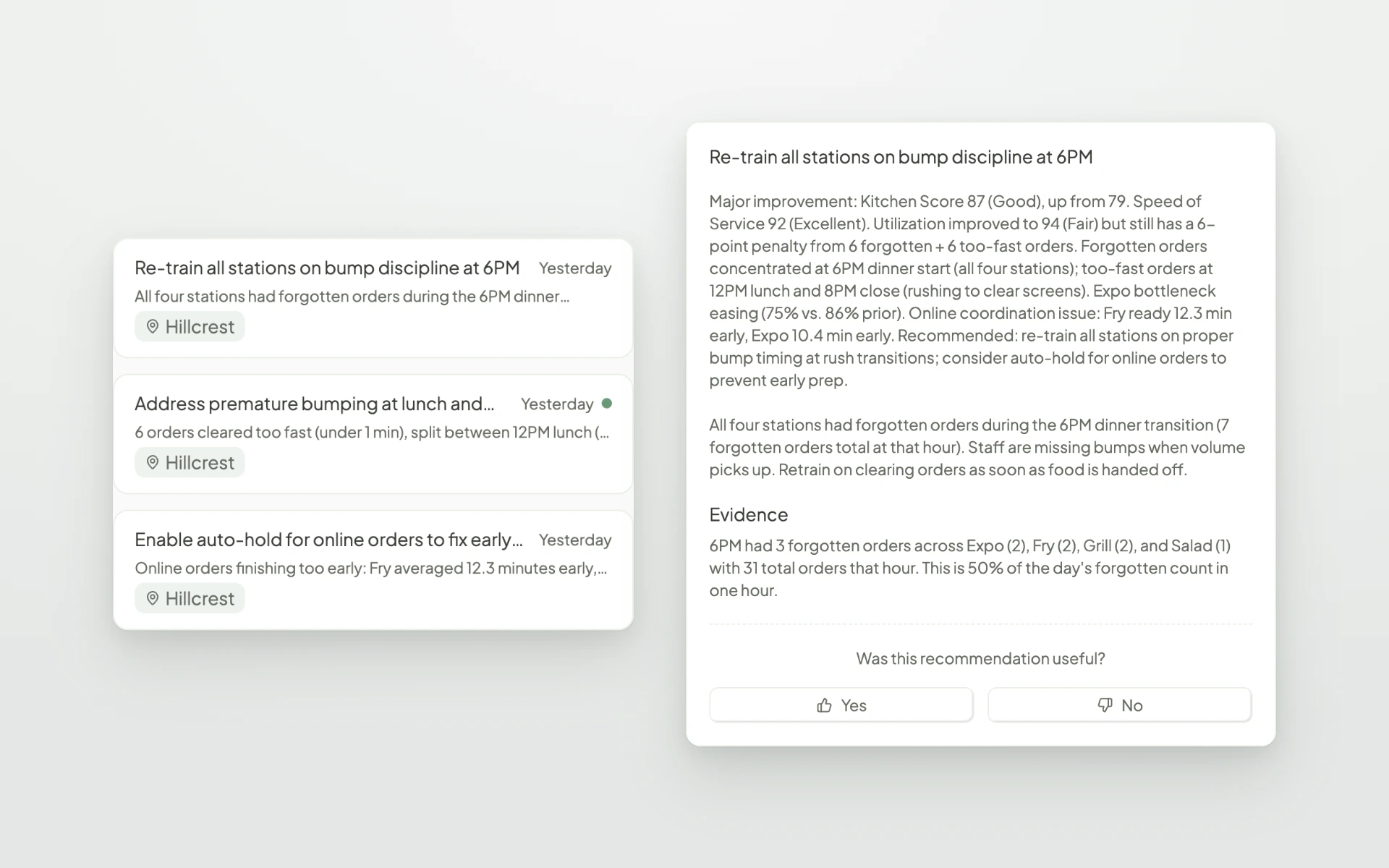
Each recommendation shows the evidence behind it, and you can rate whether it was useful. Insights is a Premium feature.
When you know what to change, you can make the change from the web app. Screens shows every KDS screen across your locations, whether it is online, and which app version it is running. Change a screen's settings and push them to the kitchen without touching the device.
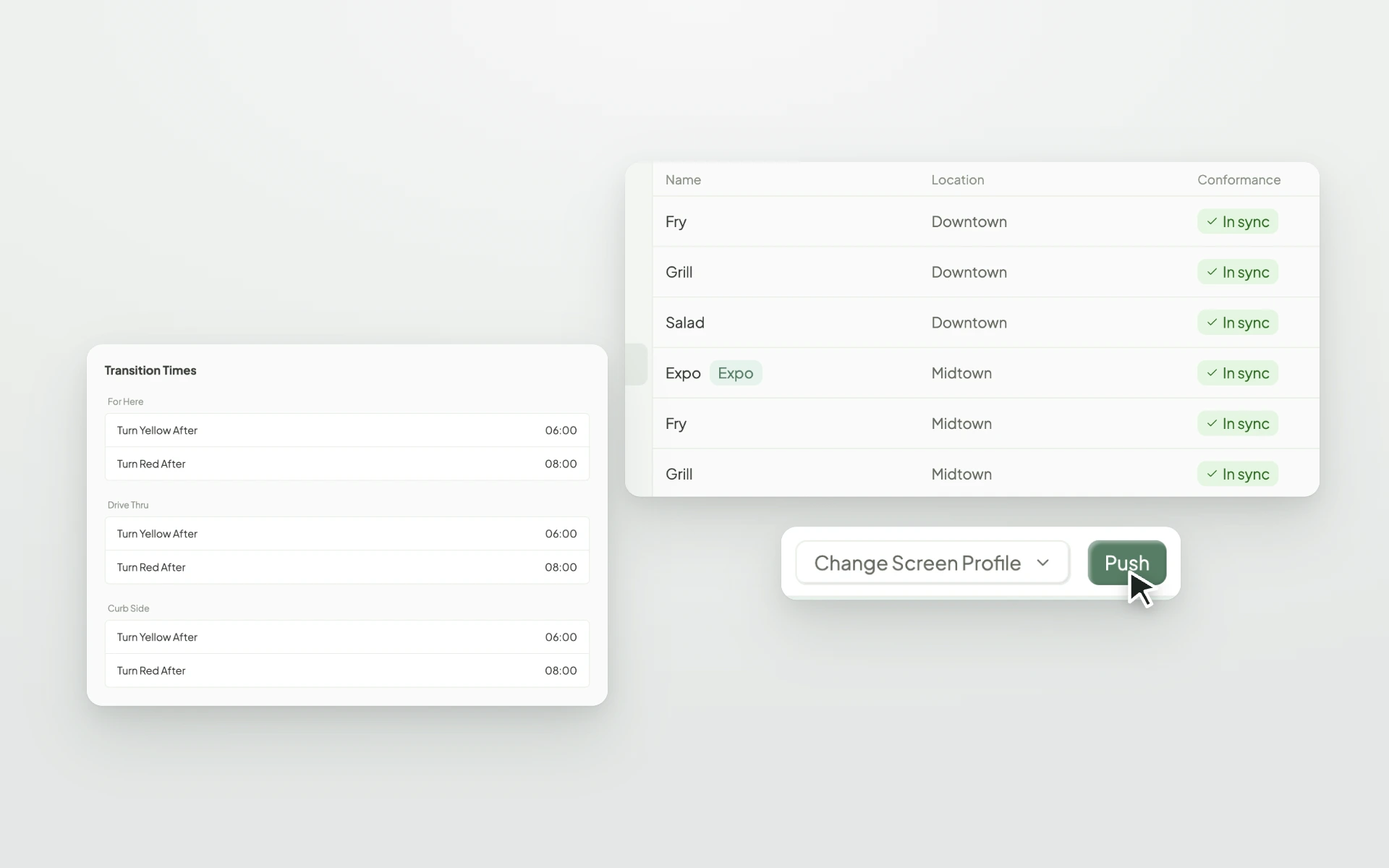
For enterprise brands, Screen Profiles let you save a set of screen settings once and apply it to every matching screen across a brand, a group of locations, or a single location. Your expo screen in one store can work the same way as the expo screen in every other store.
Automations watch for specific moments during service and act on them, so your team does not have to notice everything on their own. Start from a Fresh template, like an alert for large orders or for items with long cook times, or build your own.
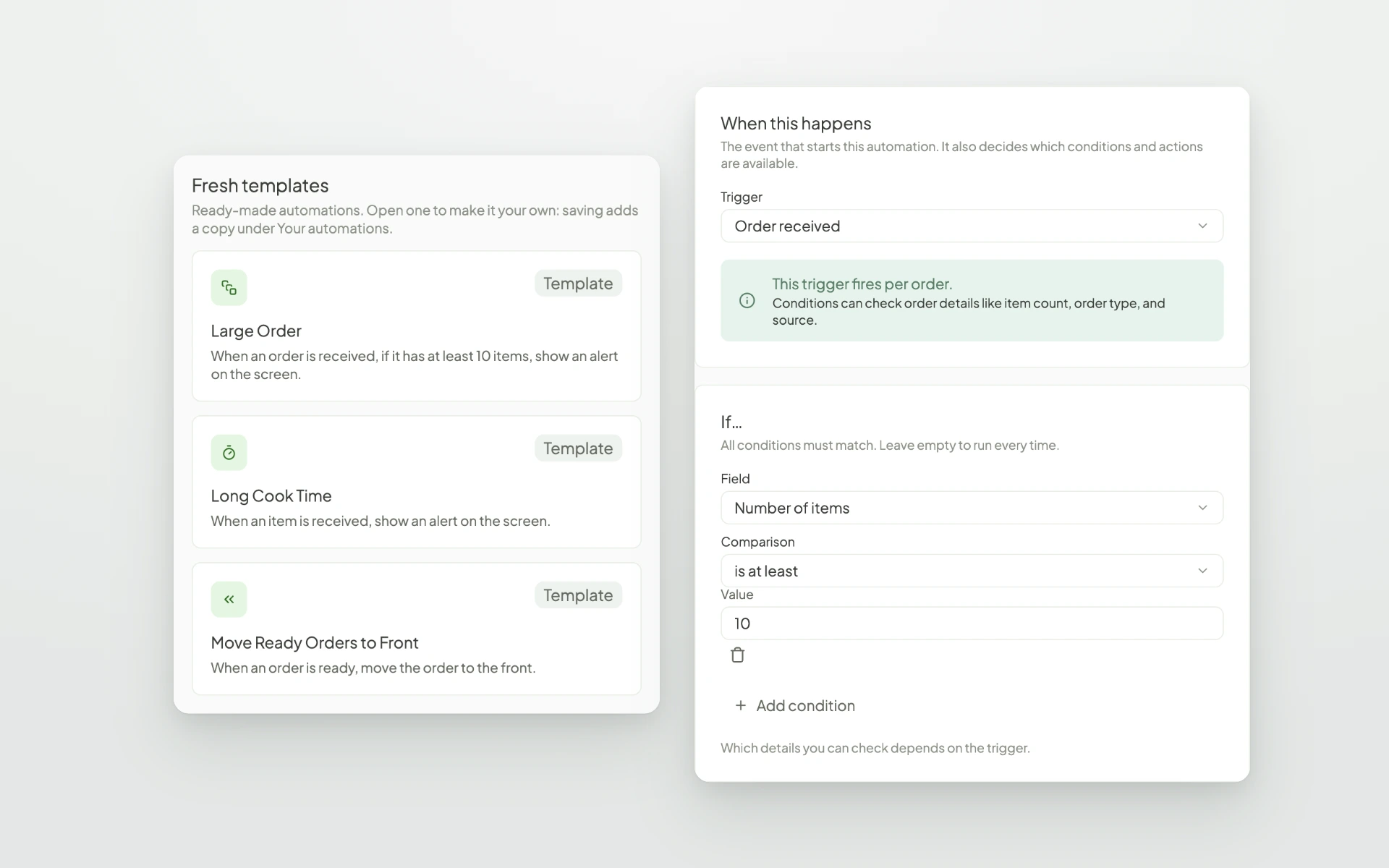
Build an automation once, then turn it on for any screen or screen profile. Automations is a Premium feature.
Users, roles, locations, billing, brand settings, and integrations now live together under Admin. You can invite team members and choose exactly which locations they can see, and set up two-factor authentication on your account for extra security.
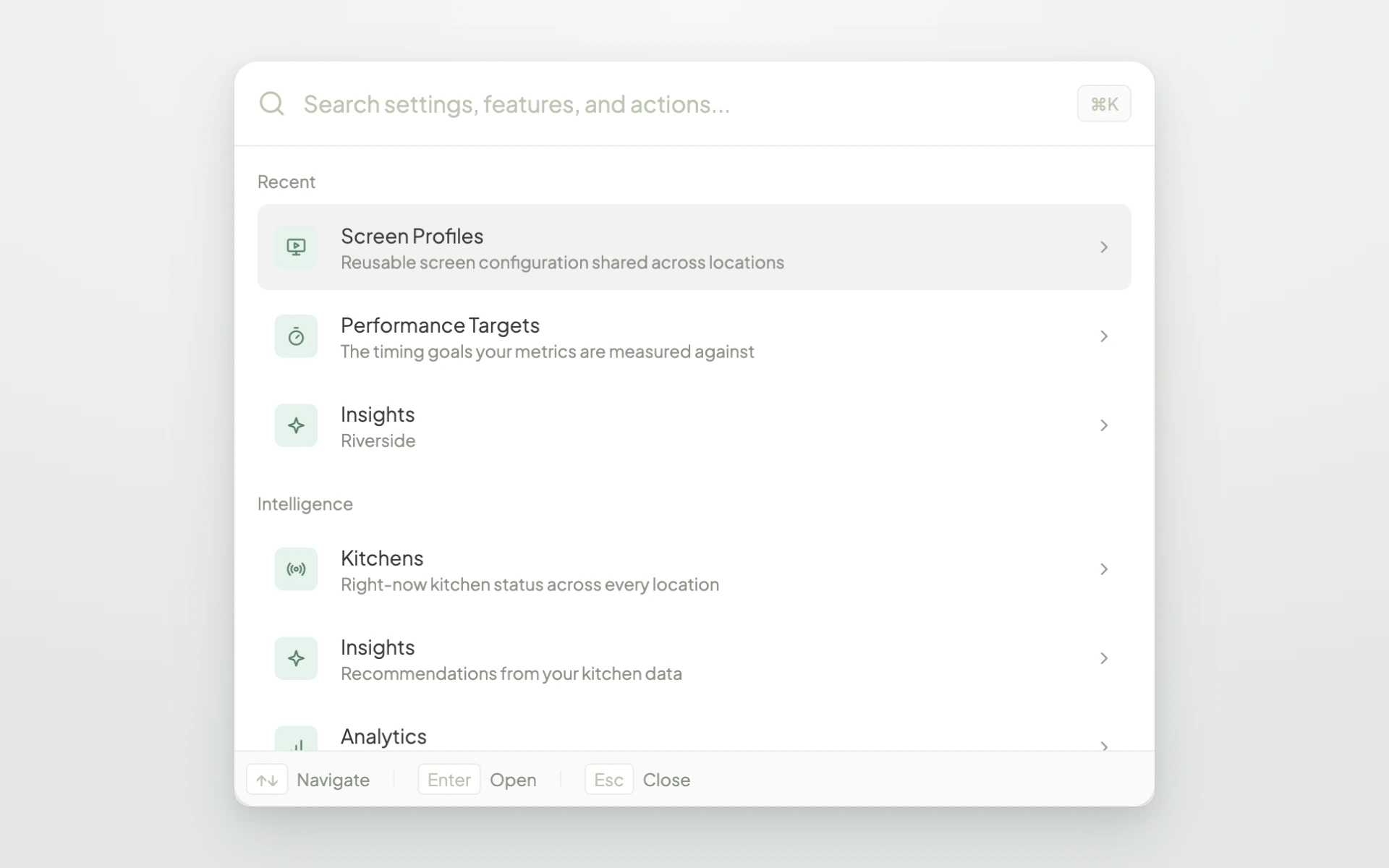
To get anywhere fast, use search. Press ⌘K (or Ctrl+K on Windows) and type what you are looking for, whether that is a report, a setting, or a location.
The new web app is included in every Fresh KDS subscription at no extra cost. Kitchens, Analytics, Performance Targets, and Screens are available on every plan. Insights and Automations are included with Premium.
Create your Fresh KDS account and start capturing kitchen data in minutes.
Get started with Fresh KDS
https://app.freshtechnology.com/register/kds
The new web app works with the kitchen data your Fresh KDS screens already capture. The best place to start is your performance targets, since they shape every score and report you will see.
Discover all the ways you can streamline your kitchen operations with Fresh KDS.
Begin your Fresh KDS 7-day trial today by setting up your account. The process is completely free, and only takes a few minutes. No credit card is needed, and you can cancel anytime.
Get started - it's free.png)


.webp)


.avif)




.png)


.avif)



.avif)
.avif)


