Fresh KDS On The Fly™
Fresh KDS On The Fly™
Track kitchen performance from anywhere
See live kitchen activity, speed of service, customers affected, and multi-location performance from your phone with Fresh KDS On The Fly.
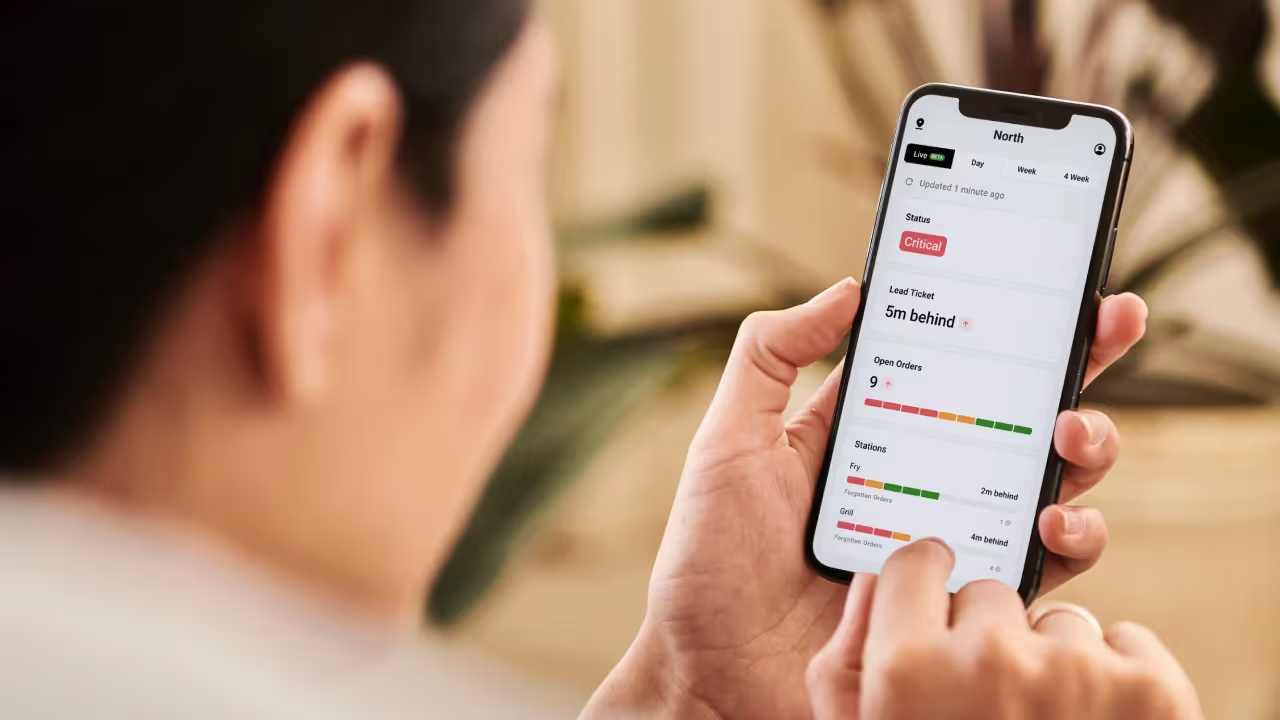
See live kitchen activity, speed of service, customers affected, and multi-location performance from your phone with Fresh KDS On The Fly.
Explore Fresh KDS with our interactive demo. See how simple order management can be.
Fresh KDS On The Fly gives owners, operators, and managers a simple way to stay connected to kitchen performance from their phone.
Instead of waiting for reports, checking in with each location, or relying on customer complaints to know when service is falling behind, On The Fly helps you see what is happening across your kitchen in a clear, mobile-friendly view.
Use it to check live kitchen activity, view Kitchen Score across different time ranges, monitor speed of service, compare locations, and understand how service delays may be affecting your customers.
A single day can tell you how your kitchen performed. Trends can help you understand whether that performance is improving, slipping, or staying consistent over time.
On The Fly lets you view Kitchen Score across different time ranges, including daily, weekly, and longer-term views. You can check a single day, review recent trends, or use the calendar-style view to see how performance has changed across several weeks.
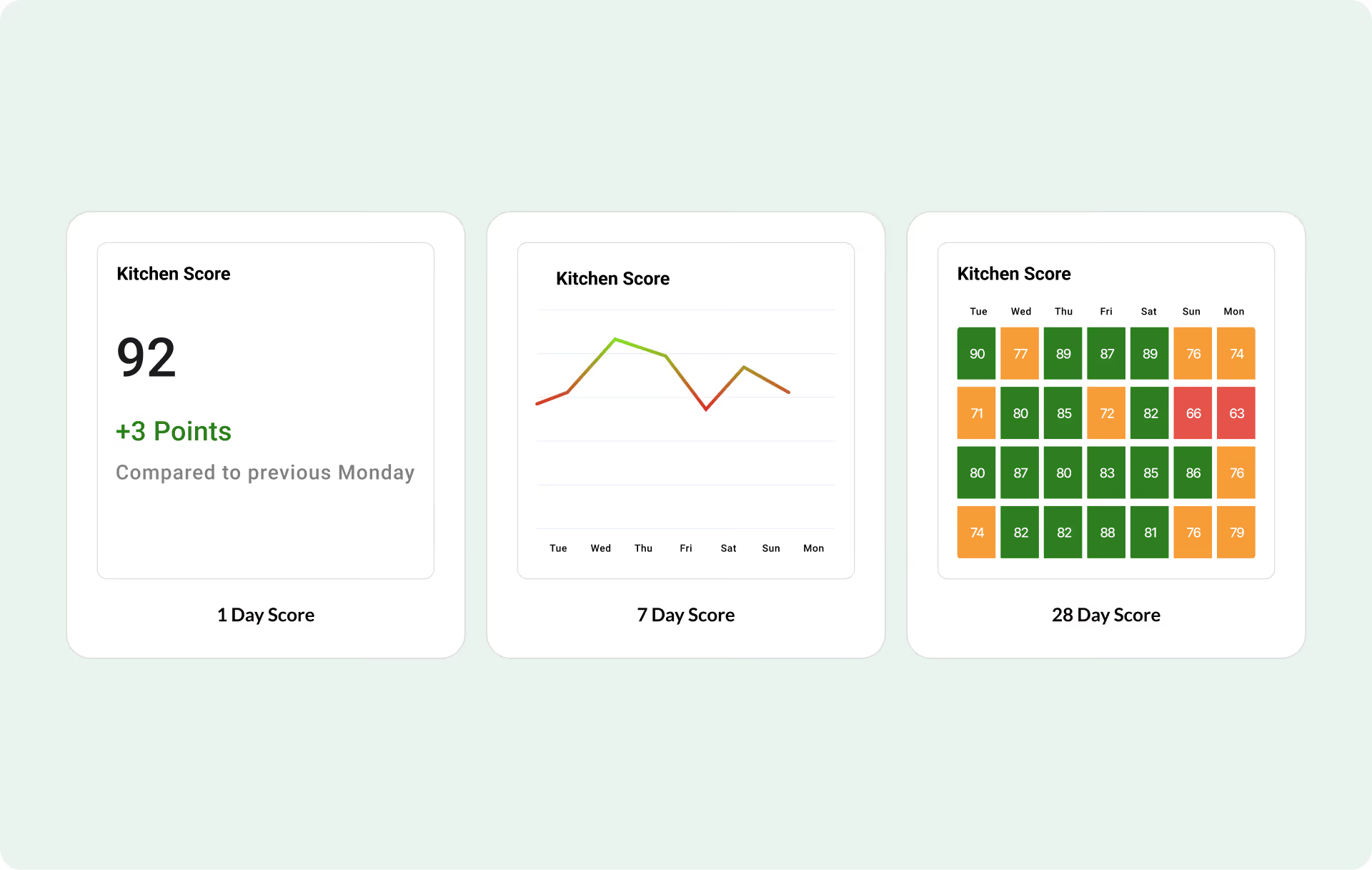
That makes it easier to spot patterns, compare busy days, recognize strong shifts, and understand whether service issues are isolated or becoming part of a larger trend.
During a busy shift, service can change quickly. A kitchen that looks fine one moment can start falling behind as orders build, tickets age, or one station gets overloaded.
On The Fly helps you monitor live kitchen activity from your phone, so you can see how your team is performing while service is still happening.
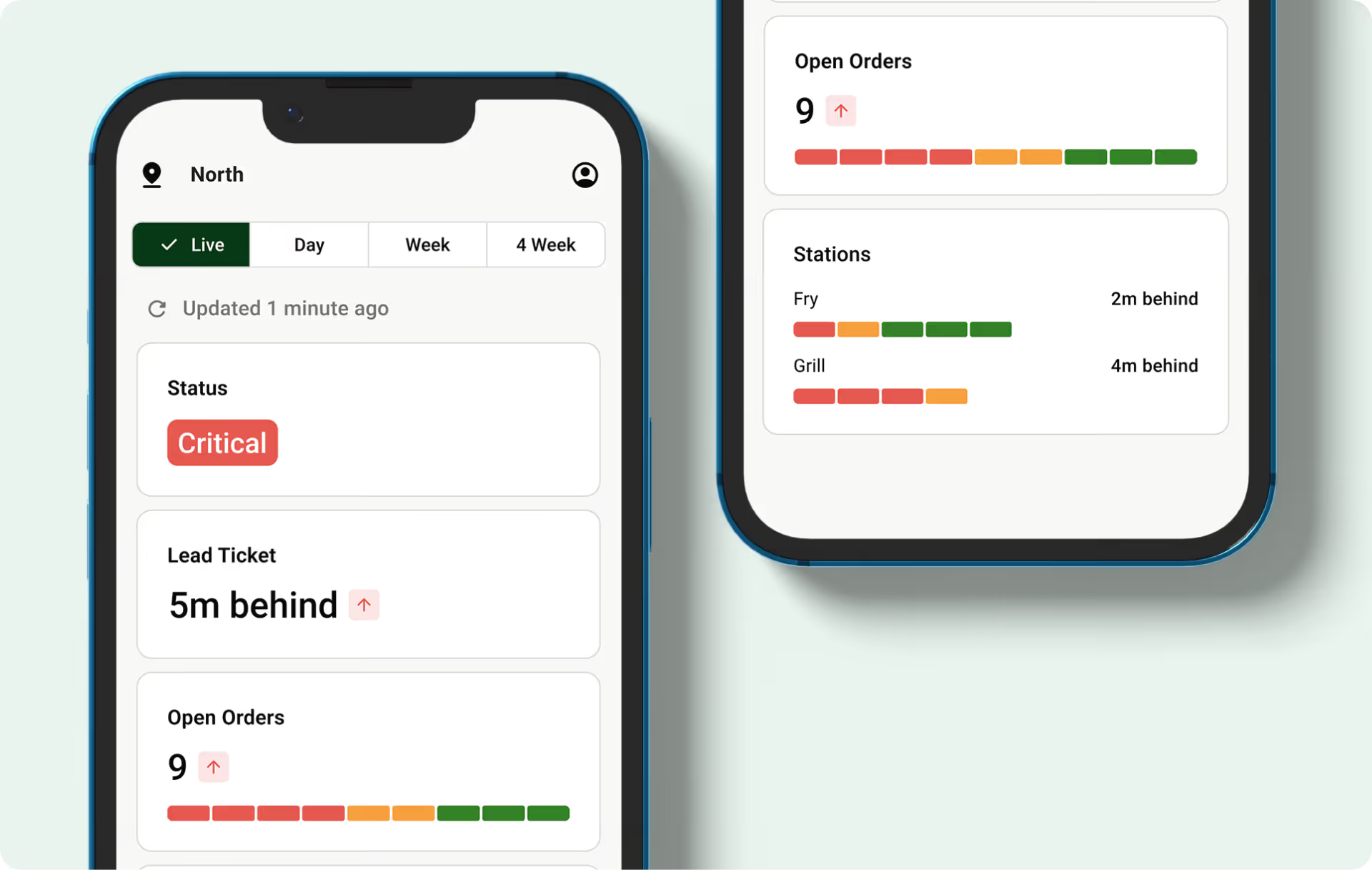
You can check open orders, lead ticket time, current kitchen status, and station-level activity without needing to be in front of the KDS screen. That gives you a faster way to spot pressure, check in with your team, and make adjustments before small issues become bigger service problems.
Speed of service is one of the clearest ways to understand how well your kitchen is supporting the guest experience.
On The Fly gives you a quick view of Online Speed of Service and In Store Speed of Service, helping you see how different order experiences are performing. This makes it easier to understand whether service issues are coming from online orders, in-store orders, or a specific part of your operation.
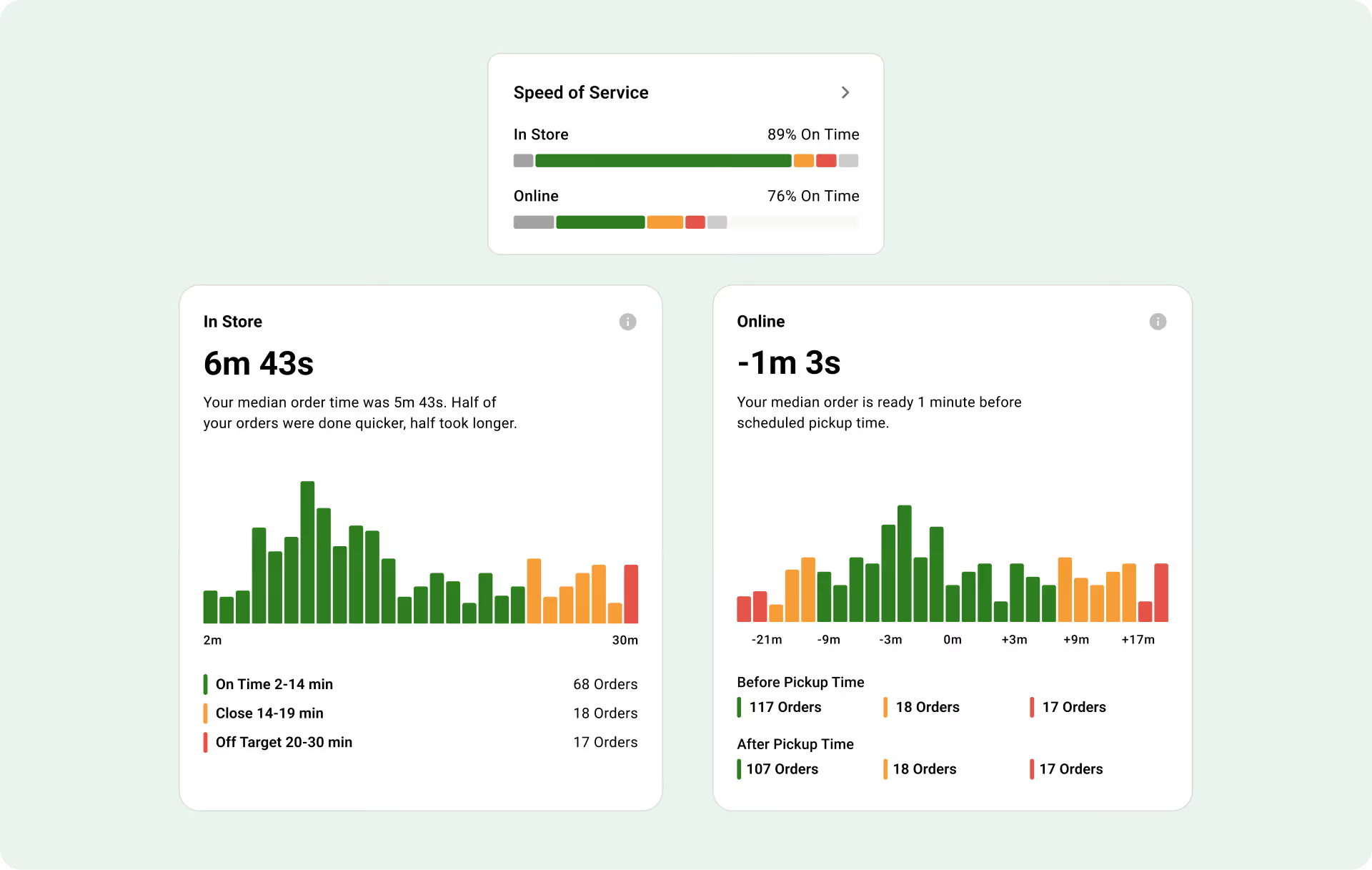
Each speed of service view uses simple color-coded performance to show whether orders are on time, close, or off target. You can also drill into more detail to see order timing, performance distribution, and the number of orders in each category.
This gives you more than a single average. It gives you a clearer picture of how service is actually performing.
Averages can be helpful, but they do not always tell the full story.
A kitchen might have an acceptable average order time while still leaving a meaningful number of customers waiting too long. That is why On The Fly includes Customers Affected, giving you a more tangible way to understand how service delays may be impacting real guests.
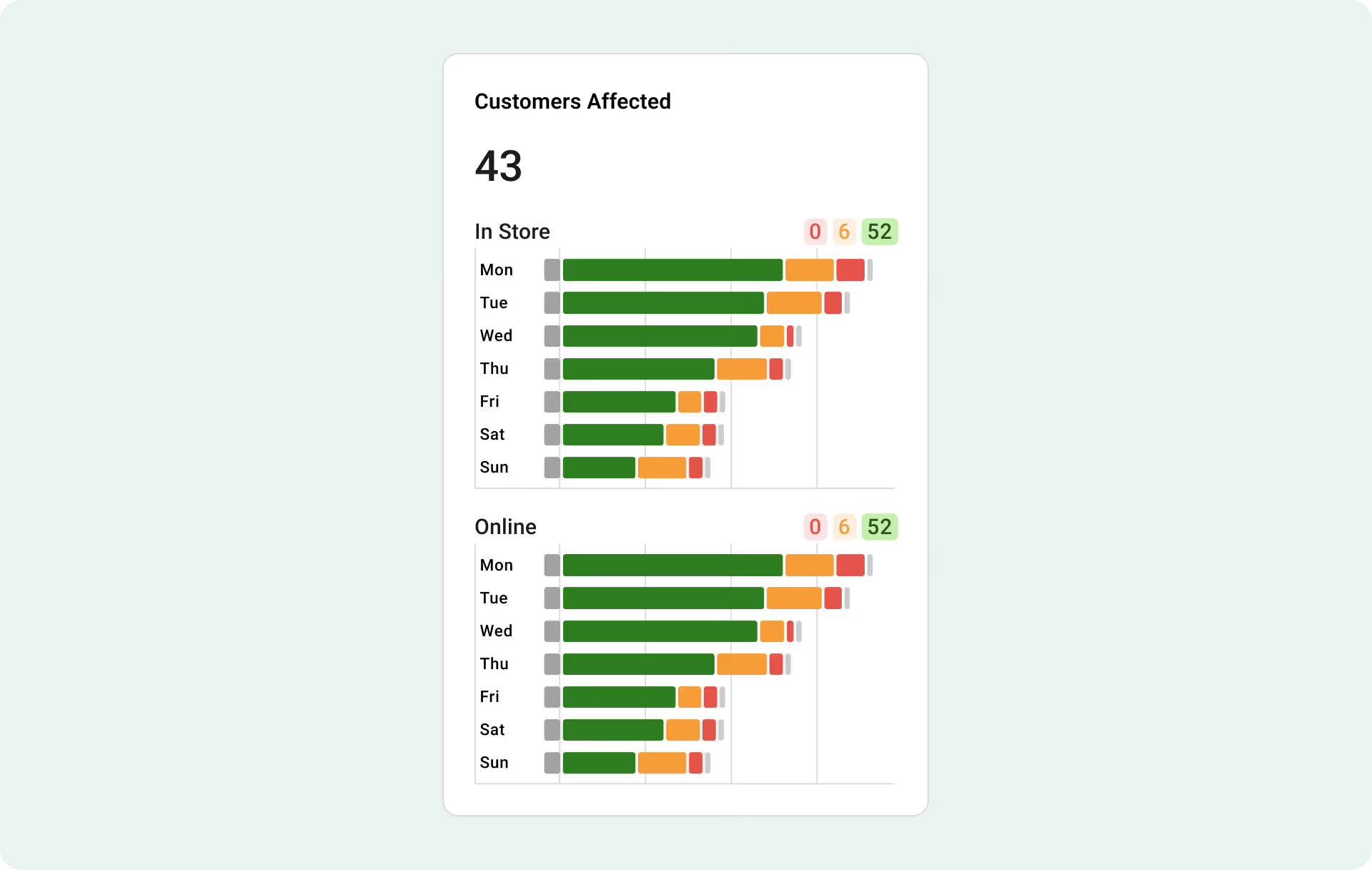
By seeing how many customers are affected, you can better understand the size of the problem, prioritize what needs attention, and focus on the service issues that matter most.
It turns speed of service from an abstract metric into something easier to act on.
Knowing service is slow is useful. Knowing where it is slowing down is even better.
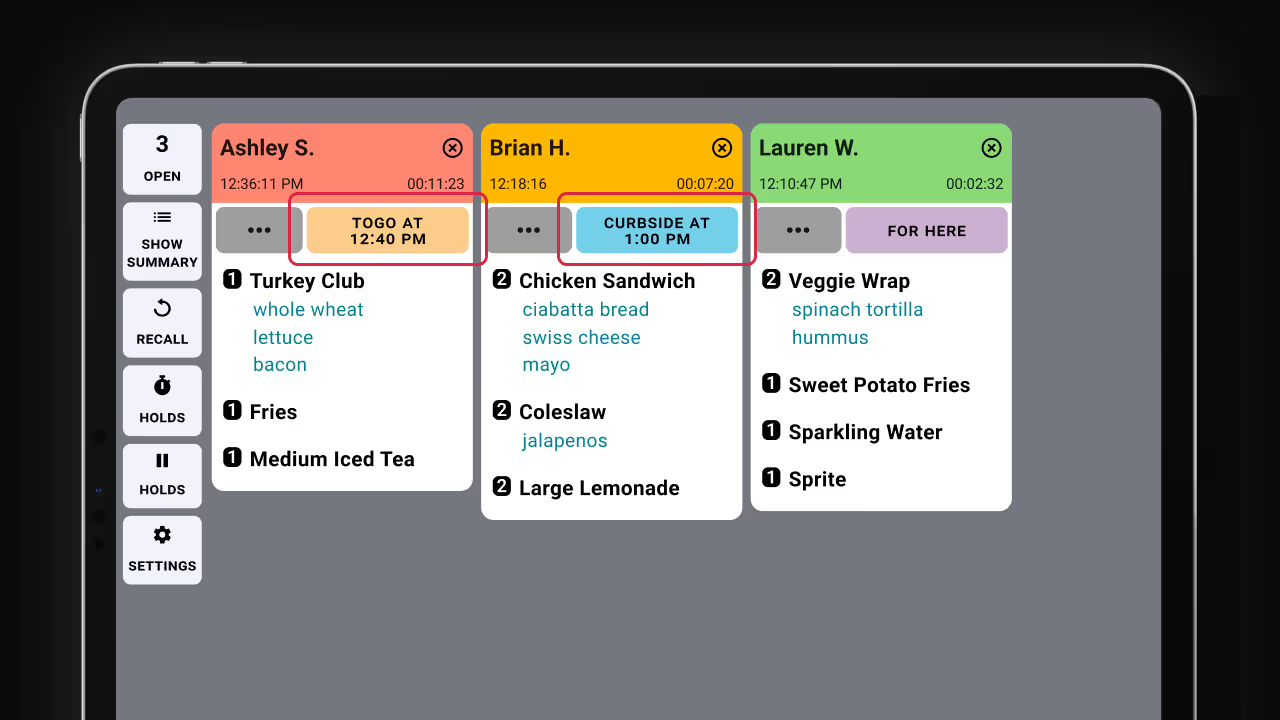
On The Fly helps break speed of service into more practical views, including Origin Source and Order Type. This can help you understand whether certain order sources, like kiosk or QR code orders, are creating more pressure. It can also show whether specific order types, like For Here, Drive Thru, or To Go, are falling behind.
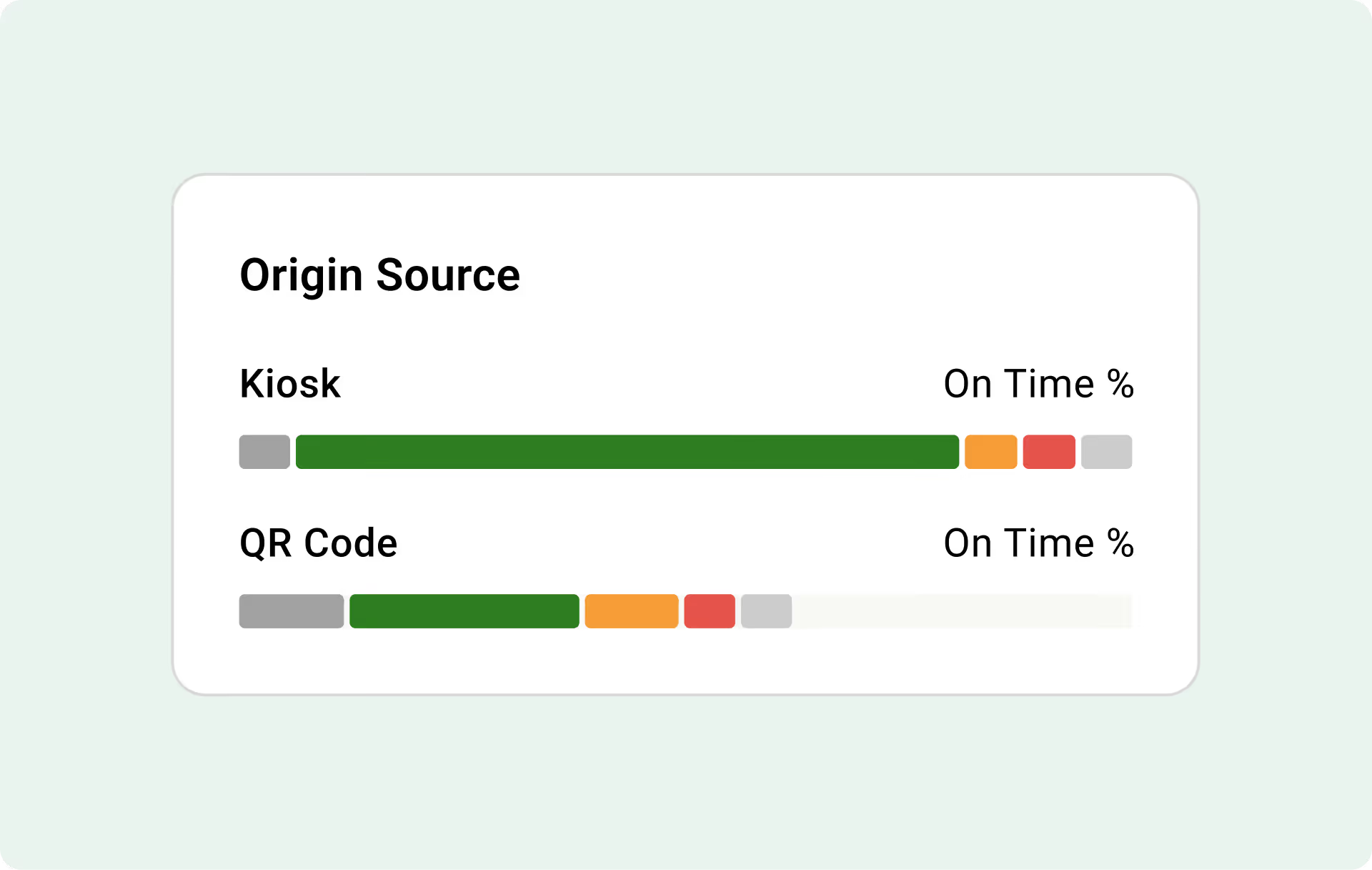
These breakdowns make it easier to identify patterns, coach teams, adjust workflows, and focus your attention where it can have the biggest impact.
For multi-location operators, On The Fly makes it easier to see how each restaurant is performing without calling every manager or digging through separate reports.
The multi-location view brings location performance into one place, so you can quickly compare scores, order volume, and service timing across your restaurants. From there, you can spot locations that may need support, recognize strong performers, and click into a location for more detail.
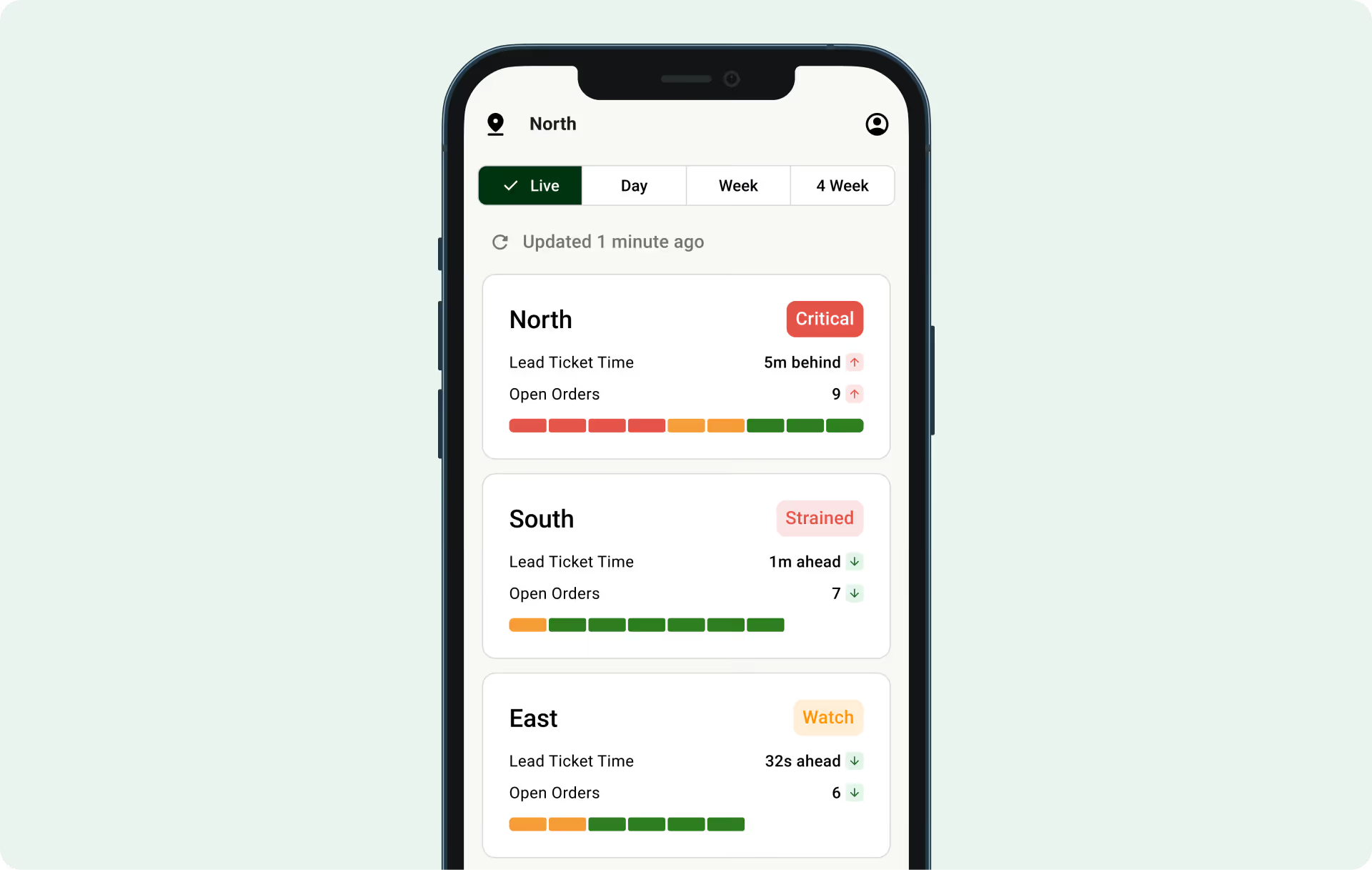
It is a faster way to understand where things are running smoothly and where your team may need more attention.
Fresh KDS On The Fly is included with every Fresh KDS subscription.
If your restaurant is already using Fresh KDS, On The Fly helps you get more value from the kitchen activity your KDS is already capturing. It gives you a clearer view of live performance, speed of service, Customers Affected, and location trends, all from your phone.
For restaurants looking to improve speed of service and create a better guest experience, On The Fly gives you another way to see what is happening, understand what needs attention, and keep service moving in the right direction.
Create your Fresh KDS account and start capturing kitchen data in minutes. Once you are live, On The Fly brings performance insights to your phone.
Get started with Fresh KDS
https://app.freshtechnology.com/register/kds
Download On The Fly to instantly see the performance data your kitchen is already generating. Fresh KDS On The Fly is included with every Fresh KDS subscription.
Download for iOS
https://apps.apple.com/us/app/fresh-kds-on-the-fly/id6745523616
Download for Android
https://play.google.com/store/apps/details?id=com.freshtechnology.kitchenscore
Discover all the ways you can streamline your kitchen operations with Fresh KDS.
Begin your Fresh KDS 7-day trial today by setting up your account. The process is completely free, and only takes a few minutes. No credit card is needed, and you can cancel anytime.
Get started - it's free.png)


.webp)


.avif)




.avif)




.avif)
.avif)


