Analytics
Analytics
Know where your kitchen loses time, and why
Analytics brings your kitchen reports into one place in the web app. See which orders missed your targets, then find the station, item or expo delay that held them up.
Analytics brings your kitchen reports into one place in the web app. See which orders missed your targets, then find the station, item or expo delay that held them up.
Explore Fresh KDS with our interactive demo. See how simple order management can be.
A Kitchen Score tells you that a shift went wrong. It does not tell you which orders ran late, which station was slow to start them, or whether the food sat at expo waiting to go out.
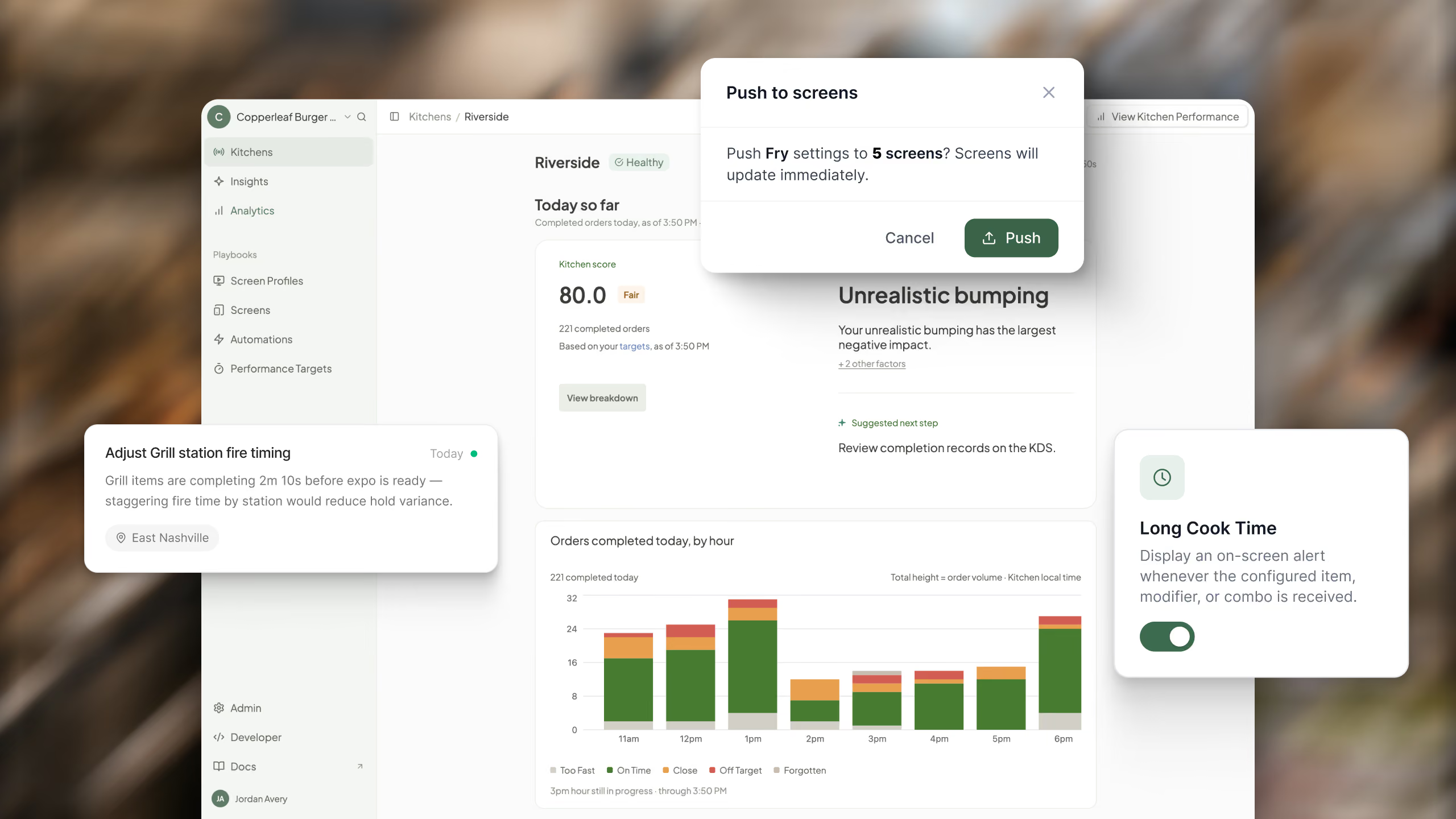
Analytics in the Fresh KDS web app answers those questions. It brings seven reports together in one place, from how every location is doing right now down to the timeline of a single order, so you can go from "we were late at dinner" to the reason why.
Analytics is only as useful as the targets behind it. With Performance Targets, you set a goal time for in-store orders at each location and choose how close to the quoted pickup time online orders need to be ready. Every order is then classed as on time, close, off target or forgotten, and every score and report in Analytics follows from that.
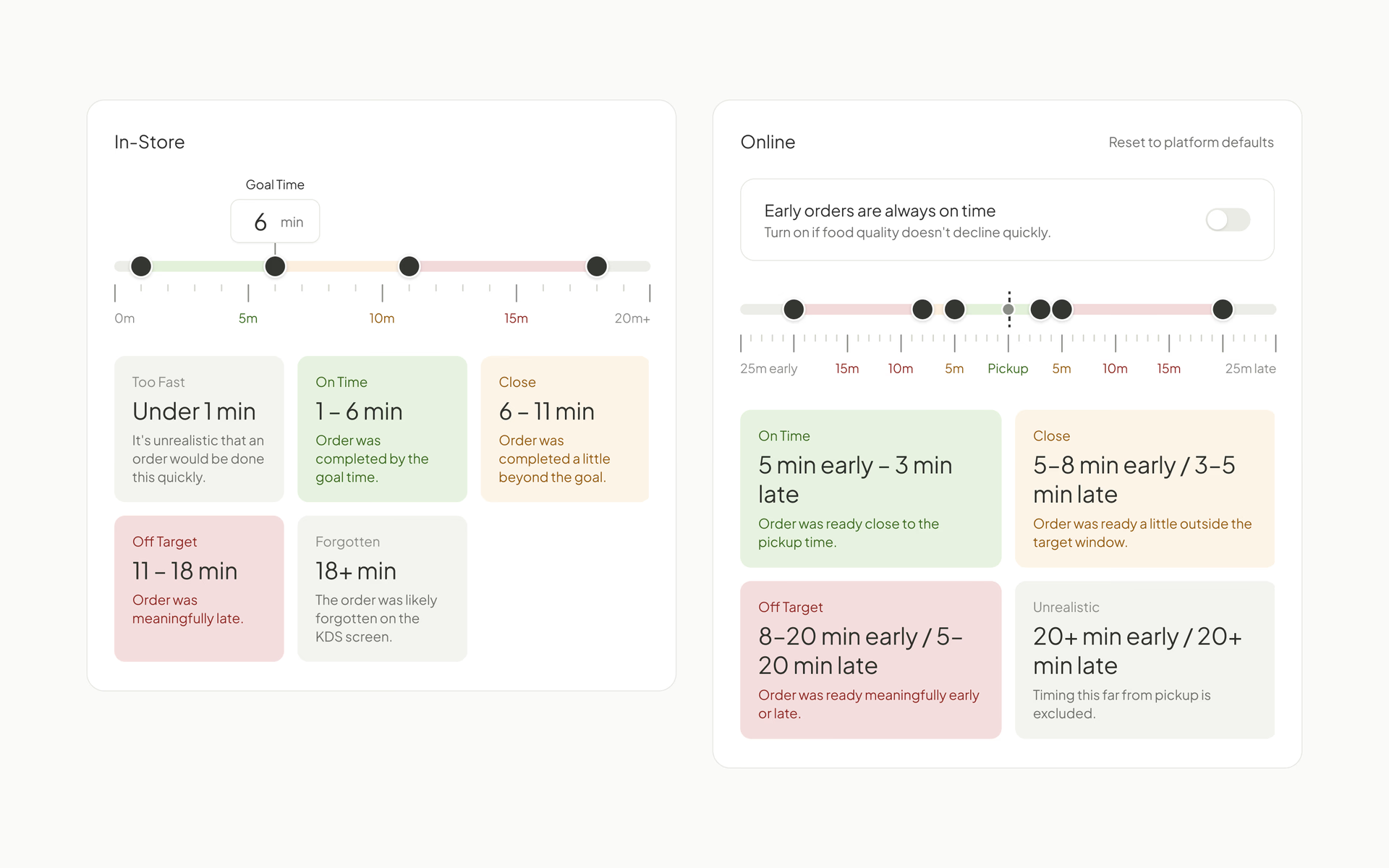
Set targets for one location or many at once, on every plan. See how Performance Targets work.
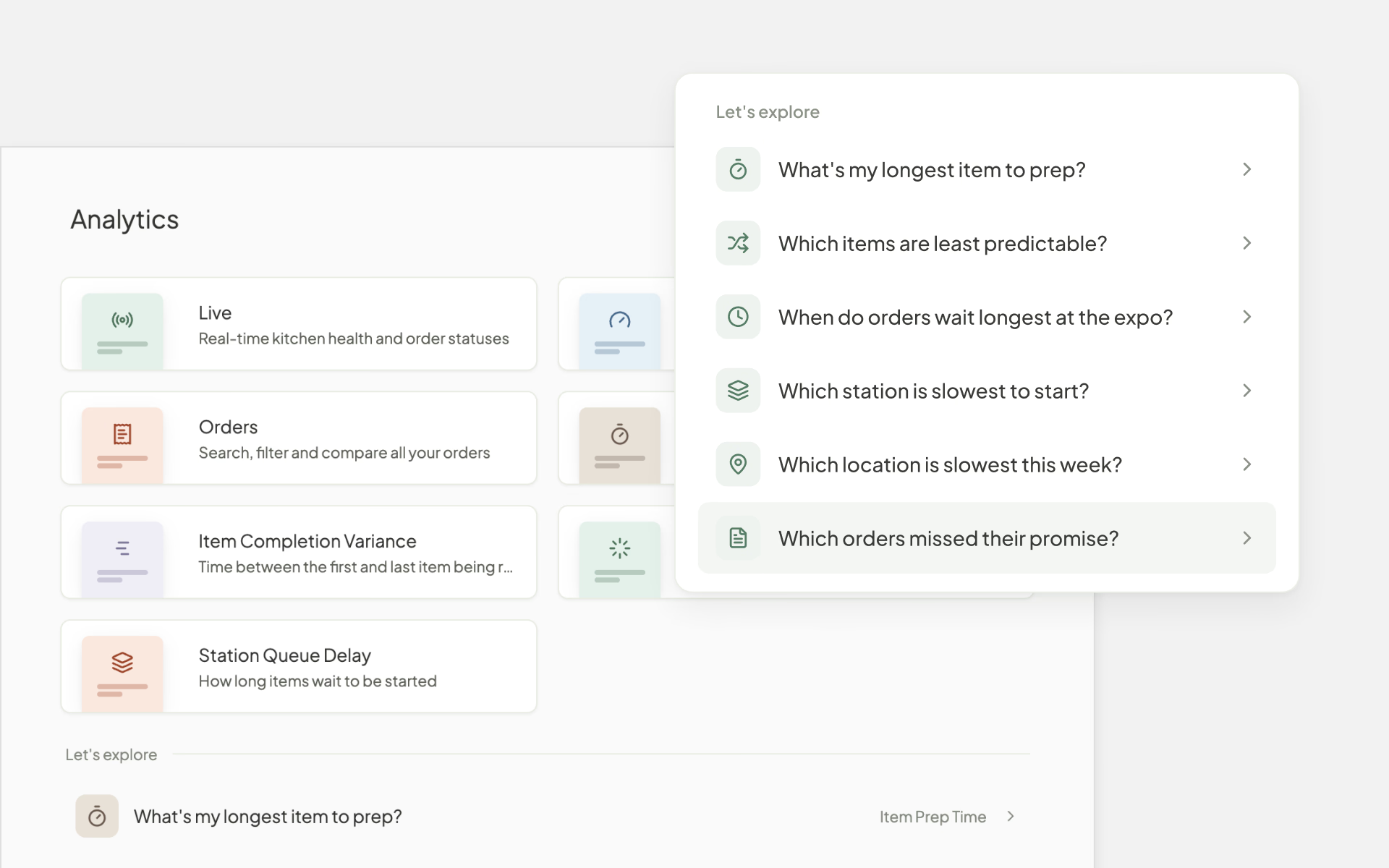
You do not need to know which report to open. Analytics starts with the questions operators ask most, like "Which orders missed their promise?" or "When do orders wait longest at the expo?" Pick one and it takes you straight to the answer.
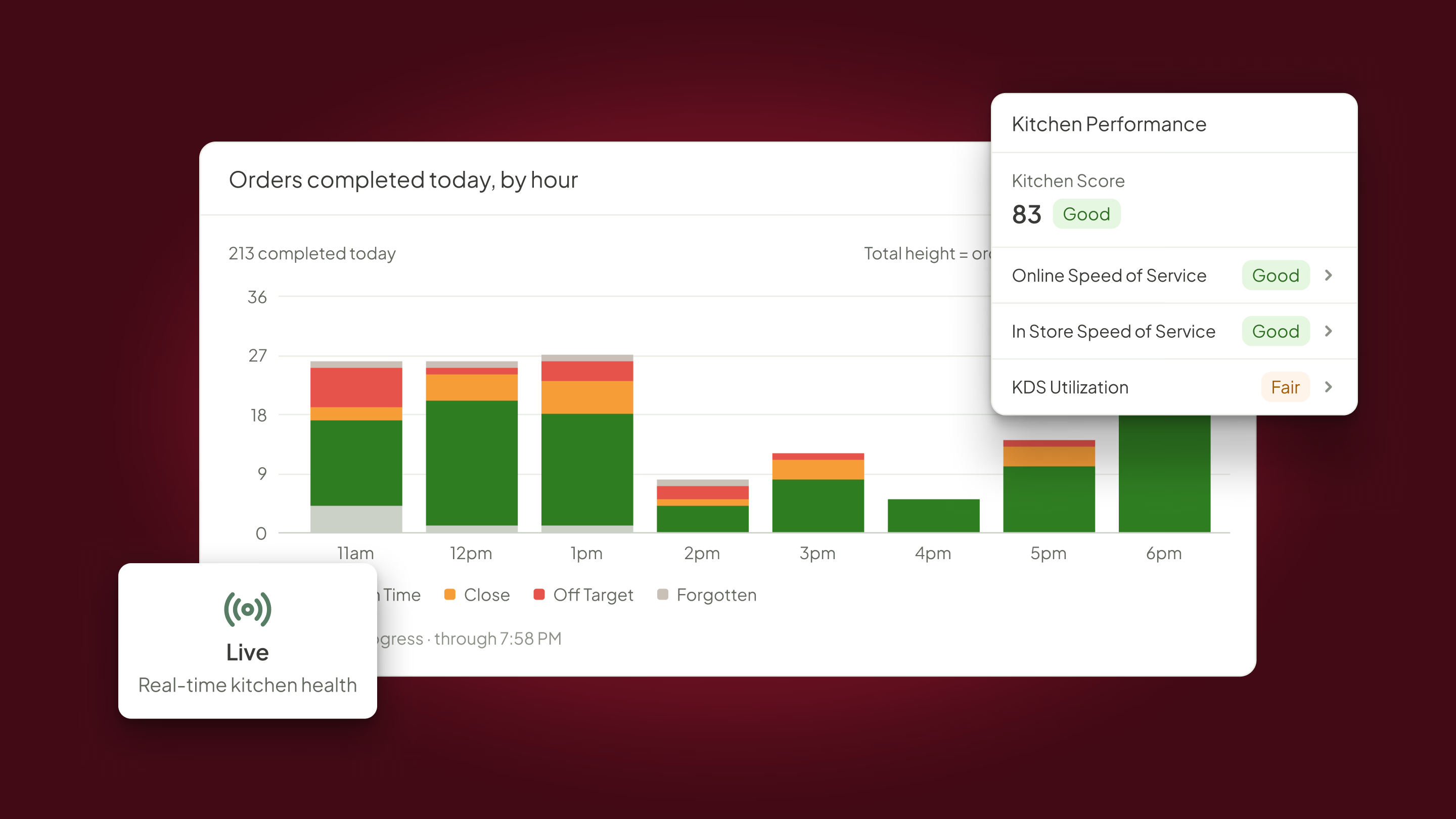
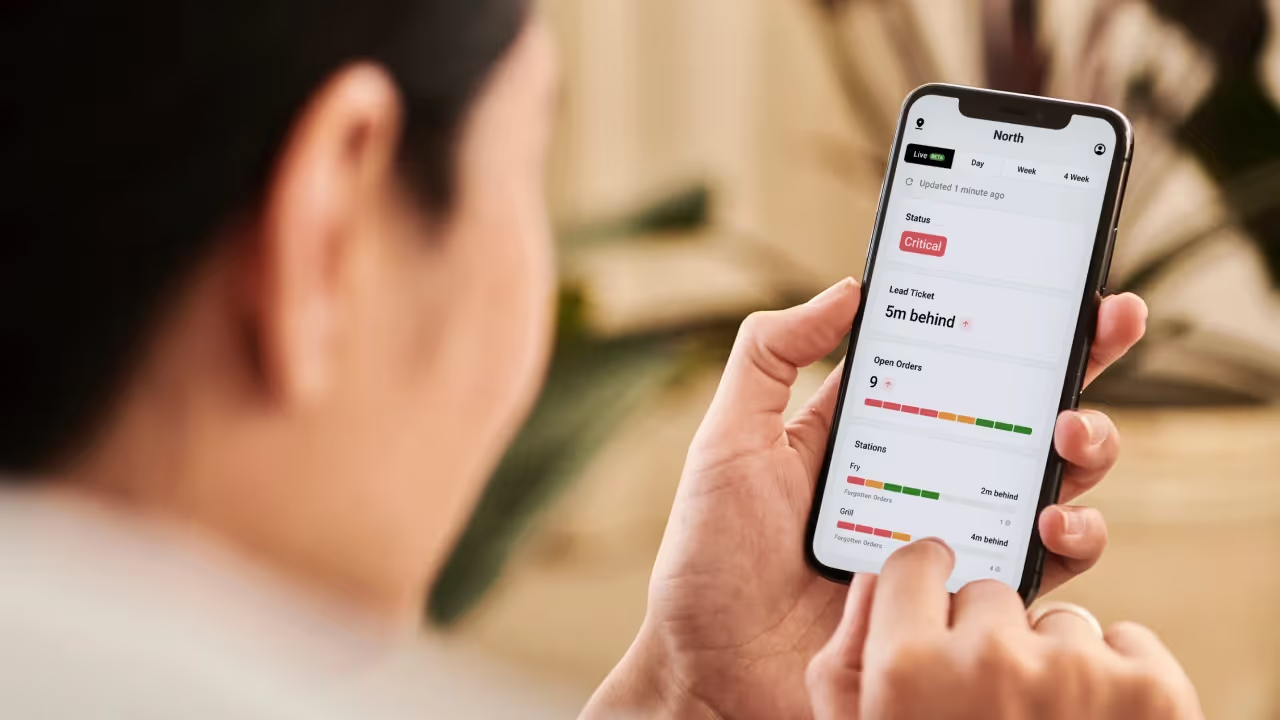
When you need to know how things look during a shift, Live shows every location's status, open tickets and lead ticket time on one screen. It refreshes about every minute, and the kitchens that need help sort to the top.
Kitchen Performance shows each location's Kitchen Score and how many orders were on time, close, off target or forgotten, based on the Performance Targets you set. You also see how many customers were affected when timing slipped.
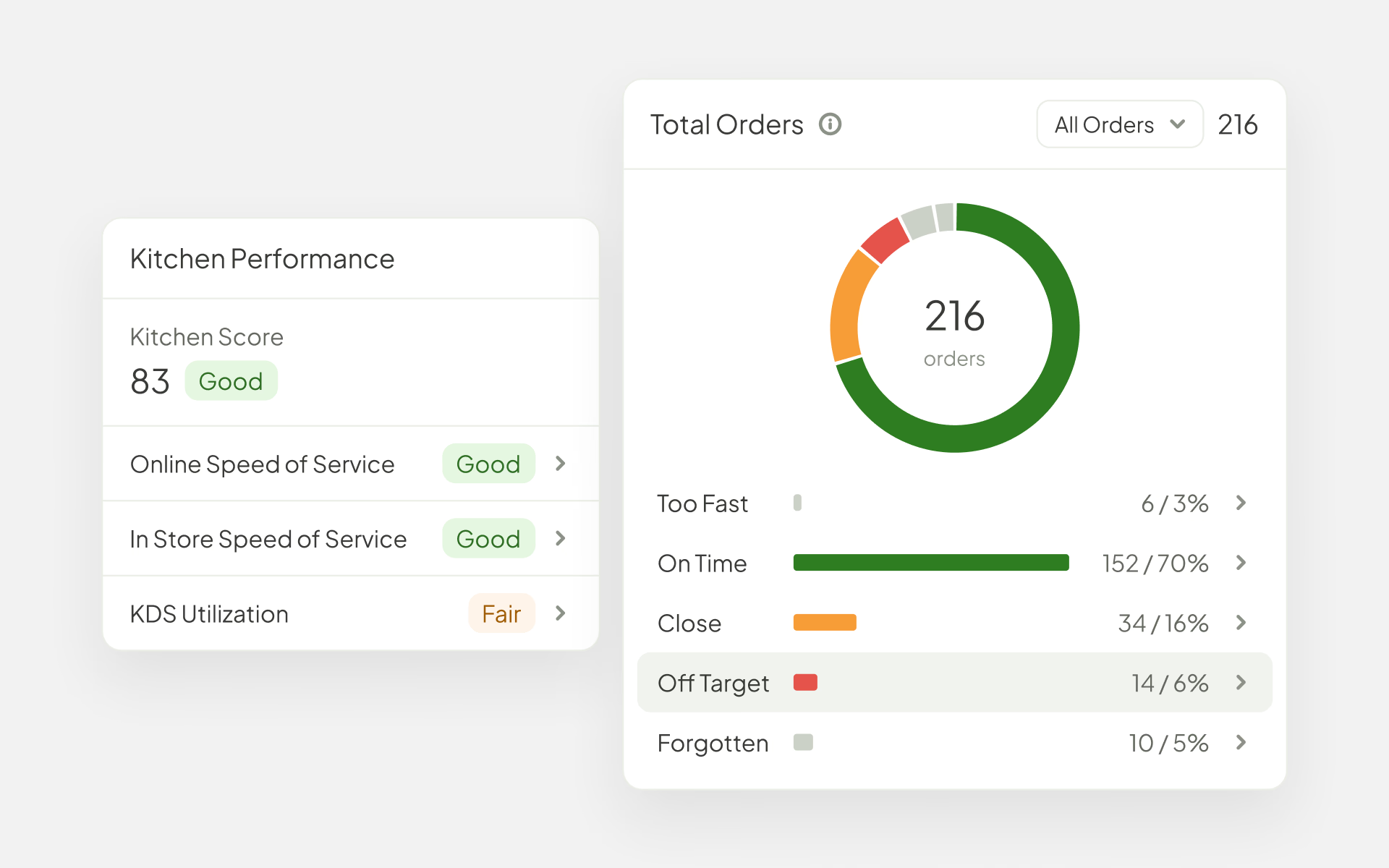
Look at one day or a longer range, compare locations side by side, and break results down by channel, hour, order type and order source. Every order is counted on its own, so a fast afternoon cannot hide a slow dinner rush the way an average ticket time can.
An order is only as fast as its slowest part. Four reports show what happened inside the kitchen, so you can tell a station problem from an expo problem.
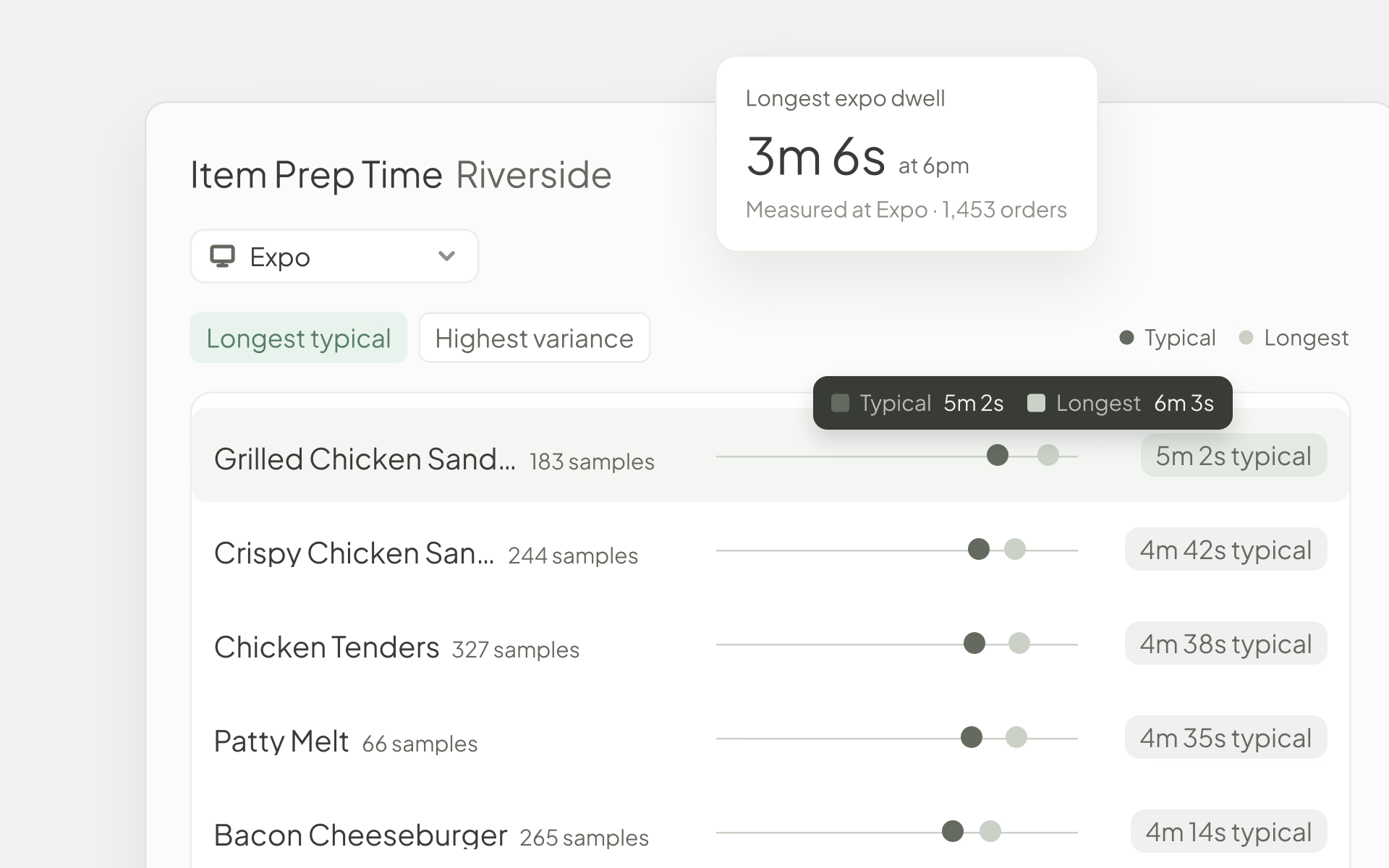
Each report shows a typical time and a longest time, so one unusually slow order does not skew the picture. These reports rely on how your screens are used. Expo reports need an expo screen, and station and item times need tap to start, list view or items marked done one at a time.
When a number looks off, open the orders behind it. Orders lets you search and filter every order by location, date, channel, outcome and more. Open one to see each screen it reached, and when every item was fired, started, ready and bumped.
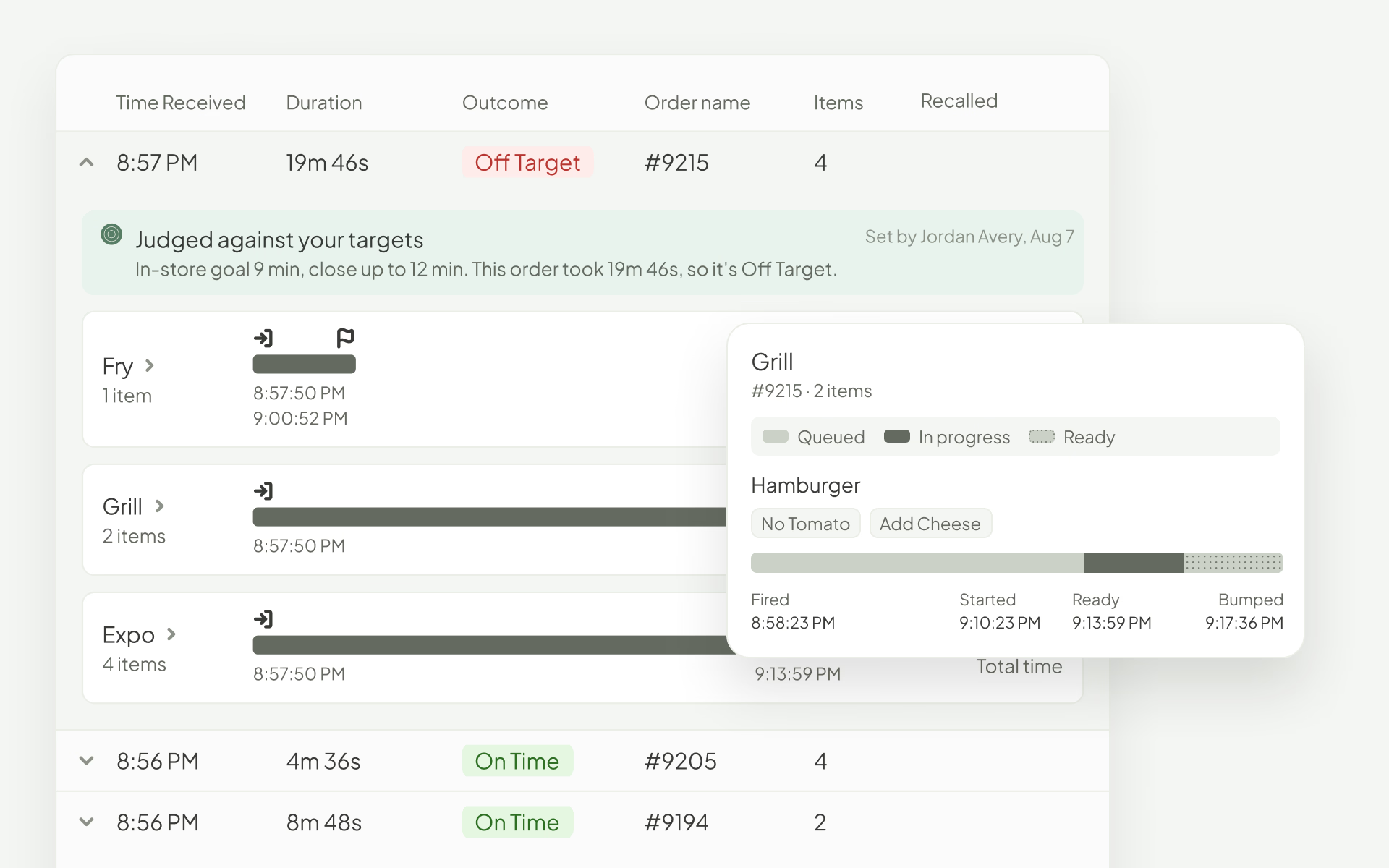
It is the quickest way to see which part of the kitchen held up a late order.
Works with
Analytics is part of the Fresh KDS web app and is available on every Fresh KDS plan at no extra cost.
Create your Fresh KDS account and start capturing kitchen data in minutes.
Sign in to the web app and open Analytics. If you have not set your Performance Targets yet, start there, since they shape every score and report you will see.
Discover all the ways you can streamline your kitchen operations with Fresh KDS.
Begin your Fresh KDS 7-day trial today by setting up your account. The process is completely free, and only takes a few minutes. No credit card is needed, and you can cancel anytime.
Get started - it's free.png)


.webp)


.avif)




.png)


.avif)





.avif)
.avif)


