Mise en attente des commandes
Mise en attente des commandes
Maîtrisez le timing avec la mise en attente
Mettez les commandes en pause jusqu'au bon moment pour les préparer, réduisant l'encombrement et améliorant l'efficacité de la cuisine.

Mettez les commandes en pause jusqu'au bon moment pour les préparer, réduisant l'encombrement et améliorant l'efficacité de la cuisine.
Découvrez Fresh KDS grâce à notre démo interactive. Découvrez à quel point la gestion des commandes peut être simple.
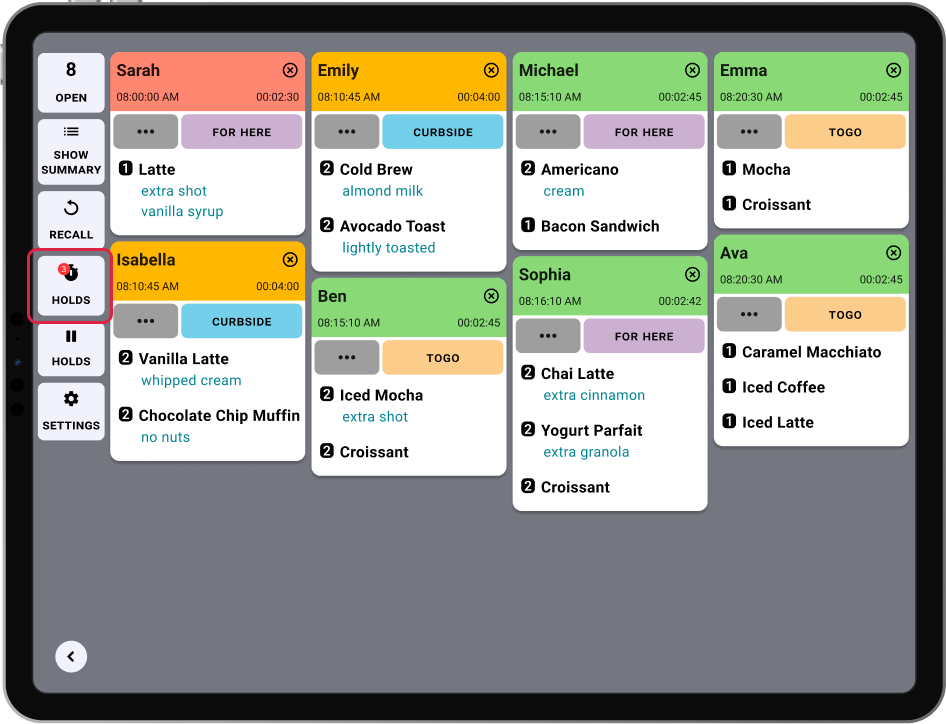
Dans une cuisine active, toutes les commandes n'ont pas besoin d'être préparées immédiatement. Certaines devraient être retenues jusqu'au bon moment pour garder les plats frais, assurer un bon rythme et gérer la charge de travail de la cuisine. Avec la Mise en attente des commandes, Fresh KDS vous permet de mettre les commandes en pause et de les libérer automatiquement à l'heure programmée, gardant votre équipe concentrée et votre écran dégagé.
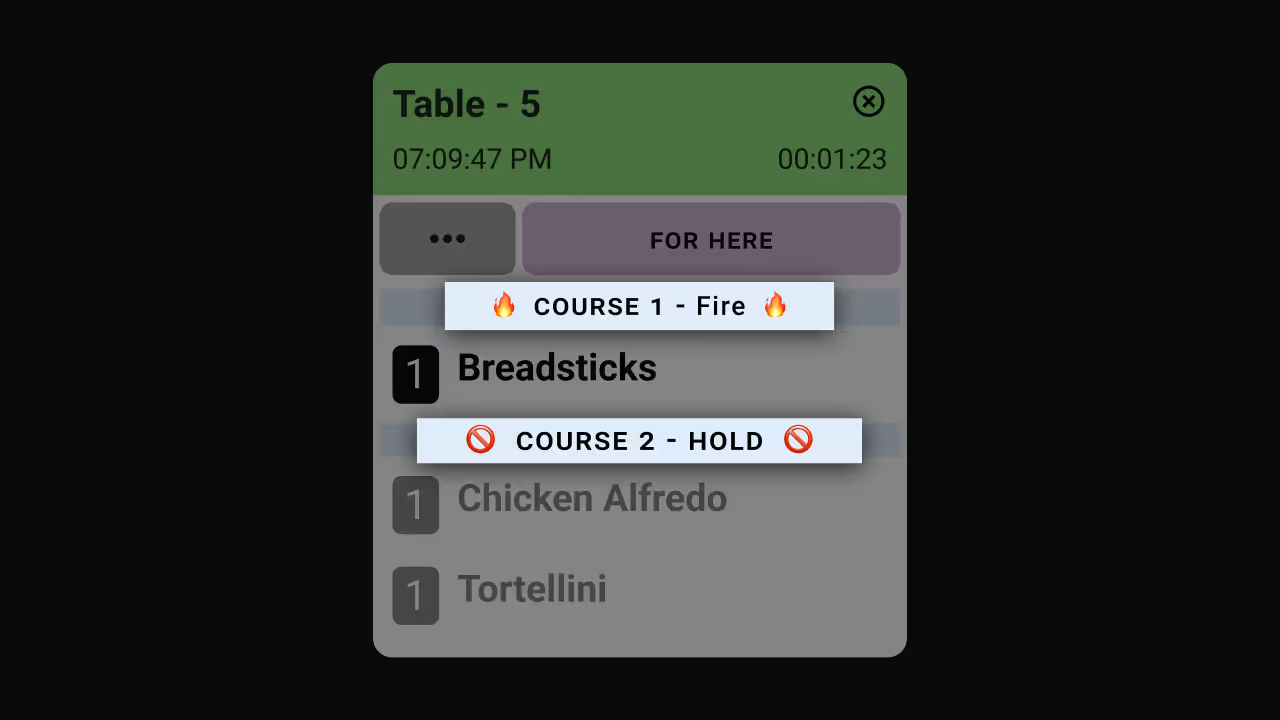
Au lieu de surcharger votre cuisine avec des commandes futures ou programmées, vous pouvez garder les tickets hors écran et les faire apparaître automatiquement au bon moment. Que vous gériez des repas à plusieurs plats, coordonniez des commandes en ligne ou fassiez face aux pics d'affluence, cette fonctionnalité garantit que votre équipe ne voit que les commandes sur lesquelles elle doit travailler maintenant.
Les commandes en attente restent synchronisées sur tous les écrans KDS, pour que chaque poste de préparation reste à jour. Lorsqu'il est temps de commencer à travailler sur une commande en attente, elle apparaît automatiquement à l'écran pour être honorée.
Principaux avantages
Comment ça marche

Prise en main de la Mise en attente des commandes
Envie d'en savoir plus ? Consultez notre centre d'aide pour des instructions pas à pas :
Découvrez toutes les manières dont vous pouvez rationaliser les opérations de votre cuisine avec Fresh KDS.
Commencez votre essai de 7 jours de Fresh KDS dès aujourd'hui en configurant votre compte. Le processus est totalement gratuit et ne prend que quelques minutes. Aucune carte de crédit n'est requise et vous pouvez annuler à tout moment.
Commencez, c'est gratuit.png)


.webp)





.avif)


.avif)


.avif)