Résumé des articles
Résumé des articles
Voyez les articles de tous les tickets d'un coup
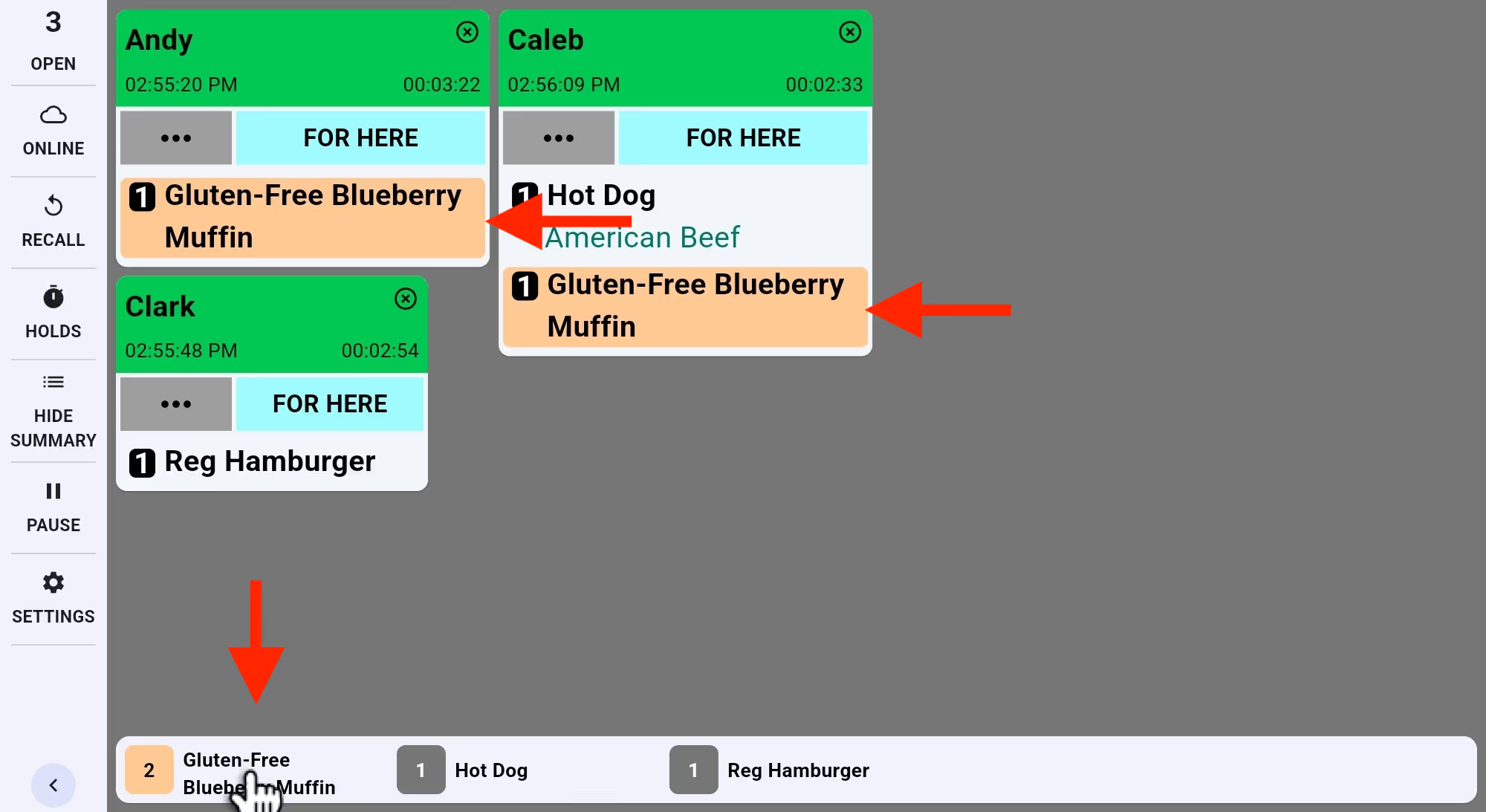
Suivez les articles du menu dans la barre de résumé. Touchez pour surligner toutes leurs occurrences et préparer plus vite.

Suivez les articles du menu dans la barre de résumé. Touchez pour surligner toutes leurs occurrences et préparer plus vite.
Découvrez Fresh KDS grâce à notre démo interactive. Découvrez à quel point la gestion des commandes peut être simple.
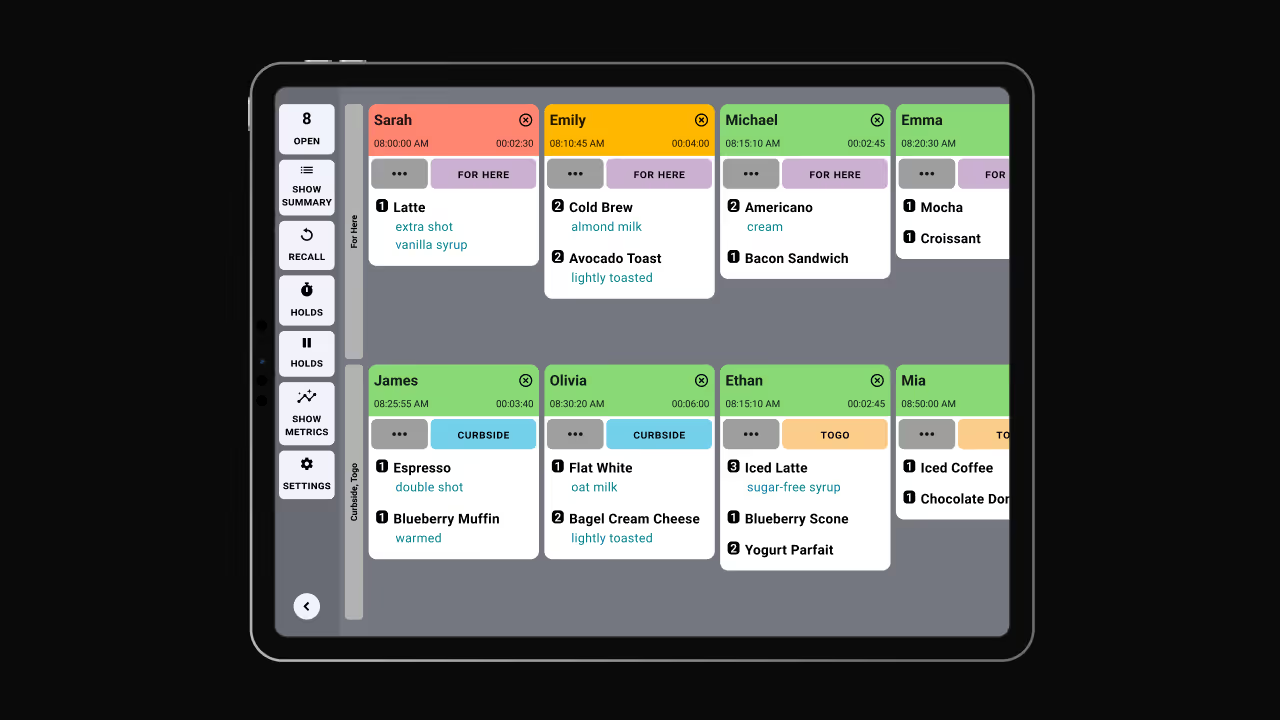
Introducing the Item Summary feature in Fresh KDS—a powerful tool designed to streamline your kitchen operations by providing a real-time overview of all items across active tickets. This feature enables your team to efficiently track and manage order preparation, ensuring timely and accurate service.
Key Benefits:
How It Works:
The Item Summary bar is conveniently located on your KDS screen, providing an at-a-glance view of item counts. Items can be organized by quantity, alphabetically, or according to a custom sort order that suits your kitchen's workflow. This flexibility ensures that your team can access the information they need in the most intuitive format.
For detailed instructions on utilizing the Item Summary feature, please refer to our Help Center article.
Découvrez toutes les manières dont vous pouvez rationaliser les opérations de votre cuisine avec Fresh KDS.
Commencez votre essai de 7 jours de Fresh KDS dès aujourd'hui en configurant votre compte. Le processus est totalement gratuit et ne prend que quelques minutes. Aucune carte de crédit n'est requise et vous pouvez annuler à tout moment.
Commencez, c'est gratuit.png)


.webp)


.avif)



.avif)


.avif)


.avif)