Vue à emporter
Vue à emporter
Simplifiez les commandes hors site
Organisez les commandes hors site dans un affichage dédié, avec les détails clés : type de commande, heure de retrait et arrivée pour le retrait trottoir.
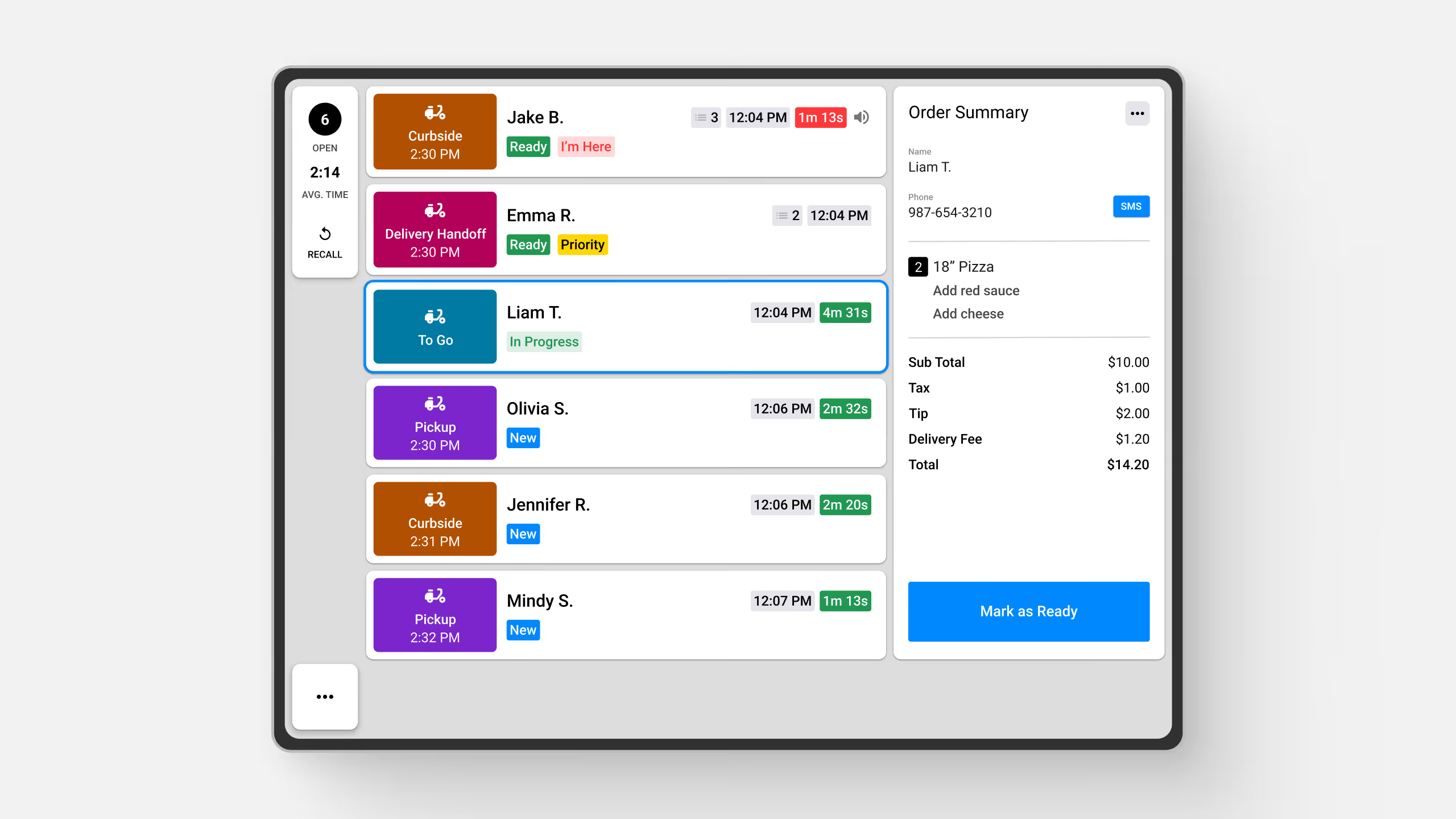
Organisez les commandes hors site dans un affichage dédié, avec les détails clés : type de commande, heure de retrait et arrivée pour le retrait trottoir.
Découvrez Fresh KDS grâce à notre démo interactive. Découvrez à quel point la gestion des commandes peut être simple.
La vue à emporter de Fresh KDS est un mode d'affichage spécialisé conçu pour optimiser la gestion des commandes hors site, aidant le personnel à suivre et à préparer efficacement les commandes à emporter, au trottoir, au drive et en livraison.
Cette vue présente les commandes dans un format de ticket horizontal clair et facile à lire qui inclut des détails clés tels que :
La vue à emporter est personnalisable et vous permet de choisir les types de commande à afficher. Bien qu'elle soit surtout adaptée aux commandes hors site, vous pouvez aussi inclure les commandes sur place si besoin, pour plus de flexibilité dans la gestion de la préparation.

Gérez les commandes en toute simplicité
Appuyer sur une commande ouvre un écran de récapitulatif de commande, offrant un détail complet de :
Améliorez le retrait trottoir avec le SMS « Je suis là »
Avec la messagerie client, vous pouvez envoyer une notification de retrait aux clients dès que leur commande est prête, avec un lien « Je suis là ». Lorsque le client arrive et clique sur le lien, une icône rouge « Je suis là » apparaît sur le ticket en vue à emporter, indiquant au personnel que le client attend sa commande.
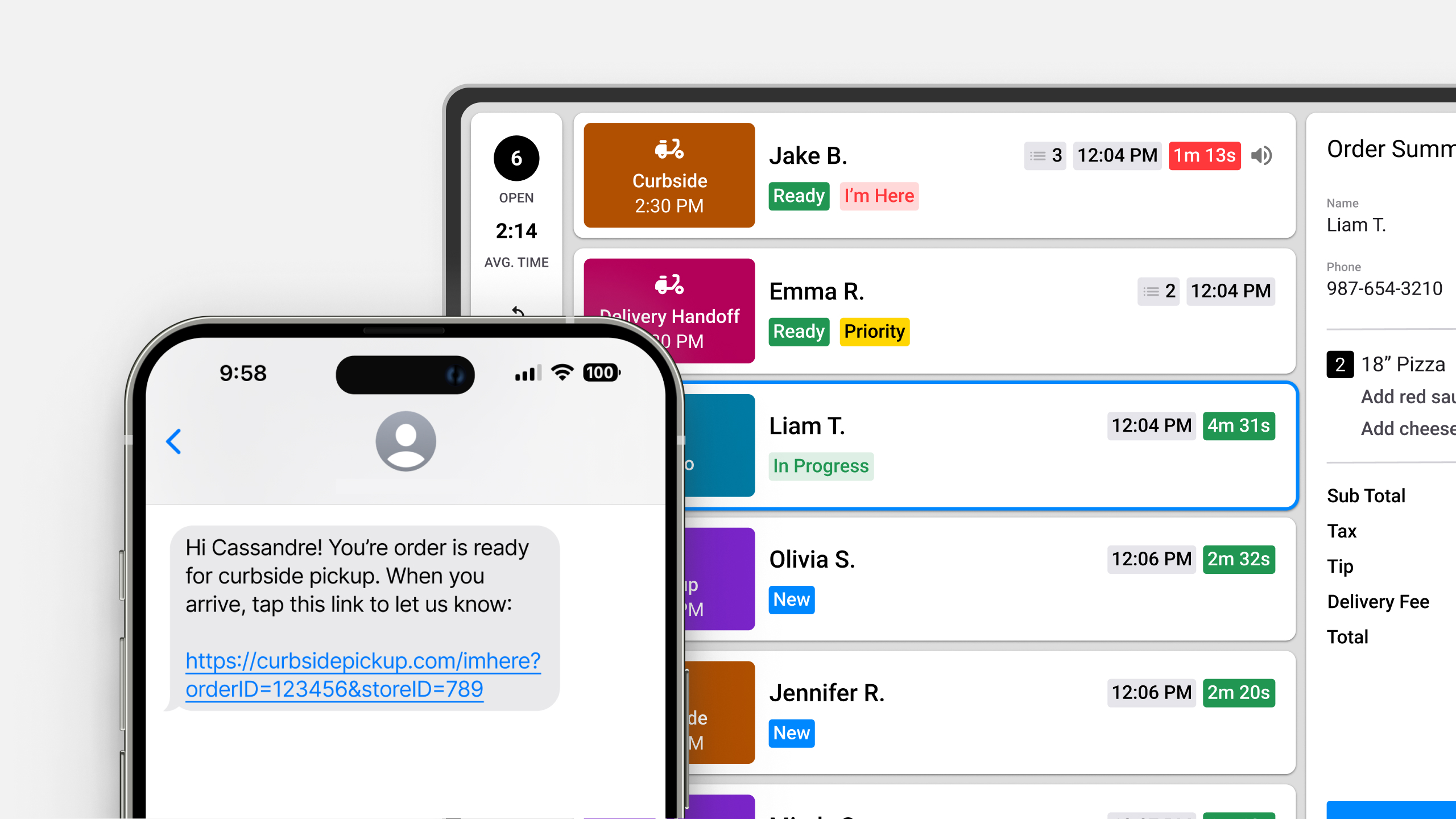
Avec la vue à emporter, votre équipe peut réduire la confusion, accélérer la préparation et améliorer l'expérience client, tout en gardant les commandes hors site organisées sur un seul écran dédié.
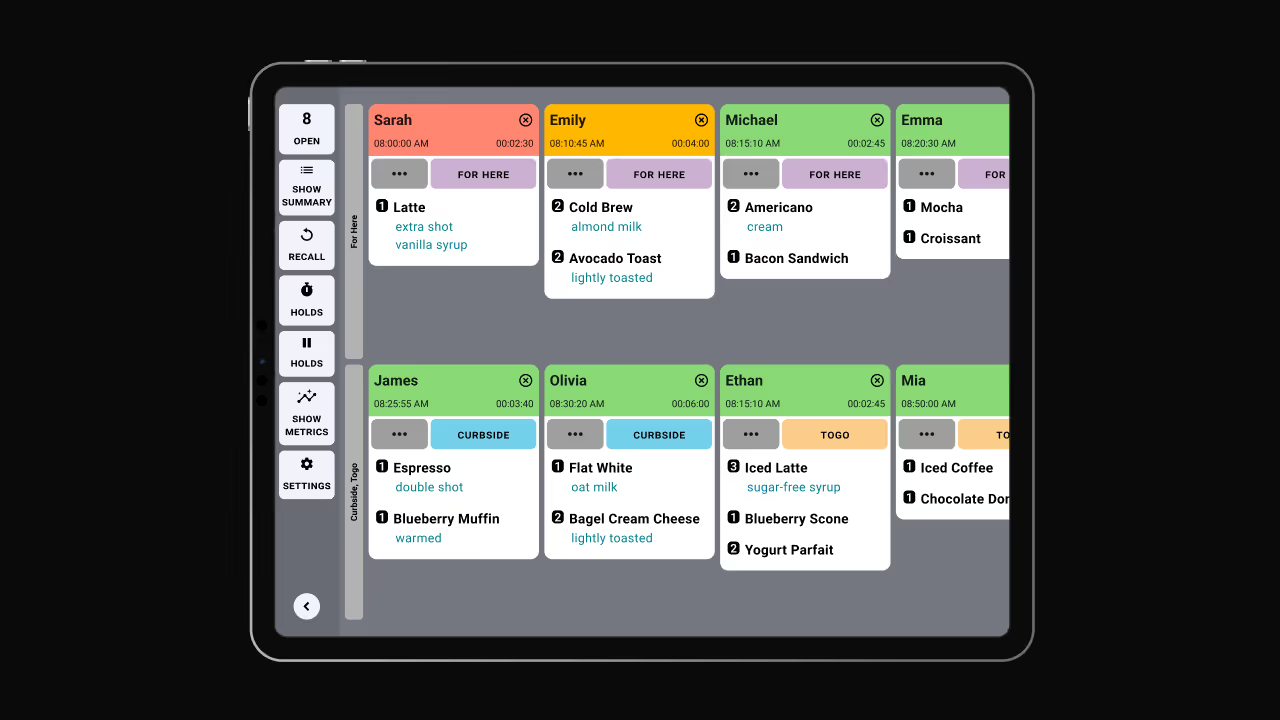
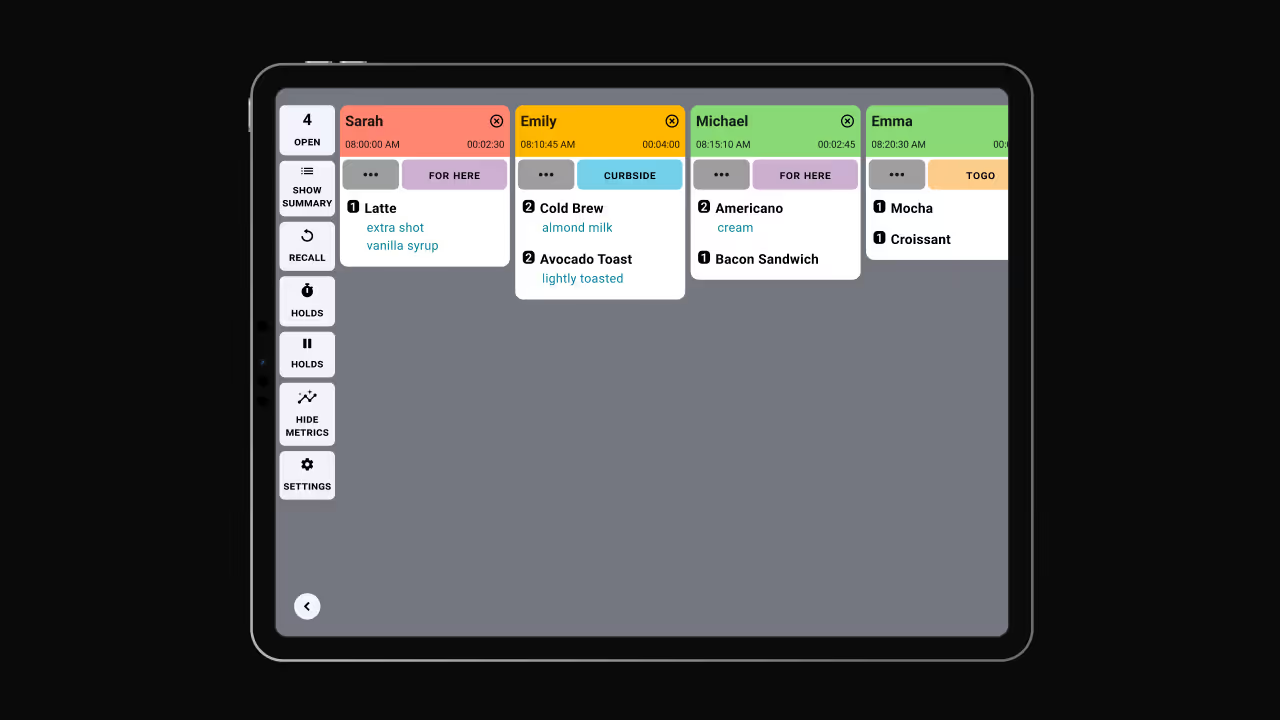
Découvrez les autres modes d'affichage :
En savoir plus sur la vue à emporter ou découvrez comment mettre à jour les commandes en vue à emporter ici.
Découvrez toutes les manières dont vous pouvez rationaliser les opérations de votre cuisine avec Fresh KDS.
Commencez votre essai de 7 jours de Fresh KDS dès aujourd'hui en configurant votre compte. Le processus est totalement gratuit et ne prend que quelques minutes. Aucune carte de crédit n'est requise et vous pouvez annuler à tout moment.
Commencez, c'est gratuit.png)


.webp)


.avif)



.avif)


.avif)


.avif)