Vista para llevar
Vista para llevar
Agiliza los pedidos fuera del local
Organiza los pedidos fuera del local en una pantalla dedicada, mostrando datos clave como tipo de pedido, hora de recogida y llegada a la acera.
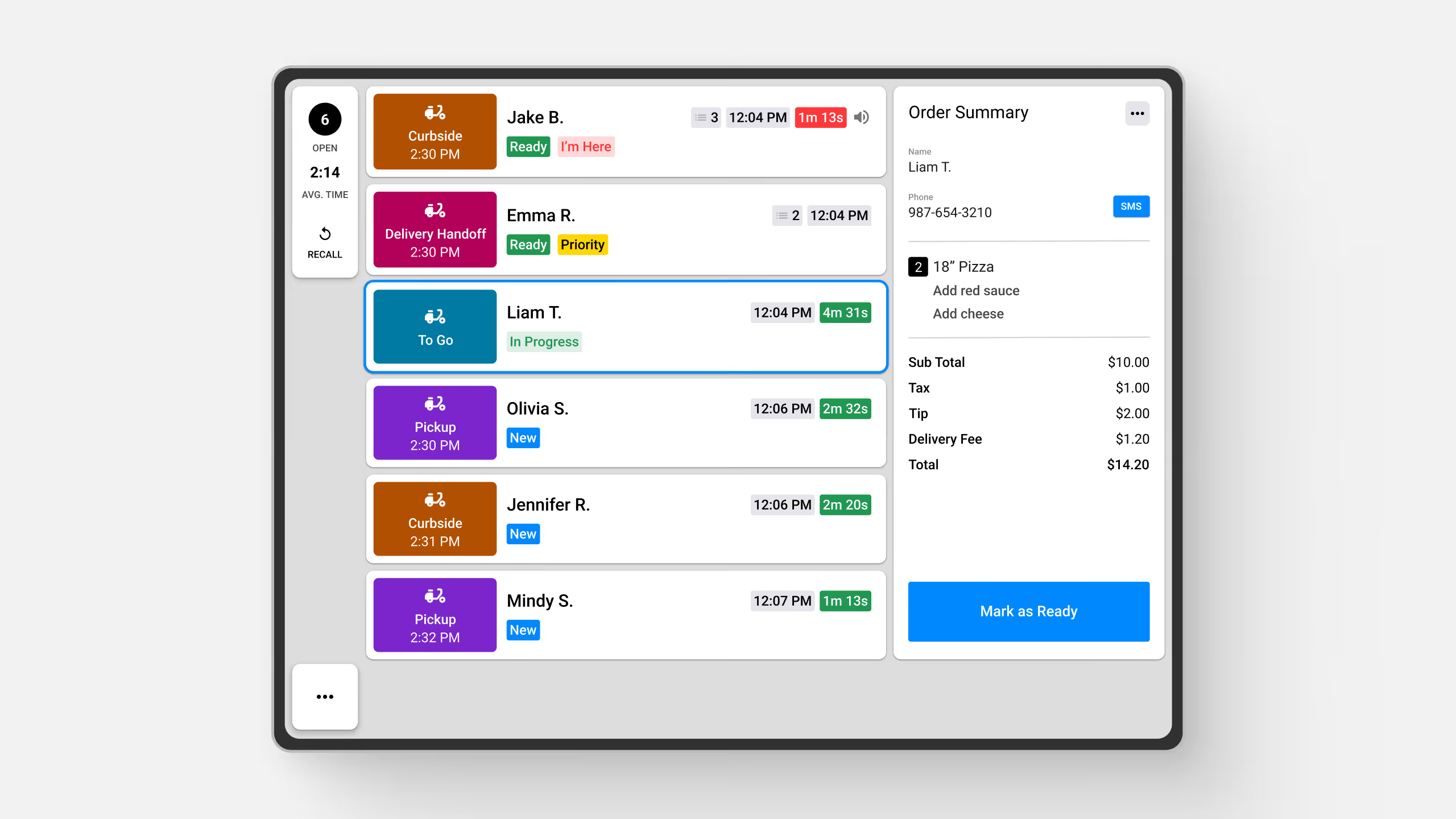
Organiza los pedidos fuera del local en una pantalla dedicada, mostrando datos clave como tipo de pedido, hora de recogida y llegada a la acera.
Explore Fresh KDS con nuestra demostración interactiva. Compruebe lo sencilla que puede ser la gestión de pedidos.
La Vista para llevar en Fresh KDS es un modo de visualización especializado diseñado para optimizar la gestión de pedidos fuera del local, ayudando al personal a rastrear y cumplir de forma eficiente los pedidos para llevar, en la acera, en el servicio para autos y de entrega a domicilio.
Esta vista presenta los pedidos en un formato de ticket horizontal claro y fácil de leer que incluye datos clave como:
La Vista para llevar es personalizable, permitiéndote elegir qué tipos de pedido aparecen. Aunque es ideal para pedidos fuera del local, también puedes incluir pedidos Para comer aquí si es necesario, dándote flexibilidad en la forma de gestionar el cumplimiento.

Gestiona los pedidos con facilidad
Al tocar un pedido se abre una pantalla de Resumen del pedido, que ofrece un desglose detallado de:
Mejora la recogida en la acera con SMS “Ya llegué”
Con Mensajes al cliente, puedes enviar una notificación de recogida a los clientes cuando su pedido esté listo, incluyendo un enlace “Ya llegué”. Cuando el cliente llega y hace clic en el enlace, aparece un ícono rojo de “Ya llegué” en el ticket de la Vista para llevar, avisando al personal que el cliente está esperando su pedido.
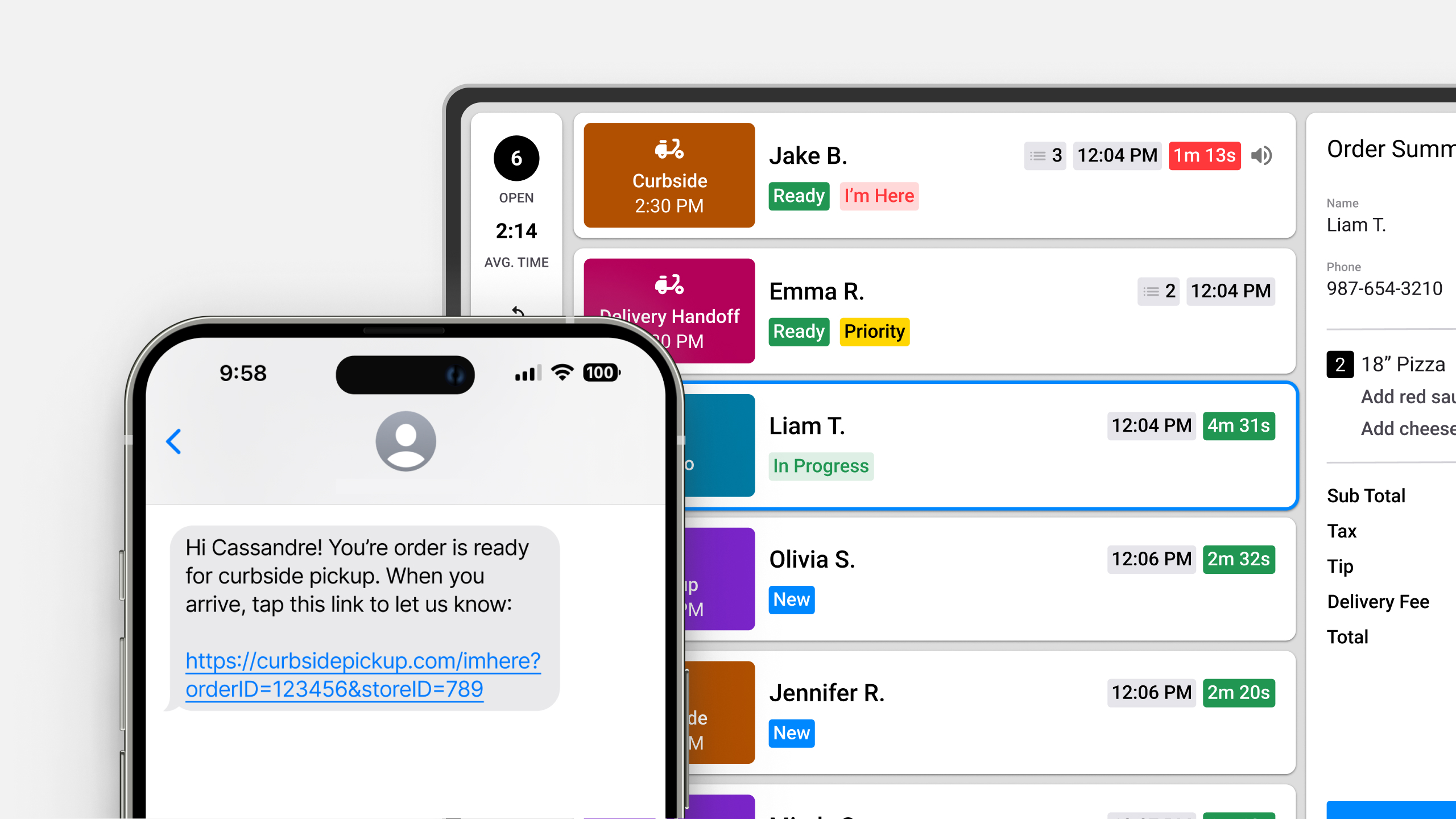
Al usar la Vista para llevar, tu equipo puede reducir la confusión, acelerar el cumplimiento y mejorar la experiencia del cliente, todo mientras mantiene los pedidos fuera del local organizados en una sola pantalla dedicada.
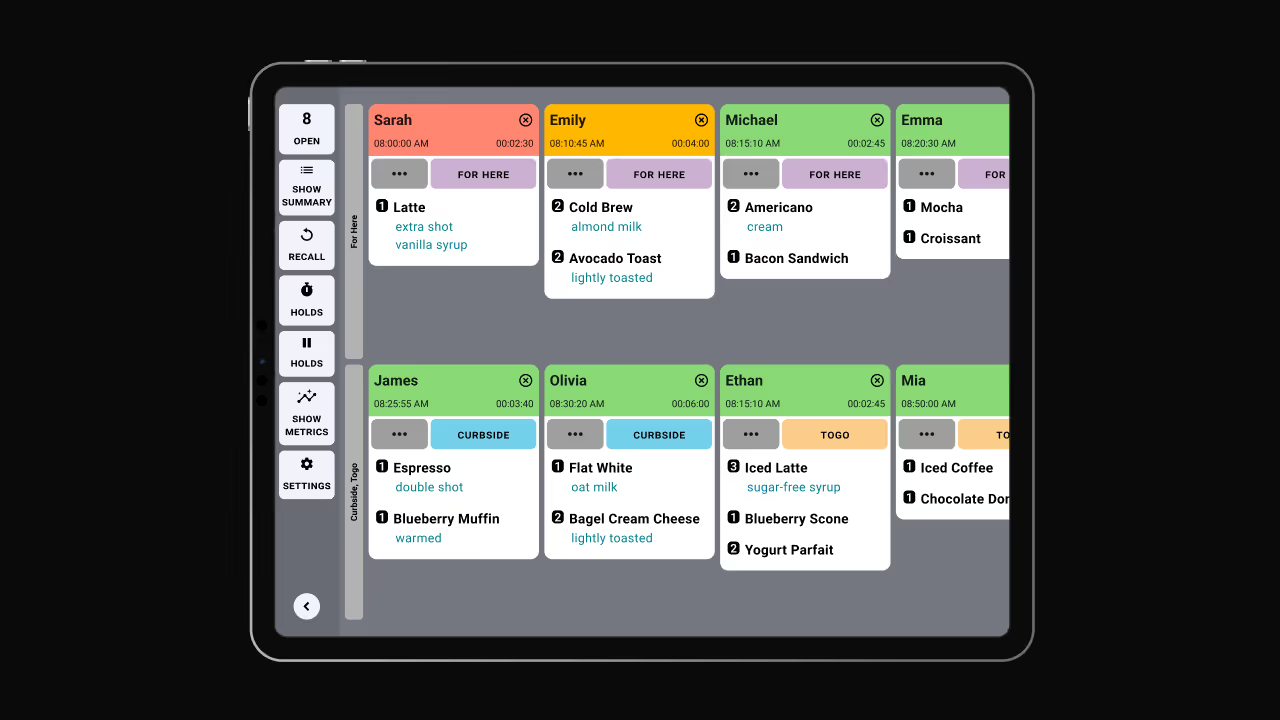
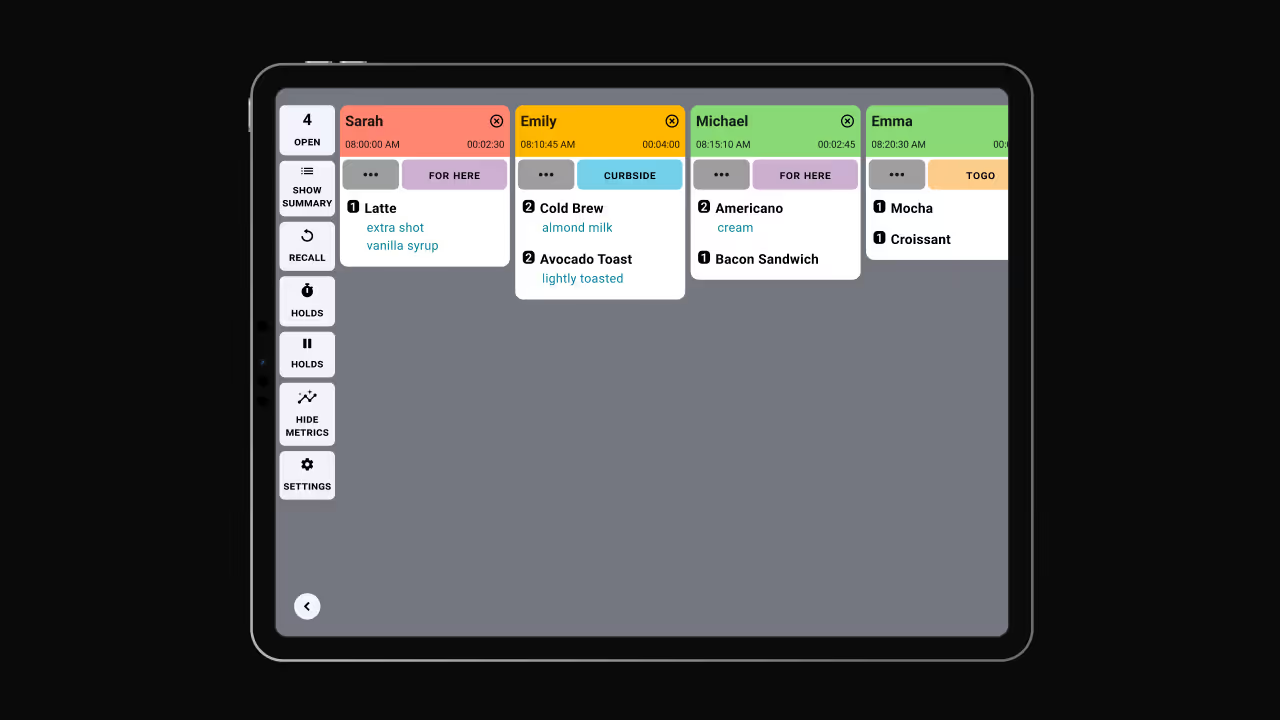
Explora otros modos de visualización:
Conoce más sobre la Vista para llevar o mira cómo actualizar pedidos en la Vista para llevar aquí.
Descubra todas las formas en las que puede optimizar las operaciones de su cocina con Fresh KDS.
Comience hoy mismo su prueba de 7 días de Fresh KDS configurando su cuenta. El proceso es completamente gratuito y solo lleva unos minutos. No se necesita tarjeta de crédito y puedes cancelar en cualquier momento.
Empieza, es gratis.png)


.webp)


.avif)




.avif)



.avif)


.avif)


