Retención de pedidos
Retención de pedidos
Controle el momento de cada pedido
Pause los pedidos hasta el momento justo de prepararlos, para reducir el desorden y mejorar la eficiencia de la cocina.

Pause los pedidos hasta el momento justo de prepararlos, para reducir el desorden y mejorar la eficiencia de la cocina.
Explore Fresh KDS con nuestra demostración interactiva. Compruebe lo sencilla que puede ser la gestión de pedidos.
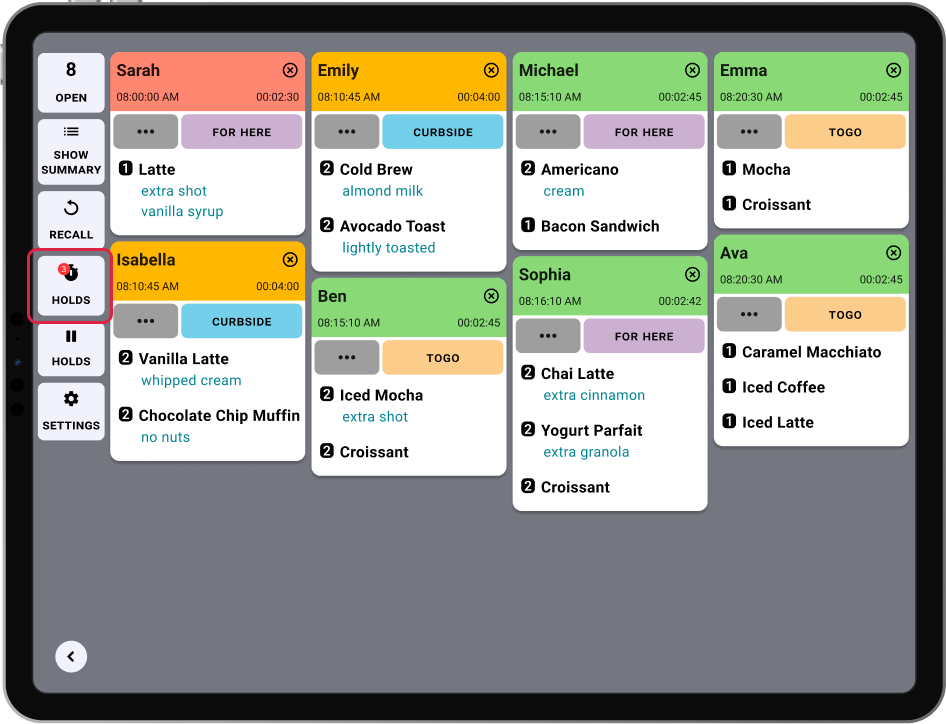
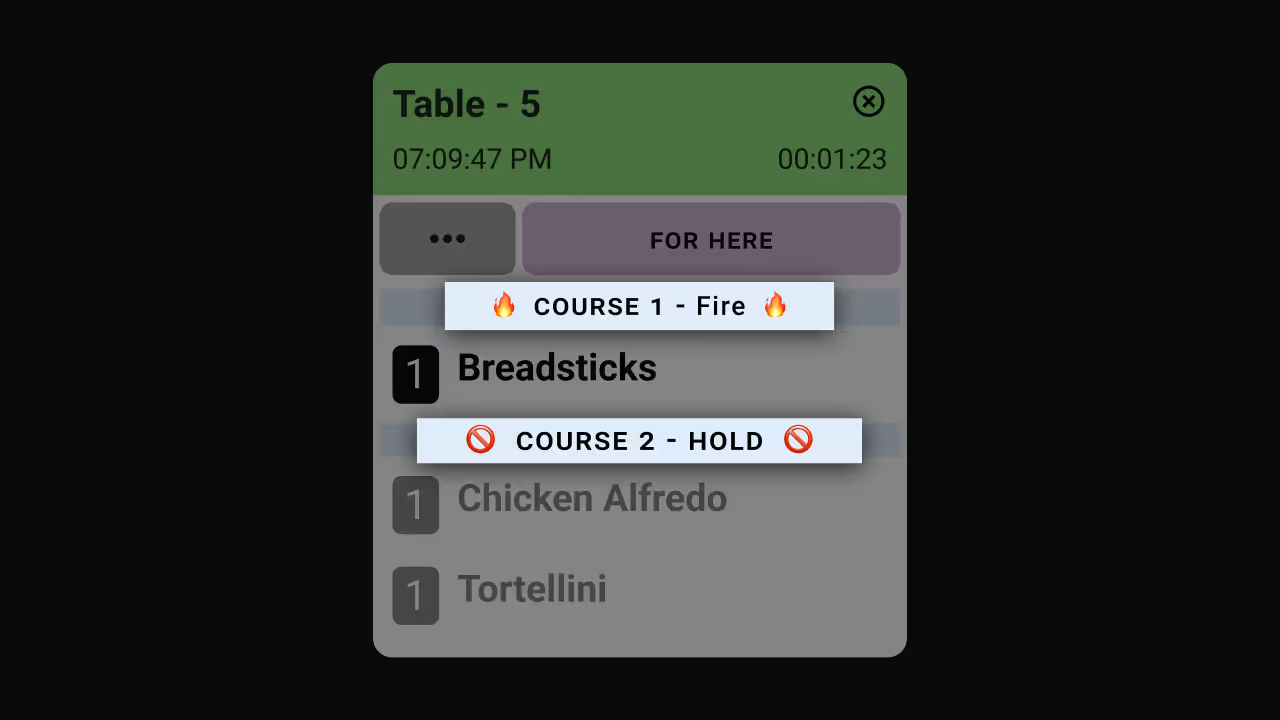
En una cocina concurrida, no todos los pedidos deben prepararse de inmediato. Algunos deben retenerse hasta el momento adecuado para mantener la comida fresca, asegurar un ritmo adecuado y gestionar la carga de trabajo de la cocina. Con la retención de pedidos, Fresh KDS le permite pausar pedidos y liberarlos automáticamente a la hora programada, lo que mantiene a su equipo concentrado y su pantalla sin desorden.
En lugar de saturar su cocina con pedidos futuros o programados, puede retener los tickets fuera de pantalla y hacer que aparezcan automáticamente cuando se necesiten. Ya sea que esté gestionando comidas de varios tiempos, coordinando pedidos en línea o atendiendo las horas pico, esta función garantiza que su equipo solo vea los pedidos en los que debe trabajar ahora mismo.
Los pedidos en retención permanecen sincronizados en todas las pantallas KDS, para que cada estación de preparación se mantenga actualizada. Cuando llega el momento de empezar a trabajar en un pedido retenido, aparecerá automáticamente en la pantalla para completarlo.
Beneficios clave
Cómo funciona

Comience con la retención de pedidos
¿Quiere saber más? Consulte nuestro centro de ayuda para obtener instrucciones paso a paso:
Descubra todas las formas en las que puede optimizar las operaciones de su cocina con Fresh KDS.
Comience hoy mismo su prueba de 7 días de Fresh KDS configurando su cuenta. El proceso es completamente gratuito y solo lleva unos minutos. No se necesita tarjeta de crédito y puedes cancelar en cualquier momento.
Empieza, es gratis.png)


.webp)







.avif)



.avif)


.avif)


