Comunicación entre pantallas
Comunicación entre pantallas
Sincronice todas sus estaciones
Cada cocina es diferente. Fresh KDS ofrece varias opciones de comunicación entre pantallas para mantener cada estación en perfecta sincronía.

Cada cocina es diferente. Fresh KDS ofrece varias opciones de comunicación entre pantallas para mantener cada estación en perfecta sincronía.
Explore Fresh KDS con nuestra demostración interactiva. Compruebe lo sencilla que puede ser la gestión de pedidos.
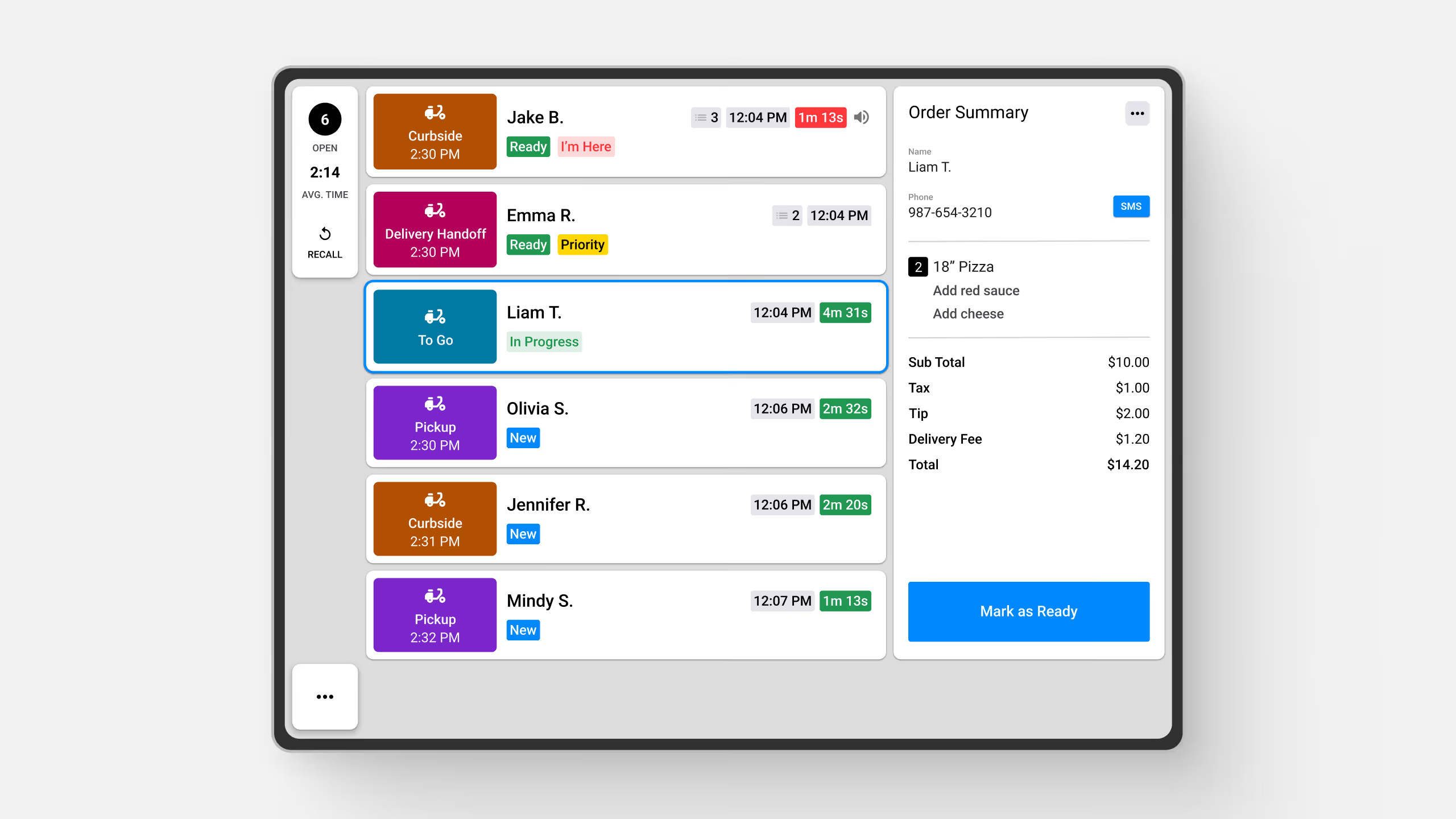
La comunicación entre pantallas garantiza una coordinación perfecta entre varias estaciones de la cocina al permitir la gestión sincronizada de pedidos y transiciones de flujo de trabajo eficientes.
Beneficios clave:
Cómo funciona:
Fresh KDS ofrece opciones flexibles de comunicación entre pantallas para adaptarse a distintos flujos de trabajo de cocina:
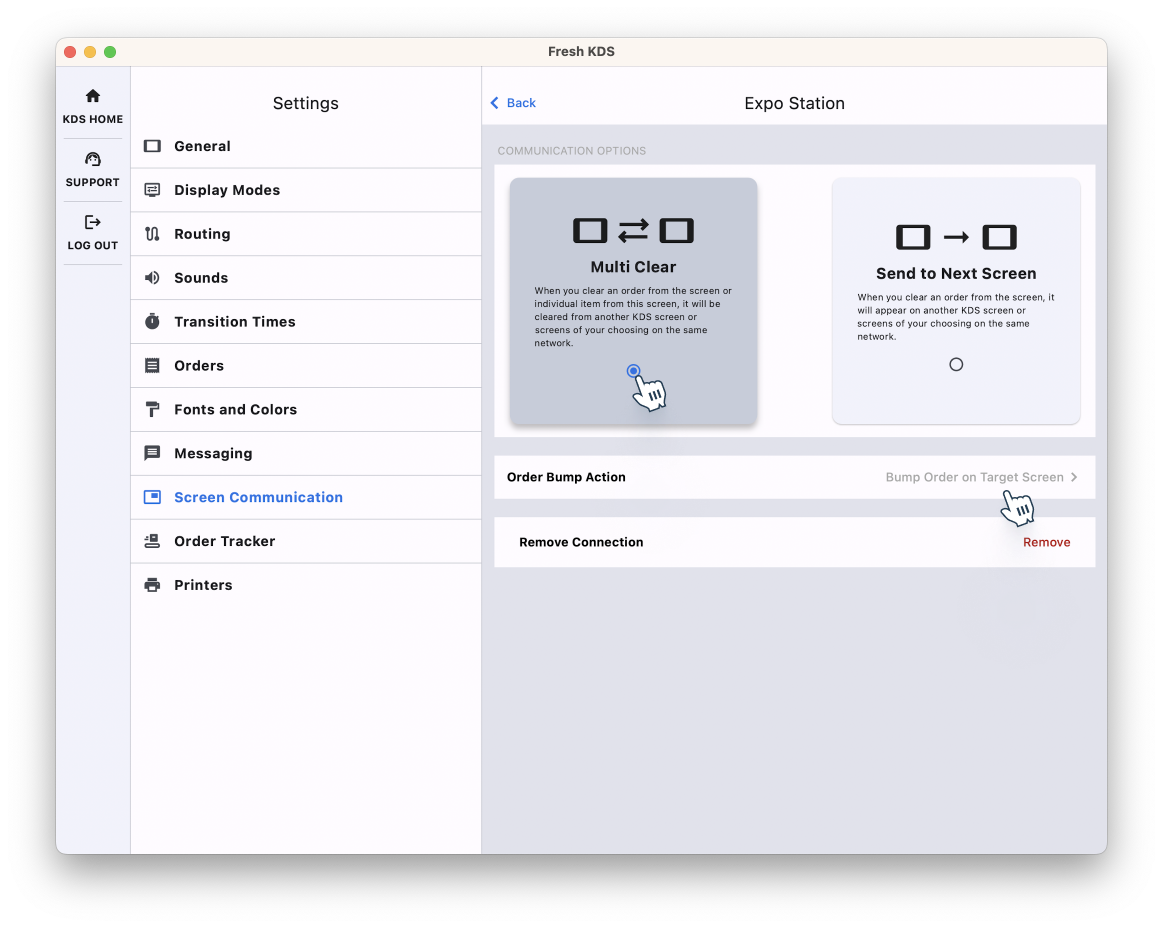
Para configurar la comunicación entre pantallas, asegúrese de que todas las pantallas KDS estén conectadas a la misma red Wi-Fi. En la app de Fresh KDS, vaya a Configuración > Comunicación entre pantallas, active la función y configure las opciones de comunicación que prefiera.
Al implementar la comunicación entre pantallas, su cocina puede lograr un mayor nivel de coordinación, reducir errores y mantener un flujo constante de pedidos desde la preparación hasta la entrega.
Esta función está disponible exclusivamente en los planes Premium y Unlimited. Para obtener más información sobre cómo editar su suscripción de Fresh KDS, haga clic aquí.
Para obtener más información sobre cómo funciona la comunicación entre pantallas, consulte este artículo de ayuda, o explore más la función aquí.
Descubra todas las formas en las que puede optimizar las operaciones de su cocina con Fresh KDS.
Comience hoy mismo su prueba de 7 días de Fresh KDS configurando su cuenta. El proceso es completamente gratuito y solo lleva unos minutos. No se necesita tarjeta de crédito y puedes cancelar en cualquier momento.
Empieza, es gratis.png)


.webp)



.avif)




.avif)


.avif)


.avif)


